普通视图

Received before yesterday

Multilingual digital book arts (& an example accepted conference proposal!)

2025年12月3日 13:00

I’ve a talk accepted to the 2026 Global DH conference, and share that proposal here both for its content and as another example of what a conference abstract can look like. I’ve added comments (in ‘'’code formatting’’’) highlighting how the abstract proposal is structured.

“Not having to ask: critical humanities making, zines, & analog tech for multilingual DH”

In “Having to Ask”, a doctoral colleague [2024-2025 Praxis Fellow Amna Irfan Tarar] writes about othering experiences in DH spaces, such as when staff weren’t sure if a web font used by a team project could correctly render her name in Urdu. I’m developing digital and analog letterpress resources as part of our DH center’s critical humanities makerspace studies. Letterpress moveable type is a pre-digital corollary to multilingual web fonts, and Tarar’s essay reinforced my priority of anyone printing with us being able to print their name—without singling out that name as needing special effort or research.

Motivation / underlying research question.

This lightning talk covers the DH work I’ve started toward this goal, and will be of interest to scholars curious about: zine creation for teaching, critical humanities making, multilingual DH, accessibility, book arts, and connections between historical/retro tech and current DH methods. I’ll share my first set of moveable non-English type, my forthcoming zine on how to inexpensively create similar type, and an overview of my research into historical and current strategies for fabricating non-Latin type (some of which cannot be segmented into easily interoperable rectangles the way Latin type can). I know there are too many languages for us to complete this goal; while slowly moving toward that vision language by language, I’m also developing some quick hacks to at least slightly improve type accessibility in the mean time, as well as working to replicate how such scripts were historically printed.

Specifics on what the talk will cover. Which scholars might want to attend it and why, including showing how that's not limited to e.g. "people who do letterpress" or "makerspace people". Quick note that I understand the most immediate likely challenges to this work.

I’ve wanted to contribute to a more multilingual DH, despite my monolingual ability restricting what I can do. My hope is to develop enough type design and fabrication competency to partner with colleagues who have greater language competency than me, and I’m eager to hear advice from session attendees toward this goal.

Where is this in-progress research headed, and how might that benefit others? What kind of Q&A might this talk elicit from its audience?

On the edge: printing zine margins

2025年5月2日 12:00

Q. Do you know of zine templates that let you import your zine content and then print it properly?

A. I’ve run into this a lot, partly bc some printers have various hidden amounts of white space they’ll require to allow for where they grip the paper, even if you set printer settings to zero margins. Very frustrating, especially for printing minizines, where this can through off what’s visible per page when you fold the pages.

A few printers have true borderless printing, but I haven’t happened to run into one at home/work yet. Sometimes I use a paper cutter or scissors to remove that unprinted edge after printing, to make the zine look printed all the way to the edge when it doesn’t have a white background.

Researching what those secret extra whitespace settings are for my particular printer brand and model has helped, as well as printing a test template with text running off all the zine page edges. This lets me then measure on the printout what of the text gets cut off, then design so my text/images don’t go there. In Canva, I’ve drawn those measured cutoff points as colored boxes, then duplicate that page to fill it with zine content and remove the boxes once I’m ready to print, like so:

Screenshot of a Canva page where I've marked with green, yellow, and red rectangles where the various margins are on a page (margin, bleed, actual printer cutoff where it won't print beyond) if I mke a zine on it and print it with my particular printer.

Canva (free plan) lets you set margin and bleed guides (file > settings) that helps with designing for printing correctly. While these don’t override that secret won’t-print-there grip area of paper many printers have, ustom print margin settings can sometimes help too:

Screenshot of where to go in Adobe Acrobat to set custom printing margin settings: "page setup" button, then "paper size" to "Manage custom sizes..."

Screenshot of where to go in Adobe Acrobat to set custom printing margin settings: + icon, then set "Margins" as "User Defined" and enter 0 in. under the fields for each of the 4 sides of the paper

I’ve tried various zine arranger (plus additional cool features!) tools, such as:

These all do useful things, but ultimately can’t address different printers adding that secret extra space—so the hacks above have worked best for me.

From text originally posted by me via the Scholars’ Lab Bluesky account in response to a question there.

Scholars’ Lab Data Art Call For Proposals

2025年4月23日 12:00

(Note that the deadline has been extended to Friday, May 23rd, with notification date also moved later.)

The Scholars’ Lab, part of the Digital Humanities Center in the University of Virginia Library, is accepting proposals for creative works that tell evocative, artistic, and thought-provoking stories with data for display in our community space (Shannon Library, Room 308).

We use “data art” rather than “data visualization” to emphasize we seek physical, compelling, data-inspired or data-enriched compositions that inspire or educate visitors. These can be, but do not need to be large-scale research projects. They should be based on some kind of specific data, but we define data broadly to include analog, ephemeral “data” such as photo albums, archives, and personal records, as well as digital datasets. Projects should take a material form—that visitors to our space can examine and/or interact with. They can be graphical (2D) or multidimensional exhibits, and can also incorporate sound or other analog or digital media.

Questions or need help IDing data? If you have a clear idea for exploring a specific topic with a specific artistic outcome, but need help identifying a dataset to use, we might be able to suggest possibilities. Please email Laura Miller at least a week before the application is due to set up a data consultation, or to answer any other questions you may have.

Eligibility:

  • Applicants must be at least 18 years old, can work independently or in collaborative groups, and do not need to be affiliated with UVA. There is no travel or residential funding associated with this award, but virtual participation and presentation is required if you are not local.

Prize:

The inaugural 2025-26 award will be $1,000: of that amount, up to $300 is available as soon as the project is accepted for the purchase of materials needed for the fabrication of the exhibit, with the remainder provided to the creator (if UVA student or non-UVA affiliate) or their department (if UVA faculty or staff) after the finished project is delivered to the Lab, and the public event is complete.

  • The selected work(s) will be on loan to the Library and will be displayed for the academic year (August-May). The work will be returned to the artist at the conclusion of the term.
  • The Library will provide assistance transporting, installing, and labeling the piece.
  • The Scholars’ Lab will host an opening reception, with a brief talk, and will aid in programming around the piece in conjunction with the artist. Local creator events will take place in person; travel funds are not available, so non-local creators will speak virtually.

Space considerations:

The Scholars’ Lab Common Room (Shannon 308) space has:

  • one area with available two-dimensional installation space up to up to 56” w by 88” h or a three-dimensional installation space up to 56” w by 48” d by 120” h.
  • a second area with a two-dimensional installation space of up to 84” w by 88” h or a three-dimensional installation space up to 48” w by 48” d by 120” h.
  • a third area with a three-dimensional space of up to 72” w by 72”d by 120” h. Ideally the installation would use one of these three locations, but if your project design utilizes multiple spaces, please indicate this in your proposal. Note: all completed projects must either be assembled on site or pass through our main entrance, measuring 72” w by 88” h.

Proposal Requirements:

  • Project title
  • Brief bio of the artist(s) focused on what prepares you for this work. Please include any previous experience with the method (e.g. quilting, sculpting, weaving, felting, electronics, etc.) used to complete your project.
  • Either an artistic plan for the work; or if it already exists, link to a website hosting the entry; or, if a physical object, videos or photographs of the completed piece
    • Description of the work, including material, finished size, technical specifications (if digital), and installation requirements
  • Project explanation, detailing the data source(s), key decisions in visualizing the data, and the primary narrative or argument conveyed (one-page or less)

Timeline:

  • CFP announced April 23, 2025
  • Submission Deadline: Submissions should be sent to Laura Miller by end of day, Friday, May 23. The artist(s) will be notified by Friday, May 30.
  • Project Deadline: The selected piece must be completed and ready to be installed by August 28, 2025.

Global Digital Humanities Conference: Zine Bakery: borderless DH research, methods training, and scholarly communication via zines

2025年4月7日 12:00

I presented about the Zine Bakery today at the Global Digital Humanities conference last week. Below are some links that had to fly by on my screen, so folks have more time to peruse them.

I’m on Bluesky at LiteratureGeek.bsky.social if you want to chat there!

Key parts of Zine Bakery

Where to find zines:

Citations & further reading

Fox, Violet B. et al. “The zine librarians code of ethics” web resource, zine. November 2015. zinelibraries.info/code-of-ethics-1115-web-version.

Freedman, Jenna, et al. Zine Union Catalogue web resource. zinecat.org.

Nemergut, Nicole Acosta. Teaching with Zines zine. 2018. github.com/zinecat/zinecat.org/blob/master/Documents/Teaching%20with%20Zines%20-%20Acosta.pdf.

Sahagian, Jacqui. “Zine-making as Critical DH Pedagogy”. Scholars’ Lab blog post, January 14, 2022. scholarslab.org/blog/workshop-zine-translation.

Stevens, Amanda, et al. Zine Subject Thesaurus web resource. anchorarchive.org/subject-thesaurus.

Visconti, Amanda Wyatt. “Book Adjacent: Database & Makerspace Prototypes Repairing Book-Centric Citation Bias in DH Working Libraries”. DH+Lib special issue, Spring 2024. dhandlib.org/?p=154321.

—. Zine Bakery. ZineBakery.com. Project’s research blogging includes:

—; Quinn Dombrowski; Claudia Berger. “#DHmakes: Baking Craft into DH Discourse”. Korean Journal of Digital Humanities, 1(1), 73-108, 2024. accesson.kr/kjdh/v.1/1/73/43507.

Walters, Jess. “Zines” (Walters’ zines & work, including zines for disability jistice community, learning, advocacy). jesswaltersart.com/zines

Pixels, paper, politics: a digital humanist booklab with an intersectional transfeminist frame

2025年3月25日 12:00

The following is an accepted proposal I submitted to the international Feminist Media Histories journal special issue on “Craftwork within the Digital”, guest-edited by Christina Corfield and Whitney Trettien. In addition to giving a preview of my piece, I thought this might be helpful to folks looking to propose journal articles for the first time.

I propose creating a one-page website consisting of a written scholarly artist statement and 3 digital, printable zines.

The written introduction will consist of 2-4 pages of text exploring the intersections of craft/method-expansive makerspaces and the digital humanities (DH) for feminist practice, including through recounting my zine and #DHmakes community work. I’ll particularly focus on the affordances of one book arts methods and especially letterpress printing craft, offering a list of intersectional, transfeminist values including justice, care, and abundance and how this method offers opportunities to practice these values. I’ll also provide a short, hyperlinked bibliography of free online scholarly readings related to these topics.

Finally, I’ll present a model of one feminist + digital craft case through an overview of how I’m developing my DH-center-based booklab based on intersectional, transfeminist values, to fill local gaps in book arts accessibility, including through:

  • Low-barrier, friendly, safe/hard-to-break printing experimentation available for no cost
  • Building support for inclusive and multilingual printing, especially for non-Latin scripts, Braille, and other typefaces uncommon or difficult to procure in the U.S., with one goal being all lab visitors always have the type available to correctly print their names
  • Experimental & digital humanities explorations, applying our makerspace and prototyping expertise to develop custom, cheaper, and/or otherwise unavailable typefaces and printing apparatus (e.g. to address the dearth of multilingual options), and explore other connections between hands-on book arts practice and our DH skillset
  • Maintaining a free, public zine rack stocking social justice-related titles
  • Growing a collection of historical LGBTQIA+ letterpress blocks, and publishing these in an online gallery; lasercutting wood to create new LGBTQIA+ letterpress blocks to expand what’s available, and sharing the design files and instructions so others may replicate these

The 3 zines associated with this piece will be readable online, as well as by printing and folding. Each will use a feminist-tech tutorial approach (à la Julia Evans) to make introductory letterpress practice more accessible in both a tacit knowledge and a monetary expense sense, covering three topics:

  1. finding your first press
  2. finding your first letterpress type
  3. doing your first typesetting and printing
    I plan these zines to be similar in depth of content to my recent co-authored “DIY Web Archiving” zine, and the zines’ design/polish level to be similar to my co-authored “Speedweve for Mending” zine. I have existing experience with the required methods (web design and zinemaking) for this proposal, and do not need support in achieving them. I have a draft outline and notes toward writing all three zines completed already, so the remaining work is doable during this CFP’s timeframe.

Bio:
Dr. Amanda Wyatt Visconti (they/them) is Director of the Scholars’ Lab, an internationally recognized digital humanities research center; and both a researcher and practitioner of book arts and making (e.g. letterpress, zines, resin, data embodiment). An active contributor to the #DHmakes community, in just the last year they’ve organized a 7-session public zoom series teaching craft methods to digital humanists (#DHMakes Methodz Talks), written and published two zines on craft methods (mending with Sam Blickhan; lasercutting) in addition to four other zines, and published two peer-reviewed journal articles on scholarly making (book-adjacent, data-powered making; #DHmakes community history, with Quinn Dombrowski and Claudia Berger). Their scholarship includes intersectional, transfeminist bibliography and digital humanities research coding, and they hold a Literature Ph.D. and Information M.S. both focused on digital humanities human-computer interaction.

Lasercutter Letterpress: reusable designs for letterpress printing blocks, stickers, & more

2025年3月2日 13:00

I’ve been experimenting with lasercutting type-high wood to make letterpress blocks for letterpress printing (read more & pretty pictures here). Since someone asked on Bluesky, I’m now sharing some of the recent files I’ve lasercut, which are free to use with a CC-BY-NC license, which means you need to credit me when sharing them (Amanda Wyatt Visconti / AmandaVisconti.com) and cannot sell them nor include them in a sold thing.

You can use these for stickers or other purposes; to lasercut them for printing on wood, lino, or other materials, reflect (flip) the images horizontally before carving, so they read correctly when pressed against paper with ink. Here’s an example of one of the images I flipped and lasercut into wood for letterpress printing use:

Photo of a block of wood in a lasercutter, being cut to show a historical illustration of a Luddite, and the text "critical tech! no 'innovation' serving profit over people". Photo is from after 5 total lasercutter passes. Photo digitally flipped for readability.

“made with <3 by” with checkboxes for trans ally or trans printer; & fill-in trans pride flag

Download as: SVG or PNG. (CC-BY-NC Amanda Wyatt Visconti.)

Adobe Illustrator design intended for creating letterpress printing blocks by cutting via lasercutter onto wood, to use to print the image to paper with ink; to achieve this, the black & white colors are inverted. The image will also need to be horizontally flipped, so that when the block is pressed to paper the inked image is legible; but for social media viewing I have left it unflipped. The design is the text "made with love by" followed by checkboxes next to the options "trans ally!" and "trans printer!", followed by the outline for a trans flag you can color in after letterpress printing

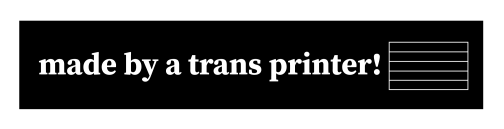
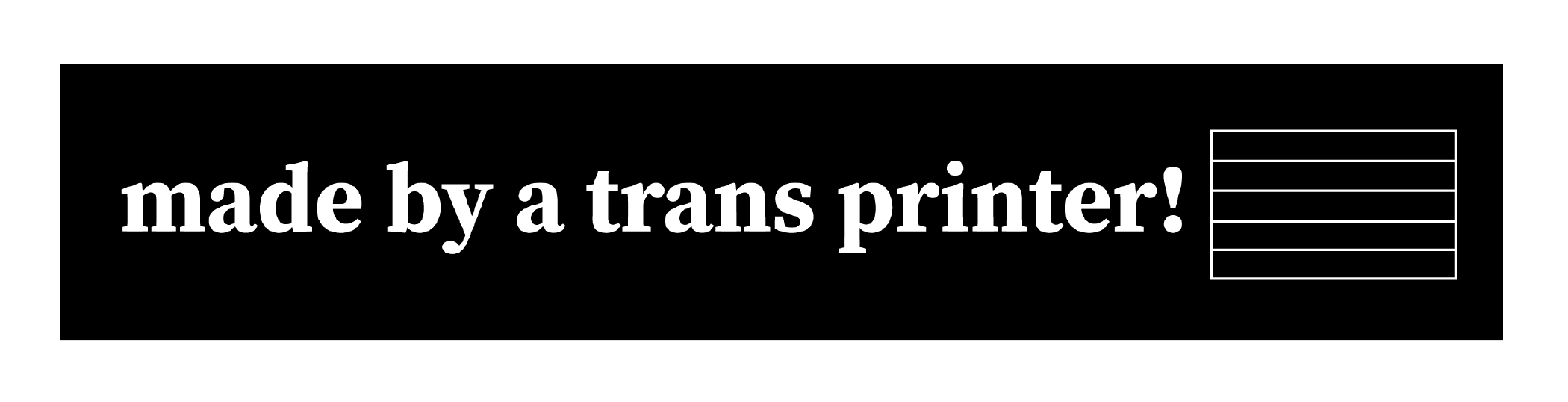
“made by a trans ally!” & “made by a trans printer!” with fill-in trans pride flag

Download as: SVG or PNG. (CC-BY-NC Amanda Wyatt Visconti.)

Adobe Illustrator design intended for creating letterpress printing blocks by cutting via lasercutter onto wood, to use to print the image to paper with ink; to achieve this, the black & white colors are inverted. The image will also need to be horizontally flipped, so that when the block is pressed to paper the inked image is legible; but for social media viewing I have left it unflipped. The design is “made by a trans ally!” text next to the outline of a trans flag, which can be filled in later with color

Download as: SVG or PNG. (CC-BY-NC Amanda Wyatt Visconti.)

Adobe Illustrator design intended for creating letterpress printing blocks by cutting via lasercutter onto wood, to use to print the image to paper with ink; to achieve this, the black & white colors are inverted. The image will also need to be horizontally flipped, so that when the block is pressed to paper the inked image is legible; but for social media viewing I have left it unflipped. The design is “made by a trans printer!” text next to the outline of a trans flag, which can be filled in later with color

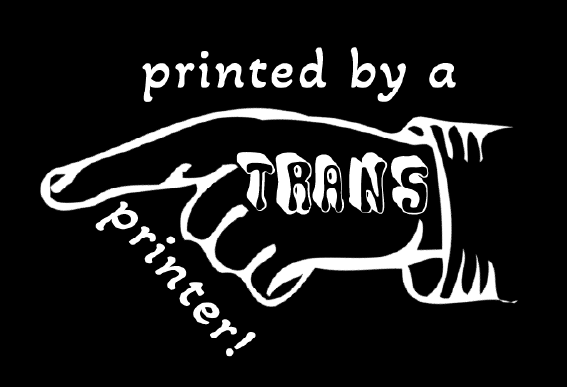
“made by a trans printer!” on manicule with Erin Moore’s Vision font on “trans”

Download as: SVG or PNG. (CC-BY-NC Amanda Wyatt Visconti.)

Adobe Illustrator design intended for creating letterpress printing blocks by cutting via lasercutter onto wood, to use to print the image to paper with ink; to achieve this, the black & white colors are inverted. The image will also need to be horizontally flipped, so that when the block is pressed to paper the inked image is legible; but for social media viewing I have left it unflipped. The design is a pointing hand that says "printed by a trans printer!" The word "trans" is on the back of the hand, in Erin Moore's groovy Vision font.

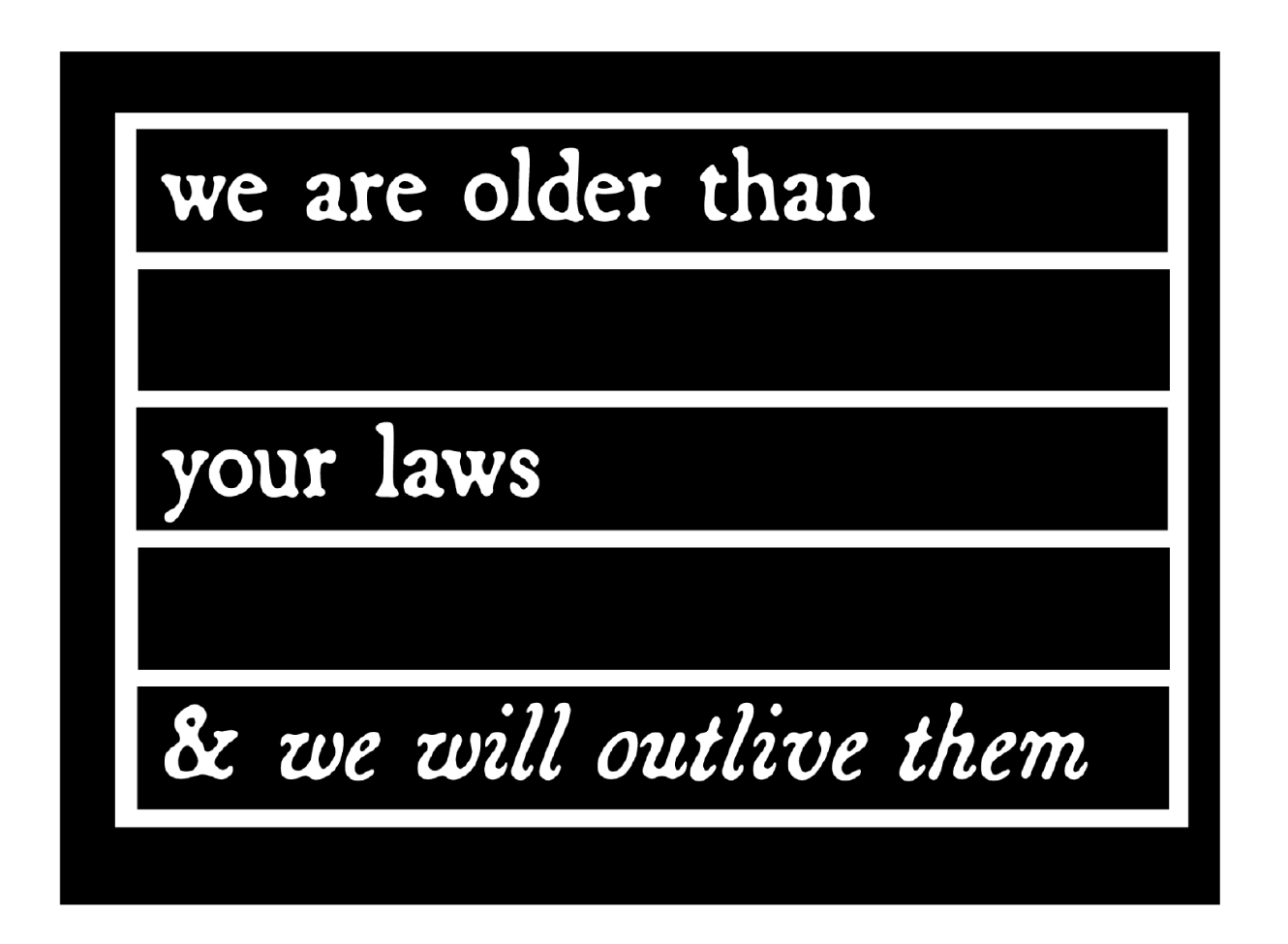
“we are older than your laws and we will outlive them”

The text in this design quotes the text from CoyoteSnout’s art, which quotes an old Yiddish lyric with a 20th-century history of resistance/defiance to Jewish persecution and murder (“we will outlive them”) put into the context of trans rights (there have always been trans people).

Download as: SVG or PNG. (CC-BY-NC Amanda Wyatt Visconti.)

Adobe Illustrator design intended for creating letterpress printing blocks by cutting via lasercutter onto wood, to use to print the image to paper with ink; to achieve this, the black & white colors are inverted. The image will also need to be horizontally flipped, so that when the block is pressed to paper the inked image is legible; but for social media viewing I have left it unflipped. The design is “CoyoteSnout’s text “we are older than your laws & we will survive them” in an antique broadside-style typeface, all over a flag-shaped rectangle divided by by bars into 5 equal sections so it can be later colored in with trans or other pride flag color schemes

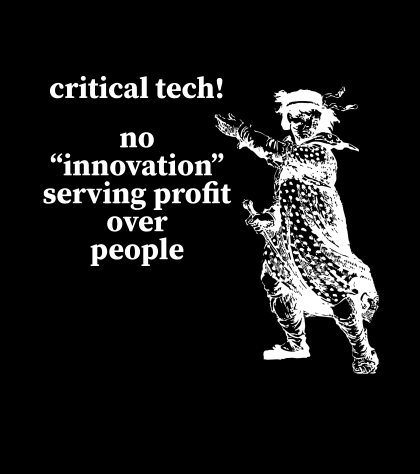
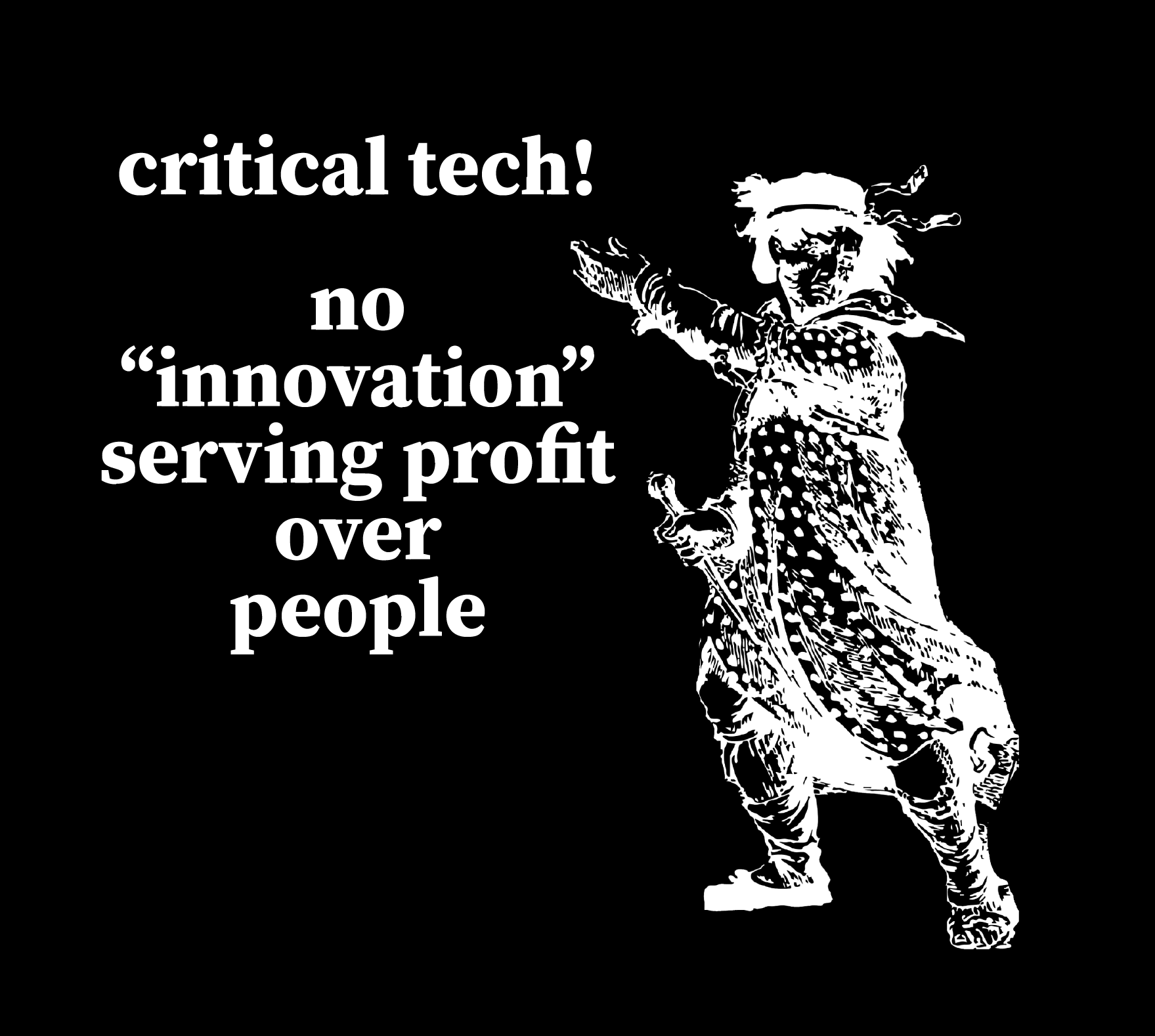
“Critical tech! No ‘innovation’ serving profits over people” + Luddite

This uses a personally digitally edited version of a public domain image from a historical illustration of a Luddite.

Download as: SVG or PNG. (CC-BY-NC Amanda Wyatt Visconti.)

SVG file of an Adobe Illustrator design intended for creating a letterpress printing block by cutting via lasercutter onto wood, to use to print the image to paper with ink; to achieve this, the black & white colors are inverted. The image will also need to be horizontally flipped, so that when the block is pressed to paper the inked image is legible; but for social media viewing I have left it unflipped. The design shows a historical drawing of “the general of the Luddites” edited to be easier to print from a letterpress block, next to the text “critical tech forever! / no 'innovations' serving profit over people.” in antique broadside-style font.

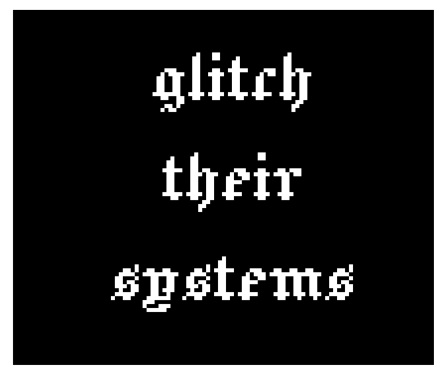
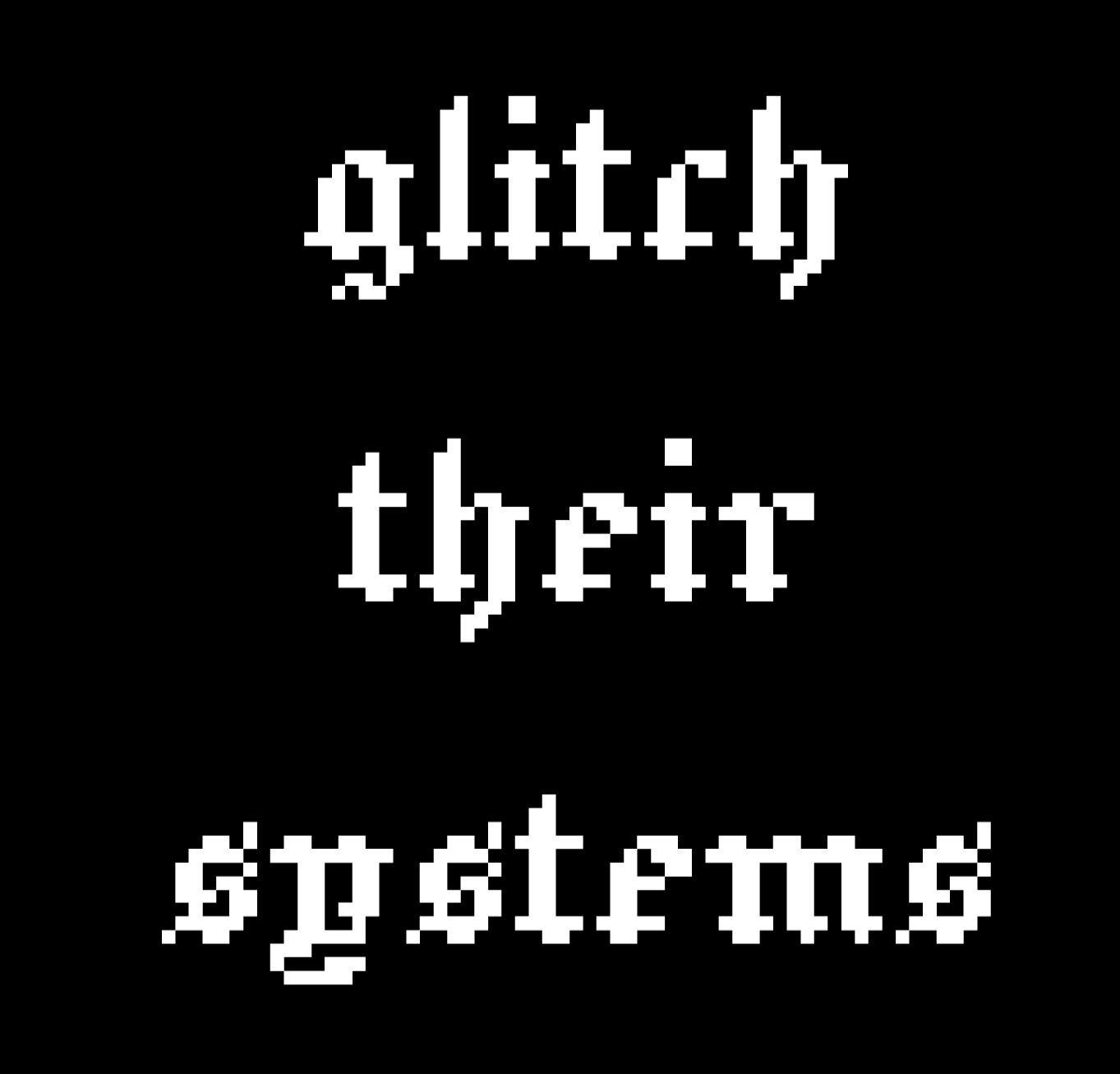
“glitch their systems”

Download as: SVG or PNG. (CC-BY-NC Amanda Wyatt Visconti.)

Adobe Illustrator design intended for creating letterpress printing blocks by cutting via lasercutter onto wood, to use to print the image to paper with ink; to achieve this, the black & white colors are inverted. The image will also need to be horizontally flipped, so that when the block is pressed to paper the inked image is legible; but for social media viewing I have left it unflipped. The design is “glitch their systems” in a pixelated old English font

Lasercutter Letterpress: making my own letterpress printing blocks—with lasers! and fire!

2025年3月1日 13:00

I’ve been experimenting with lasercutting type-high wood to make letterpress blocks for letterpress printing with, greatly helped by forum posts on the BriarPress.org letterpress community site about topics like type-high wood/shims and lasercutting viability (for example). I wrote up my work to share there in return, and wanted to blog it as well in case it can help others.

Here’s the best lasercut letterpress block I’ve made yet! I’ll update with a print once I next get to use the local Vandercook with it. Photo of a block of wood in a lasercutter, being cut to show a historical illustration of a Luddite, and the text "critical tech! no 'innovation' serving profit over people". Photo is from after 5 total lasercutter passes. Photo digitally flipped for readability.

Here’s the art I used to make it, digitally flipped for readability (for non-letterpress folks: the cut block needs to be reflected horizontally, so when pressed to paper with ink the image comes out correctly): Screenshot of a black and white SVG image file of a historical illustration of a Luddite, and the text "critical tech! no 'innovation' serving profit over people". Photo digitally flipped for readability.

Fun images first, followed by in-depth details of what/why/how below

Skip past them for detailed info on why/what/how, for folks who want that. Any cuts that look like I made them wrong (that are readable left to right, thus would print wrong) are actually digitally flipped to make your reading easier; I just got was lazy about including a note to that effect on each one.

Earliest tests, using only 1 lasercutter pass

These produced pretty shallow cuts; they could be printed okay on a Vandercook, with some of the chatter because I was lazy and wanted to print a bunch of slightly-different-heights cuts at the same time without packing under individual cuts to balance them all, and also didn’t sand/seal these at all before printing (some of the chatter was from the height being shallow, though). I also deliberately kept some of the prints with more chatter, as I thought the wood-grain effect was neat, and wanted to remember to explore deliberately including it on some cuts in the future (as well as cutting deeper to avoid it on most cuts). Photo of a letterpress wood block inked in navy ink, with an image on it of a pointing hand that says "printed by a trans printer!" The word "trans" is on the back of the gand, in Erin Moore's groovy Vision font. The photo has been digitally flipped for readability. Photo of a letterpress print made on white paper with navy ink of a pointing hand that says "printed by a trans printer!" The word "trans" is on the back of the gand, in Erin Moore's groovy Vision font. A corona of woodgrain pattern surrounds it.

Photo of a box of 5 letterpress blocks cut from maple wood with a lasercutter Photo of a letterpress print made on white paper with navy ink of a pointing hand. A corona of woodgrain pattern surrounds it.

Photo of letterpress print blocks made from wood and inked in navy ink. One says "Zine Bakery" in a pixelated font next to an icon of a zine, and the other says "made by a trans printer!" in a serif font. The photo has been digitally flipped for readability. Photo of a letterpress print made on white paper from navy ink. The bottom line says "Zine Bakery" in a pixelated font next to an icon of a zine, and the top line says "made by a trans printer!" in a serif font.

This one is especially fun, as it started as a shape cut from craft foam using safety scissors and printed on a BookBeetle; I then scanned the print, cleaned that scan digitally, lasercut it into wood, and printed from that. Photo of a lasercut dog image with long legs, raised up on a block of wood

You can see the cut is fairly shallow: Photo of a lasercut dog image with ling legs, raised up on a block of wood, viewed from the side to show how the image sits higher than the rest of the wood Photo of a letterpress print block made from a wood blick on white paper inked in navy ink. It shows a very long-legged dog silhouette with a woodgrain texture. Photo of a letterpress print block made from wood and inked in navy ink. It shows a very long-legged dog silhouette.

Here’s the original BookBeetle/craft foam print the above cut came from: Photo of a cardboard sheet holding a craft foam cut-out of the silhouette of a very long-legged dog, covered messily in mottled fluorescent blue and pink ink from being used to print with a BookBeetle letterpress. Photo of a Bookbeetle letterpress-printed print of the silhouette of a very long-legged dog, printed in mottled fluorescent blue and pink ink on white paper. You can see some extra ink splots outside the silhouettes from where I didn't cut a frisket to protect the parts of the paper I didn't want printed on

Photo digitally flipped for readability. Sometimes there is flame; optimally, there is not any (power was too high and/or speed too slow): Photo of a rectangle of wood inside a lasercutter, blossoming with orange flame at one end; the words "zine" twice in arow are visible on the wood's surface (inage digitally flipped for legibility)

Testing different laser methods & settings

Next two photos are digitally flipped for readability, zoomed in to show text height from block surface. On the “zines zines zines” block, each word looks slightly different because a different lasercutter method was used on each, with raster cutting deepest (far right) but also burning most, cut (far left) cutting least, and etch in the middle. It probably didn’t help I used subpar random mystery Ebay wood… Photo of two rectangles of wood cut into visa lasercutter to say "dogs" and "zines zines zines"; on the latter, each word looks slightly different because a different lasercutter method was used, with raster cutting deepest but also burning most, cut cutting least, and etch in the middle Photo of two rectangles of wood cut into visa lasercutter to say "dogs" and "zines zines zines"; on the latter, each word looks slightly different because a different lasercutter method was used, with raster cutting deepest but also burning most, cut cutting least, and etch in the middle. The photo is tilted to show the letters are cut to varying depths in the wood; all letters would be feelable with fingers, but only some are deep enough to easily get a clean letterpress print from them

Best outcome yet

“Critical tech: no ‘innovation’ serving profit over people.” 5 lasercutter passes, passes 1, 2 or 3?, 5 shown below (final photo digitally flipped for readability): Photo of a block of wood in a lasercutter, being cut to show a historical illustration of a Luddite, and the text "critical tech! no 'innovation' serving profit over people". Photo is from during the 1st of 5 eventual lasercutter passes. Photo of a block of wood in a lasercutter, being cut to show a historical illustration of a Luddite, and the text "critical tech! no 'innovation' serving profit over people". Photo is from after 2 or 3 total lasercutter passes. Photo of a block of wood in a lasercutter, being cut to show a historical illustration of a Luddite, and the text "critical tech! no 'innovation' serving profit over people". Photo is from after 5 total lasercutter passes. Photo digitally flipped for readability.

Why do this at all?

Because experimenting is fun; because you can make longlasting cuts from your own or other favorite images, including things you can’t buy historical or new cuts of; to design your own type (very advanced to do well); to have type in hard- or impossible-to-find (at least in the U.S.) languages and scripts (ditto). If you have free access to a good-enough lasercutter (eg thorugh a local library or college makerspace), the total cost can be very cheap in general (just the cost of evenly-cut maple blocks and one of many options for materials to make a shim bringing it up to type-high).

What lasercutter & settings?

I’m using the VLS 6.75 lasercutter (aka “Vader”) in Scholars’ Lab’s makerspace, for which I wrote my first zine (a cheatsheet on cutting and etching on acrylic using this lasercutter). You need to be trained by us before using it, but it’s available to anyone who can visit us in-person (no UVA affiliation needed!) and we offer both periodic workshops and 1:1 training by appointment. Non-commercial use is free, but you do need to bring your own materials to cut/etch (unlike our 3D printers, where we provide the filament for free for most non-commercial projects). Luckily, materials can be fairly inexpensive, starting from scrap cardboard, and even nicer looking wood can be fairly reasonable (e.g. a nicely finished bamboo cutting board from Ikea is a great lasercutting block, and costs ~$10).

The final 2 passes I did on the Luddite/critical tech cut above were set to 90 power, 90 speed, and 500 PPI, using 5 total complete lasercutter passes. I’ll continue tweaking those, and ideally I would have done maybe 7-8 passes but I ran out of time. (I varied the settings over the course of the 5 passes, but each took around 13 minutes, which included time the laser was doing nothing cutting the empty space above where my material was because I didn’t know how to move the start point lower, lol).

The SVG file producing the cut was color inverted so that the parts I wanted cut away were black, and the parts I wanted to remain raised were white. I also horizontally flipped the image so it would come out correctly readable when printed.

Finding a lasercutter

If you haven’t used a lasercutter before but are curious, I encourage you to ask a local or college/university librarian if they have or know of any nearby that can be used—with cheaper and smaller versions becoming more available, at least in the U.S. these seem to be popping up in more makerspaces in the last couple years. I’m not sure, but think the standing rather than tabletop kind are the ones with enough power (and safe venting requirements) to cut deep enough into hard woods, though other materials are also possible.

Materials

Lots of good posts if you search the Briar Press forum. For wood, end-grain maple seems to hit the sweet spot for price, hardness, results, but I’ve seen folks mention other options including cherry hardwood.

  • So far I’ve used type-high, maple wood blanks from Virgin Wood Press, McKellier, and Ebay old letterpress blanks with the lead piece chipped off (don’t put lead in a lasercutter, the fumes are toxic)
  • Non-type-high wood: get wood from anywhere cheaper (eg McClains) then add a shim (of wood, 3D printed block, tape, ?) to bring it to type-high
  • Other materials: acrylic (I’ve used this in a lasercutter, lovely results, very quick <2min cuts, can get fun seethrough neon colors!); harder (grey, not “EZ Cut”) or other labeled-laser-safe linoleum (thanks for advice from Ryan Cordell*)

What’s involved: basic

Basic lasercutter use is not overly complicated to learn, if you have some comfort using computer programs, especially saving image files containing letters or shapes from any drawing program. You use a drawing program such as Adobe Illustrator to create the lines or shape you want to cut or etch—any program that can save as an SVG file—give the lasercutter some info (e.g. what kind of material you’re cutting, how thick the material is), and position the material or image so the cuts happen in the right places, then click a button and it does the rest.

A more even and precise press (e.g. Vandercook, rather than hand-pressing or craft press) may be able to print cleaner from shallower-lasercut blocks.

What’s involved: intermediate

I’ve found the non-basic part to be figuring out the best lasercutter settings (such as speed and power) for the material you’re using. Harder materials take more power to cut into and to cut deeper. With wood, speed and power impact whether you get from zero burning, to small flames, to burnt wood.

So far, I’ve had the most success playing with these using cheap sample wood (though preferably of same/similar wood type and height to what you’ll ultimately use, so the settings work the same) to find the highest power (deepest cutting) and highest speed (finishes fastest) that don’t overly burn the wood, then doing multiple passes of the lasercutter (not touching the material at all in between, so that it remains exactly perfectly registered with the cuts going in the exact same places each time).

What’s involved: advanced

I’m not at any advanced stage doing this yet :) but lots of folks are, including users on the Briar Press forum, and some of the folks producing new wood type available via online stores too. Cordell recommended starting cuts on a lasercutter, then using a CNC router to dig out most of the wood farther away from the left-as-type-high bits faster and deeper than a lasercutter can.

There are also a number of folks creating blocks and type completely via CNC router; I took a very fun and informative virtual workshop from Ryan Molloy on this topic via Partners in Print last fall.

* P.S. Thanks to Ryan Cordell (Skeumorph Press) for generously sharing insights on his lasercutting letterpress experience. And unrelatedly, to the extremely generous Briar Press forum users platenman and jnbirdhouse, who’ve helped Scholars’ Lab be able to get closer to starting to teach full-size letterpress to the public!

Designing a Data Physicalization: A love letter to dot grid paper

2025年2月11日 13:00

Claudia Berger is our Virtual Artist-in-Residence 2024-2025; register for their April 15th virtual talk and a local viewing of their data quilt in the Scholars’ Lab Common Room!

This year I am the Scholars’ Lab’s Virtual Artist-in-Residence, and I’m working on a data quilt about the Appalachian Trail. I spent most of last semester doing the background research for the quilt and this semester I get to actually start working on the quilt itself! Was this the best division of the project, maybe not. But it is what I could do, and I am doing everything I can to get my quilt to the Lab by the event in April. I do work best with a deadline, so let’s see how it goes. I will be documenting the major steps in this project here on the blog.

Data or Design first?

This is often my biggest question, where do I even start? I can’t start the design until I know what data I have. But I also don’t know how much data I need until I do the design. It is really easy to get trapped in this stage, which may be why I didn’t start actively working on this part of the project until January. It can be daunting.

N.B. For some making projects this may not apply because the project might be about a particular dataset or a particular design. I started with a question though, and needed to figure out both.

However, like many things in life, it is a false binary. You don’t have to fully get one settled before tackling the other, go figure. I came up with a design concept, a quilt made up of nine equally sized blocks in a 3x3 grid. Then I just needed to find enough data to go into nine visualizations. I made a list of the major themes I was drawn to in my research and went about finding some data that could fall into these categories.

A hand-written list about a box divided into nine squares, with the following text: AT Block Ideas: demographics, % land by state, Emma Gatewood, # miles, press coverage, harassment, Shenandoh, displacements, visit data, Tribal/Indig data, # of tribes, rights movements, plants on trail, black thru-hikers
What my initial planning looks like.

But what about the narrative?

So I got some data. It wasn’t necessarily nine datasets for each of the quilt blocks but it was enough to get started. I figured I could get started on the design and then see how much more I needed, especially since some of my themes were hard to quantify in data. But as I started thinking about the layout of the quilt itself I realized I didn’t know how I wanted people to “read” the quilt.

Would it be left to right and top down like how we read text (in English)?

A box divided into 9 squares numbered from left to write and top to bottom:  
1, 2, 3  
4, 5, 6  
7, 8, 9

Or in a more boustrophedon style, like how a river flows in a continuous line?

A box divided into 9 squares numbered from left to write and top to bottom: 1, 2, 3; 6, 5, 4; 7, 8, 9

Or should I make it so it can be read in any order and so the narrative makes sense with all of its surrounding blocks? But that would make it hard to have a companion zine that was similarly free-flowing.

So instead, I started to think more about quilts and ways narrative could lend itself to some traditional layouts. I played with the idea of making a large log cabin quilt. Log cabin patterns create a sort of spiral, they are built starting with the center with pieces added to the outside. This is a pattern I’ve used in knitting and sewing before, but not in data physicalizations.

A log cabin quilt plan, where each additional piece builds off of the previous one.
A template for making a log cabin quilt block by Nido Quilters

What I liked most about this idea is it has a set starting point in the center, and as the blocks continue around the spiral they get larger. Narratively this let me start with a simpler “seed” of the topic and keep expanding to more nuanced visualizations that needed more space to be fully realized. The narrative gets to build in a more natural way.

A plan for log cabin quilt. The center is labeled 1, the next piece (2) is below it, 3 is to the right of it, 4 is on the top, and 5 is on the side. Each piece is double the size of the previous one (except 2, which is the same size as 1).

So while I had spent time fretting about starting with either data/the design of the visualizations, what I really needed to think through first was what is the story I am trying to tell? And how can I make the affordances of quilt design work with my narrative goals?

I make data physicalizations because it prioritizes narrative and interpretation more than the “truth” of the data, and I had lost that as I got bogged down in the details. For me, narrative is first. And I use the data and the design to support the narrative.

Time to sketch it out

This is my absolute favorite part of the whole process. I get to play with dot grid paper and all my markers, what’s not to love? Granted, I am a stationery addict at heart. So I really do look for any excuse to use all of the fun materials I have. But this is the step where I feel like I get to “play” the most. While I love sewing, once I get there I already have the design pretty settled. I am mostly following my own instructions. This is where I get to make decisions and be creative with how I approach the visualizations.

(I really find dot grid paper to be the best material to use at this stage. It gives you a structure to work with that ensures things are even, but it isn’t as dominating on a page as a full grid paper. Of course, this is just my opinion, and I love nothing more than doodling geometric patterns on dot grid paper. But using it really helps me translate dimensions to fabric and I can do my “measuring” here. For this project I am envisioning a 3 square foot quilt. The inner block. Block 1, is 12 x 12 inches, so each grid represents 3 inches.)

There is no one set way with how to approach this, this is just a documentation of how I like to do it. If this doesn’t resonate with how you like to think about your projects that is fine! Do it your own way. But I design the way I write, which is to say extremely linearly. I am not someone who can write by jumping around a document. I like to know the flow so I start in the beginning and work my way to the end.

Ultimately, for quilt design, my process looks like this:

  1. Pick the block I am working on
  2. Pick which of the data I have gathered is a good fit for the topic
  3. Think about what is the most interesting part of the data, if I could only say one thing what would that be?
  4. Are there any quilting techniques that would lend itself to the nature of the data or the topic? For example: applique, English Paper Piecing, half square triangles, or traditional quilt block designs, etc.
  5. Once I have the primary point designed, are there other parts of the data that work well narratively? And is there a design way to layer it?

For example, this block on the demographics of people who complete thru-hikes of the trail using annual surveys since 2016. (Since they didn’t do the survey 2020 - and it was the center of the grid - I made that one an average of all of the reported years using a different color to differentiate it.)

I used the idea of the nine-patch block as my starting point, although I adapted it to be a base grid of 16 (4x4) patches to better fit with the dimensions of the visualization. I used the nine-patch idea to show the percentage of the gender (white being men and green being all other answers - such as women, nonbinary, etc). If it was a 50-50 split, 8 of the patches in each grid should be white, but that is never the case. I liked using the grid because it is easy to count the patches in each one, and by trying to make symmetrical or repetitive designs it is more obvious where it isn’t balanced.

A box divided into 9 squares, with each square having its one green and white checkered pattern using the dot grid of the paper as a guide. The center square is brown and white. On top of each square is a series of horizontal or vertical lines ranging from four to nine lines.

But I also wanted to include the data on the reported race of thru-hikers. The challenge here is that it is a completely different scale. While the gender split on average is 60-40, the average percentage of non-white hikers is 6.26%. In order to not confuse the two, I decided to use a different technique to display the data, relying on stitching instead of fabric. I felt this let me use two different scales at the same time, that are related but different. I could still play with the grid to make it easy to count, and used one full line of stitching to represent 1%. Then I could easily round the data to the nearest .25% using the grid as a guide. So the more lines in each section, the more non-white thru-hikers there were.

My last step, once I have completed a draft of the design, is to ask myself, “is this too chart-y?” It is really hard sometimes to avoid the temptation to essentially make a bar chart in fabric, so I like to challenge myself to see if there is a way I can move away from more traditional chart styles. Now, one of my blocks is essentially a bar chart, but since it was the only one and it really successfully highlighted the point I was making I decided to keep it.

A collection of designs using the log cabin layout made with a collection of muted highlighters. There are some pencil annotations next to the sketchesThese are not the final colors that I will be using. They will probably all be changed once I dye the fabric and know what I am working with.

Next steps

Now, the design isn’t final. Choosing colors is a big part of the look of the quilt, so my next step is dyeing my fabric! I am hoping to have a blogpost about the process of dyeing raw silk with plant-based dyes by the end of February. (I need deadlines, this will force me to get that done…) Once I have all of those colors I can return to the design and decide which colors will go where. More on that later. In the meantime let me know if you have any questions about this process! Happy to do a follow-up post as needed.

Limited Letterpress Synonym Finder

2024年12月15日 13:00

I coded a quick web app for a particular book arts need: Limited Letterpress Synonym Finder. If you too also only have 1xA-Z letterpress type on hand (ie just the 26 characters of the alphabet, 1 sort per letter) and what to figure out what you can print without needing to carefully position (register) your paper and do multiple pressings between moving the letters around, you can enter words here to see only those synonyms you’re able to print (i.e. only synonyms using no more than 1 of each A-Z letter).

Screenshot of the Limited Letterpress Synonym Finder webpage linked in the post, which says "Limited Letterpress Synonym Finder. For when you only have 1 x A-Z type on hand. Finds synonyms for the word you input, removes any that use any letter more than once, then displays the rest. (Only works with single-word inputs, not phrases.)" There is a field to enter words, with the word "glow" entered in this example screenshot, followed by a "Find that subset of synonyms" button. There is a list of matching non-multiple-same-letter synonyms for "glow" shown, containing the words burn, beam, shine, gleam, and lambency. Below is a retro internet logo image:  on a black background, the text "Limited Letterpress: Synonym Finder" is in a glowing green neon Old English font.

Zine Bakery: borderless DH research, methods training, and scholarly communication via zines

2024年12月2日 13:00

My presentation on “Zine Bakery: borderless DH research, methods training, and scholarly communication via zines” was accepted to the Spring Global DH 2025 conference. My talk abstract is below:

People often picture zines thinking of their 20th-century origin as collaged, xeroxed, free paper booklets about subcultures, social justice, marginalized experiences. Today, though, creators make “zines” that vary widely in format and topic, including 100+ page tiny books, feminist tech tutorials, creative websites. Most zines stay true to the form’s original vision of radically low-barrier authoring, publication, and reading, though.

Using data visualization, an ethics charter, database and metadata creation, and exemplar Global DHy zines, this “Zine Bakery” presentation demonstrates zines as welcoming, accessible, effective formats for borderless do-it-yourself scholarly communication, friendly digital method teaching, public humanities outreach, just-in-time crisis response. ZineBakery.com is a portal to zine-inspired DH scholarship, including:

  • Public, relational-database-driven zine catalogue
  • Data visualizations
  • Zine-related DH theory and practice research blog (e.g. dataset-building, catalogue interface design, coding documentation)

ZineBakery.com’s zine catalogue contains 375+ DHy zines, with 60+ descriptive metadata fields/zine. The catalogue’s focus on zines at the intersections of tech, culture, and justice means it strongly overlaps conference themes: socially just, accessible, global DH; public, citizen humanities; tech and academic equity, diversity, inclusion; DH pedagogy. 45+ of its zines are by non-U.S. authors and/or about non-U.S. experiences; 40+ of its zines are explicitly DH-focused, with another 110+ zines in adjacent DHy areas (e.g. feminist tech, coding tutorials, data science). This presentation will share a list of links to free Global DHy zines (e.g. Bangalore hardware craft, heritage podcasting across Africa, Puerto Rican digital crowdsourcing).

This scholarship will interest DH and library staff managing public spaces/events (for potential zine sharing, instruction); digital methods teachers seeking new ways to support learning; folks new to DH seeking friendly documentation around a current DH project’s in-progress successes and failures; and DH researchers desiring more ways to share their work with the public.

2024 IDEA grant for Qianqian Shao and The Makerspace

2024年11月14日 13:00

In February of 2024, Qianqian Shao, Makerspace volunteer, and Ammon Shepherd, Makerspace Manager, were awarded a Library IDEA grant to provide opportunities for underrepresented students.

In 2022, the Library’s IDEA Committee received library staff requests to help support programming related to IDEA. The success of these projects encouraged the committee to create a process to support and promote staff-generated programming pertaining to inclusion, diversity, equity, and accessibility across the library.

Our proposal was to welcome 4 female Black and Latino/Hispanic students, along with 2 teachers, from Annandale High School to the UVA campus and the library for the Spring of 2024. The students will have a tour of Grounds with a focus on UVA libraries. The students will visit the Lawn and Rotunda to learn about the history of UVA. They will visit Brown, Clemons, and Main Libraries to learn about the resources available to UVA students. The Scholars’ Lab Makerspace will host a workshop for the students while they are at UVA.

The following is taken from a presentation that Qianqian gave to the Library at a monthly “Town Hall” meeting to report on the success of the initiative.


Good afternoon, everyone.

My name is Qianqian, I’m a PhD candidate (graduated on November 5, 2024) from the Chemistry department. Today, I’m excited to share with you the highlights from an impactful event that took place as part of my IDEA project.

First of all, I would like to thank you for funding my proposal, which made this event possible. Your support allowed me to create a truly impactful experience for underrepresented Black, Hispanic and Latino female high school students, showing them the opportunities available in higher education.

On Wednesday, April 24, 2024, we had the pleasure of welcoming five students and two teachers from Annandale High School for a one-day visit to the University of Virginia. The goal was to inspire these young women by introducing them to both the academic and social aspects of college life, showing them what’s possible for their futures, and what kind of resources our library can provide.

The day began at the Chemistry Department, where they were guided by Dr. Marcos Pires, the Director of Graduate Studies of Chemistry. He provided an overview of the chemistry program and offered insights into the broader STEM opportunities available at UVA.

Visit to Chemistry Department

Following that, with the help of Kalea Obermeyer and Michelle Bair, program coordinators of the Hoos First: First-Generation & Limited-Income Initiatives, along with Kimberly Wong, the students had the opportunity to connect with UVA students from their home countries. This connection helped them see how they could build a community of support as they begin their own college journeys.

Visit with Hoos First - talkingVisit with Hoos First - visitingVisit with Hoos First - enjoying

Then, we had the privilege of hosting Dr. Adrienne Ghaly from the English Department, who gave an inspiring presentation on global citizenship and global policy. She also shared her project, “Read for Action: Climate, Conflict, and Humanitarian Crisis,” which is in partnership with the United Nations Office for the Coordination of Humanitarian Affairs. Dr. Ghaly’s session sparked meaningful discussions, helping the students understand how reading books in a library can connect to a deeper understanding of broader global issues.

Visit with Dr. Ghaly - teachingVisit with Dr. Ghaly - learningVisit with Dr. Ghaly - talking

After the presentation, the students enjoyed a campus tour and lunch in the Shannon Library, where they met two guest speakers, Samuel Wachamo and Giovanna Camacho, who are pursuing MD and PhD programs at UVA. These interactions provided the students with first-hand insights into the experiences of Hispanic, Black and Latino individuals in higher education and how they can navigate similar paths.

At the Rotunda

The students also got a chance to audit Dr. David Kittlesen’s immunology lecture after lunch.

To wrap up the day, the students visited the Scholars’ Lab Makerspace, where the students explored a variety of hands-on activities, learning about the innovative equipment available to UVA students. They even made personalized buttons as part of their experience. It was a fun and interactive way to introduce them to the creative and collaborative opportunities they could expect in college.

Makerspace Visit - making buttonsMakerspace Visit - students

Overall, the visit was a tremendous success. The students and teachers left UVA having made valuable connections with both professors and current students, and they expressed a newfound sense of excitement about their future educational possibilities.

Special thanks to Makerspace manager Ammon Shepherd, who supervised my project, and to Makerspace technician Kroesna Chour for assisting during the event. I managed all aspects of the event myself, except during lunch when I had to arrange catering at Shannon Library. At that time, Summer (Wenxin) Xu kindly picked up the food while I guided the students to meet Dr. Ghaly in the English Department. Later, Kroesna helped lead the group to the library, allowing me to finalize the setup for catering. I couldn’t have accomplished this event without their support.

My recent making projects roundup: zines, letterpress, coding, fabrication

2024年11月6日 13:00

(link josef, alphabuzz, bookbeetle, blog bookbloosom) (link provisional press co) bookbinding (makerspace link, Leah Phan shoutout) apprenticeship vandcook: (link books arts memberships)

Zines

“Speedweve for mending” zine

A 16-page standard-size, full-color zine, “Speedweve for Mending” introduces you to speedweve-style mending looms for fixing small holes in socks and other fabric: What are they? What’s cool about them? Why might you want to try one? How would you get started using one? It’s a zine-ification by me, of a 10/15/2024 #DHMakes Methodz Talk and slides by Sam Blickhan. (#DHMakes Methodz Talks is a public maker talk series I organize.)

In-progress zine writing

I’m currently drafting a zine about making zines, based on Claudia Berger’s 10/31 (#DHMakes Methodz Talk on the topic, in Canva. I’ve got a new paper draft of a mini-zine on researching and procuring your first set of letterpress wood or metal type. I’ve also got a full paper draft of a mini-zine introduction to letterpress typesetting and Vandercook press printing, started back in August.

Bluesky follower/following/list management tool using coding

I coded a Bluesky follower/following/list management app for myself, since I couldn’t find one. You can achieve a surprising amount with just HTML and a little JavaScript: I made a webpage with a sortable table of Bluesky accounts, linked to their profile pages, with columns for various metadata like last-posted date—without needing an API access token.

Letterpress/book arts x lots of project work!

Building a Provisional Press tabletop letterpress printing press from a kit

I used the Provisional Press kit to build a wooden tabletop letterpress printing press:

Photo of a kitchen table covered with neatly arranged pieces of a to-be-assembled tabletop letterpress roller printing press. The pieces are mostly wood slats, plus a large PVC-pipe tube, clamps, glue, small metal hardware, and a long thick metal bolt

Photo of a Provisional Press tabletop showcard letterpress, made of light-colored wood, PVC pipe, and metal, roughly the size of 3 shoeboxes

Photo of Provisional Press letterpress calibration block, a .918” nearly-a-cube of light-colored maple wood with that information laser burnt into its side, sitting on a table. In the background, a white dog with long legs lounges on a full-moon-shaped rug and looks on expectantly.

A Hobonichi-Techno-style notebook using bookbinding methods

I took student Makerspace Tech Leah Phan’s Scholars’ Lab Makerspace workshop (recommended!) on using bookbinding methods to create a a Hobonichi-Techno-style notebook:

Closeup photo of an orange construction-paper-bound journal, showing how the spine is sewn with charcoal thread in a chain stitch that loops back on itself

Closeup photo of the inside of a handmade paper-bound journal, showing how the spine is sewn with charcoal thread in a chain stitch that loops back on itself

Closeup photo of an orange construction-paper-bound journal, showing how the spine is being sewn with charcoal thread in a chain stitch that loops back on itself, using a curved needle and waxed linen thread

A work table spread with supplies for handmaking a journal, including folded inner paper, an orange construction paper cover, a half-circle needle, cardboard for stabbing the awl into, and a white bone folder to help crease pages at the spine

A year-long letterpress printing apprenticeship

I’m just starting a year-long letterpress printing apprenticeship with the Virginia Center for the Book Book Arts, focused on typesetting in metal and wood, showcard press practice, and especially projects and practice toward certification to run their Vandercook proofing press on my own (and hopefully help teach it to others, too). Shane is also doing this—let us know if you’re interested in learning or collaborating on letterpress, book arts, and adjacent digital work.

This follows up on the August 4-day letterpress printing intensive we took, as well as my other recent letterpress and book arts work.

BookBeetle screw press & letterpress printing pedagogy

Last Saturday was the 1st session of Josef Beery’s Alphabuzz at the the Virginia Center for the Book Book Arts: a cohort of letterpress folks learning how to teach public & K-12 letterpress printing with the BookBeetle, a reproduction historical screw letterpress designed to be ultra-accessible for public and teaching use. We did 6 letterpress printing exercises aimed at public teaching various age groups from kindergarten up, including letterpress printing with legos, Josef’s new BookBlossom wood type, a Declaration of Independence photopolymer plate, & my fave: cutting craft foam to make a bestiary book!

The remaining three sessions will involve: our teaching K-12 teachers how to teach with the press, our teaching those teachers and their students, and a daylong intensive on letterpress history and practice (including printing on a Franklin Common Press!).

Photo of the BookBeetle tabletop screw letterpress, a letterpress printer made of light-colored wood with a big handle on top for turning the screw that presses the ink into the paper. In the printer bed is visible the type that was printed onto the previous photo, a pangram (sentence using all letters in the alphabet at least once) that says: “Bodoni Devoured My Ersatz Quinoa Whilst Perusing The Xray For Jack”.

Photo closeup of the BookBeetle tabletop screw letterpress’s print bed, showing the type that was printed onto 1st previous photo: rounded, all-caps uppercase forming a pangram (sentence using all letters in the alphabet at least once) that says: “Bodoni Devoured My Ersatz Quinoa Whilst Perusing The Xray For Jack”.

Photo of a tshirt cardboard with a piece of craft foam affixed to it; the craft foam has been cut into the shape of a dog with very very long legs, and inked with fluorescent blue and pink ink.

Photo of a white piece of paper printed with the shape of a dog with very very long legs, and inked with fluorescent blue and pink ink.

Fabrication

I made progress on my neon ghost books project, an attempt to emulate Aidan Kang’s Luminous Books described in my “Book-adjacent data” journal article.

I learned:

  • hot glue gun doesn’t work well for these glass & acrylic joints (too thick, dries too fast; had to peel off and re-glue with clear Loctite superglue)
  • leaving paper wrapping on the on glass & acrylic to protect it from the glue meant that it is now annoying to remove; and I discovered that excess glue actually cleans off it easily without leaving a cloud
  • the jigsaw-edge box design calculator I used, and/or the glass cutting measurement tolerances are off (resulting in gaps between the joints)

Photo of a kitchen table covered with supplies for gluing acrylic and glass boxes together. Supplies include a hot glue gun, cutting boards, a clear thick acrylic material made into a shape intended to eventually be a box with two sides glued together; a book-shaped rectangular box made of glass, missing the top and bottom sides, where the edges are cut into jigsaw crenellations, with glue drying between the joints; a cup of Q-tips; a bowl of trash; a cardboard box.

Zine rack design

2024年10月17日 12:00

This is a very practical post describing how I’m trying to improve a public space zine display! My current zine rack in the Scholars’ Lab Common Room currently looks okay—the metal rack allows you to see there are zines hanging on the other two of its three sides, and the rainbow of clothespin colors makes me smile.

Photo of the Scholars' Lab public space Zine Bakery free zine rack, a tall black metal grid with three sides, with various paper zines held over its surface using variously colored clothespinsPhoto of the current Scholars’ Lab public space Zine Bakery free zine rack

The rack isn’t ideal, though: the clothespins are plastic and come apart easily, bend the zine covers, and make adding multiples of one zine difficult (you have to start at the bottom of your intended column of zines and layer them upwards, given the clothespin needs to attach to the top of each zine). We’ve also got some clear acrylic wall ledges I’d intended to use for zines, but we want to save the little wall space we have (we’re lucky to have a ton of windows, looking out both onto UVA’s chapel and Rotunda, and into the new skylight atrium in the center of the library building). The whole thing is a little wobbly—I had to reinforce it with metal cable ties (an amazing tool, highly recommend having some on hand) and the whole rack pieces easily unseats from the shallow wheeled base.

I’d like something where it’s easy to place stacks of zines rather than needing to pin them one at a time, since I already have limited time to re-impose, print, fold, and staple all the zines myself. (Colleagues have offered to help, but I need to finish getting the imposition/print instructions correct and documented for each zine first). I also think it’s more inviting to folks who are unused to getting to take a bunch of things for free, to not need to unpin a zine first before being able to flip through it. I’m imaging a combination of a lare flat surface where I can keep a large percent of the SLab-relevant zines in stock, plus a smaller table display where I can place new-to-us zines, or gather small thematic collections of zines.

Jeremy helped me out by creating a Pinterest board of DIY zine options, which helped me build my own Pinterest board with a combination of his pins and some researching those inspired. Ultimately, I want something requiring as little cutting and attaching as possible, so that I actually finish it this fall; and it needs to be free-standing (given lack of wall space) but not take up a huge footprint. Finally, it needs to have some kind of rail around “waist height” (halfway up) standard zine height, so that the zines don’t fall forward and off the ledge.

I think I want to do something like this rack with a solid rectangle leaned on an A-frame, except make the back part more like this rack that uses less total wood so we don’t have to mess with hinging crossbars.

I think that means we’ll need to source:

  • for the front, finished (or paintable) flat board with a frame around it
  • shallow L-shaped ledges for zines to sit on
  • dowel rods, or wires shaped like [_], to keep middle of zines from falling forward (if dowel rods, need the wood rectangle to have a frame around the edge the dowels can be attached to)
  • 2 hinges attaching the back frame to front rectangle
  • back frame (3 boards)

And I’ll need to figure out:

  • Width/spacing of ledges and dowel rods (and size of the large, front flat piece the zines lean back against; this may depend on what the hardware store has on hand)

The two zine rack inspiration images are below. I’ll update if I manage to build this (quite possible I’ll just decide we need to buy something ready-made instead, but I wasn’t finding anything reasonably priced doing what I want, and I really just need a few basic features).

Photo of standing zine rackSource.

Photo of standing zine rackSource.

🧵Data Physicalization Resources

2024年10月3日 12:00

Claudia Berger maintains a Zotero “physical data viz” group library containing nearly 100 articles, datasets, and other relevant reads.

I added several items to that library this past week, and wanted to capture my Bluesky thread about them for the blog:

Personal stress data as commentary on stress-impacted health issues

Laurie Frick’s “Stress Inventory” uses leather discs on stretched linen, piled and colored to record daily irritation levels & highlight stress’ contribution to chronic health issues. (HT Laura Miller)

Photos of Laurie Fricks' data art "Stress Inventory", showing piled of colored leather discs on stretched linen with a legend to explain what colors and disc sizes means about the irritation levels they record

Weaving data analysis of speculative fiction

Quinn Dombrowski’s “The Locked Loom 1: Gideon the Ninth” discusses a weaving text visualization and analysis based on elements of everyone’s favorite “lesbian necromancers in space” fantasy novel (the Locked Tomb Series; highly recommend, it is not silly/pulp despite that being a fitting descriptor, but rather epic, page-turning speculative fiction/sci fi).

Baking data-displaying cakes for climate change advocacy

An interview with “baker-turned-glacier guide” Rose Mcadoo on her “Cakes for Climate Change” combating climate demise through educational cakes and desserts that explain the natural processes behind glaciology and climate change.

Workflow for turning ambient audio data into 3D prints

Audrey Desjardins’ and Timea Tihanyi’s “ListeningCups: A Case of Data Tactility & Data Stories” documents a workflow for capturing data, creating 3D printed porcelain cups embedded with datasets of everyday ambient sounds; and shares reflections around experiences such as “data accidents” (HT Beth Mitchell)

Reflections from installing a data physicalization exhibit

Claudia Berger and Chris Alen Sula’s piece on lessons learned from installing a data physicalization of a HASTAC conference’s metadata, published in Nightingale (the journal of the Data Visualization Society).

Building data intended for (sometimes physical) art

“Datasets as Imagination” by Lisa Shroff argues for collectively built datasets shaped specifically for reuse by artists for art, including for physical data exhibits. (HT Zoe LeBlanc)

Library research guide for data physicalization

“Data Driven Creativity: Making Data Physicalizations” is a library guide by Ariel Ackerly, Sarah Reiff Conell, and Ofira Schwartz, gathering datasets, projects, and writing about data physicalizations.

(“HT” is shorthand for “hat tip”, a minimal-characters way people say “I found this link via this other person sharing it in the past; thanks to them”.)

What is #DHMakes?

This post is by Amanda, Claudia, and Quinn—a few of the many #DHmakes community members, who’ve described the community in a couple places. We’re gathering those descriptions into one post (though a hashtag in use across multiple platforms is defined by its users, so we aren’t the authority, and its use will evolve over time!).

  1. DH = digital humanities (folks using or building digital tools like websites, code, VR to explore humanities areas like culture, history, art, ethics; folks using those kinds of humanities approaches to critique technology)
  2. Makes = craft, making, makerspace types of creative work

We published a peer-reviewed article in the Korean Journal of Digital Humanities,”#DHmakes: Baking Craft into DH Discourse”, if you want to know a lot about the community’s origins, history, and outputs.

If you want a ✨tl;dr✨ though, here’s a FAQ!

Who started this?
We’re digital humanities people who incorporate physical making/art into our work (or do it as a hobby and share it online somewhere)!

Who is this for?
#DHmakes is loosely folks in digital humanities/libraries/academia/learning-work who craft/make (including as non-job hobby), open to anyone interested.

What kinds of things get posted?

  • “I made/am making a thing!”
  • work related to including craft/textile work in making
  • works-in-progress, fails, public figuring-out how to do some method/project
  • explicitly celebrating, amplifying, encouraging neat craft/make work, whether or not the creators are digital humanities people
  • encouraging sharing “this is my hobby, not my job” crafts
  • getting started

What kinds of making/crafting?
All of them? We’re interested in an expansive definition and especially things that have sometimes gotten left out of how people think of makerspaces/making, such as textile art. Other frequent areas of interest tagged #DHmakes include craft/making work related to:

  • history
  • culture & pop culture
  • zines
  • data visualization & embodiment, including personal data
  • queer/feminist/critical tech, social justice
  • play with historical craft practices
  • expansive definitions of making that assert awesomeness of areas like fabric arts, cooking, fashion

For examples, check out Quinn’s Textile Makerspace, Claudia’s and Gabby Evergreen’s “Pockets of Information”, Jacqueline Wernimont’s “Visualizing Energy Data or Visceralizing Energy Transitions”, and Amanda’s Scholars’ Lab “expansive makerspace”-tagged posts page.

Why have I been tagged #DHmakes?
Folks RT/repost cool, relevant craft/making work with the tag so others get to admire them too.

Am I “DH enough” to use the hashtag?
The “DH” in #DHmakes is digital humanities. We’re guessing the other most active hashtag users agree with us: anyone curious about DH (not necessarily “experienced” or in a “DH job”) should participate! Workers, students, hobbyists in areas like gallery/library/archive/museum/learning that are DH or feel adjacent too.

Have you done things beyond using a hashtag?
Yes!

You can follow #DHmakes using a feed of all tagged posts, or a feed of just the #DHmakes posts that include photos.

A banner logo image that shows a cartoon of a groovy skeleton wearing sunglasses, holding a laptop in one hand and a ball of yarn and knitting needle in the other, with the #DHmakes hashtag written underneathA logo image that shows a cartoon of a groovy skeleton head wearing sunglasses and a blue knit beanie, holding a ball of pink yarn between its skeletal hands and chomping into it; in the background is blurred-out code text, and the #DHmakes hashtag is written at the topPhoto of a full-size skeleton model, Quinn Dombrowski's "Dr. Cheese Bones", with one hand up waving, wearing a denim vest decorated with various small crafting projects made by multiple members of the #DHmakes community including a felted "ACH" patch and a tiny data visualization quilt patch

A model of medical support

2024年9月24日 12:00

Over the years, the Makerspace staff have helped with numerous projects connected to the UVA Medical School and Hospital. Here are six projects I have worked on over the past year or so.

Woodchuck Liver Tumor Slicer

In the summer of 2022, two medical students reached out to the Makerspace seeking support for making a 3D model from CT and MRI scans. The students were working in a radiology lab over the summer and need a process for creating a mold from the scans. What were the scans? Livers. Livers from woodchucks. What did they want to do with the mold? Put the liver in it. And then slice it up so they could do tests on the tumors in the liver. And that was how the woodchuck liver tumor slicer was created.

Imagine my surprise, when in the summer of 2023, another student asked for the same thing!

Liver tumor slicers

Files for Replication

3D Printing Protein

In Fall 2023, Ilya Levental asked about 3D printing a beautifully structured protein called caveolin.

pretty proteins

With a little effort and a lot of support material removal, we were able to get a nice model of the protein printed.

3d printed protein

Files for Replication

Mouse Pup Anesthesia Bed

Lou Legouez, a post doctoral researcher at UVA’s Neuroscience department, requested help with creating a bed and mask cone adapted for mouse pups that undergo anesthesia. It sounded like an interesting project, so I was able to model a part and 3D print a prototype.

mouse pup bedmouse pup bed

Files for Replication

Neonatal Rib Cage

One of the earliest efforts to assist UVA’s medical field was in from 2021; an inquiry from the Medical Simulation Center to 3D print a baby sized rib cage for students to practice placing chest tubes in infants. Apparently, the center would use chicken rib cages for this purpose. With models available online for this, I was able to 3D print some rib cages for the center.

rib cage 1rib cage 2rib cage 3rib cage 4

Files for Replication

Motion Capture Clusters

Dante Goss, a PhD student in Kinesiology, was looking for some replacement motion capture clusters. The department had received these clusters some years ago, but who created them and how was lost to history. One of the clusters had recently broke and was unusable. I was able to take the measurements from the old ones and model some new ones in Fusion 360. A usable model came after a couple of iterations.

motion capture left footmotion capture clusters

I decided to put the files on a popular 3D printing website so anyone can use them. The Fusion files and .3mf files are available for download at the following site:

Files for Replication

Petri Dish Comb

While most of my help ends up successfully, some do not. Point in case is the attempt to print a petri dish comb for Louis Wilson from UVA’s Molecular Physiology & Biological Physics Department. They had a filament 3D printer available, but printing in PLA was not an option as the part deformed and warped when applied to the hot temperatures in the medical equipment. This meant using a more sturdy material, which we could do with our resin printer. Louis was able to procure the materials and we provided the printer.

I tried several times and with several different resins to print a usable comb, but most of the attempts had too much support and left spurs on the comb tines rendering it unusable, or the finished product was so brittle and fragile that the tines broke off, or the resin was so old that it produced more of a mess than a prototype.

broken combs from a broken home...

Files for Replication

While I have no formal training in biomedical engineering, or engineering in general, I love the opportunity to help people solve problems. And that’s what life is pretty much all about anyways. We all have problems and issues. Finding people to help us find solutions can bring happiness!

Zine Bakery: catalog as dataset research

2024年9月16日 12:00

A catalog is also a dataset, which means because of my Zine Bakery project’s zine catalog, I’ve got a hand built, richly described, tidily organized dataset I know well. Seeing my zine catalog as a dataset opens it to my data science and digital humanities skillset, including data viz, coding, and data-based making. Below, I share some of the data-driven scholarship I’ve pursued as part of my Zine Bakery project.

Photo of Amanda Wyatt Visconti presenting virtually at the DH 2024 conferenceGiving a talk on data-driven making for the DH 2024 conference

A peek under the hood

Screenshot of just a small portion of my thematic tagging. I’ve got 134 different tags used on catalog zines (as of 9/16/2024): Screenshot of a portion of the Zine Bakery catalog, showing a variety of thematic tags including AI, anti-racism, and coding

Below, a zoomed-out screenshot of my tagging table, which does not capture the whole thing (which is about twice as wide and twice as a tall as what’s shown); and a zoomed-in view: Screenshot of a portion of the Zine Bakery catalog, showing a way-zoomed-out screenshot of a portion of the zine catalogue's underlying thematic tags to zine titles tableScreenshot of a portion of the Zine Bakery catalog, showing a zoomed-in screenshot of a portion of the zine catalogue's underlying thematic tags to zine titles table

The tags are just one of many fields (78 total fields per zine, as of 9/16/2024) in my database: Screenshot of a portion of the Zine Bakery catalog, showing several titles of zines

I’m able to easily pull out stats from the catalog, such as the average zine length in my collection being 27 pages (and shortest, longest zine lengths):

Screenshot of a portion of the Zine Bakery catalog, showing average zine length is 27 pages long, longest zine is 164 pages long, and shortest zine length is 4 pages long

Data-driven making research

My Spring 2024 peer-reviewed article “Book Adjacent: Database & Makerspace Prototypes Repairing Book-Centric Citation Bias in DH Working Libraries” discusses the relational database I built underlying the Zine Bakery project, as well as 3 makerspace prototypes I’ve built or am building based on this data.

One of those projects was a card deck and case of themed zine reads, with each card displaying a zine title, creators, and QR code linking to free reading of the zine online: Example themed reading card deck, prepared for the ACH 2023 conference's #DHmakes (digital humanities making) session. An open plastic playing card case holds a playing-card-style card with information about the "#DHMakes at #ACH2023" project governing the readings chosen for inclusion in the deck; next to the case is a fanned-out pile of playing-card-style cards showing tech, GLAM, and social justice zine titles such as "Kult of the Cyber Witch #1" and "Handbook for the Activist Archivist"; on the top of the fanned pile you can see a whole card. The whole card is white with black text; the title "Design Justice for Action" is in large print at the top of the card, followed by a list of the zine's creators (Design Justice Network, Sasha Costanza-Chock, Una Lee, Victoria Barnett, Taylor Stewart), the hashtags "#DHMakes #ACH2023, and a black square QR code (which links to an online version of that zine).

Photo of a fake, adult-size skeleton (Dr. Cheese Bones) wearing the ACH 2023 #DHMakes crew's collaborative DH making vest, which boasts a variety of neat small making projects such as a data visualization quilt patch and felted conference name letters. One of my themed reading card decks is visible half-tucked into its vest pocket. Photo and Dr. Bones appearance by Quinn Dombrowski.

My online zine quilt dataviz will eventually be an offline actual quilt, printed on fabric with additional sewn features that visualize some of the collection’s data: Screenshot of a digital grid of photos of zine front covers; it's very colorful, and around 200 zine covers are shown

The dataset is also fueling design plans for a public interactive exhibit, with a reading preferences quiz that results in a receipt-style printout zine reading list: My sketches and notes planning the layout of the Mini Book List Printer's acrylic case. A photo of a spiral-bound sketchbook, white paper with black ink. The page is full of notes and drawings, including sketches of a simplified Mac Classic-style computer case, as well as the various pieces of acrylic that would need to be cut to assemble the case and their dimensions. The notes contain ideas about how to assemble the case (e.g. does it need air holes?), supplies I needed to procure for the project, and note working out how to cut and adhere various case piece edges to achieve the desired final case dimensions.

Author's sketch of what the final Mini Book List printer should look like. A rough drawing in black ink on white paper, of a computer shaped like a simplified retro Mac (very cubic/boxy); the computer screen reads "We think you'll enjoy these reads:" followed by squiggles to suggest a list of suggested reads; from the computer's floppy drive hole comes paper receipt tape with squiggles listed on it to suggest a reading recommendation list printout on receipt-width paper. There are sparkly lines drawn around the receipt paper, with an annotation stating these denote "magic" rather than light, as there are no LEDs in this project.

I’m also experimenting with ways to put digital-only zines visibly on physical shelves: Photo of materials for the Ghost Books project artfully arranged on a floor, including a swirl of blue LEDs with silicone diffusion making them look like neon lights, superglue, acrylic and glass cut to size to be assembled into a rectangular-prism/book shape with smoothe or crenellated edges, and one of the books I'm basing the initial prototype on (10 PRINT) because of it's interesting blue and white patterned cover.

Virtual Artist-in-Residence Claudia Berger

2024年8月26日 12:00

We’re delighted to welcome Claudia Berger as Scholars’ Lab Virtual Artist-in-Residence!

Berger will virtually present their data quilt project, “Footpath for the People?”, on 4/15/2025. The event will be a hybrid one, with a viewing of the completed data quilt installed in the lab following the Zoom talk, for those able to attend in-person.

Berger describes their planned project: “This quilt will explore the Appalachian Trail and who this ‘public’ resource was actually designed for. It will look at the history of the trail and through-hikers like Emma Gatewood, who popularized the trail, as well as how it was created and how it is used today. In particular the project will explore how the trail intersects with histories of race, gender, and Indigenous rights of both the trail as a whole and in the specific states is passes through. The quilt will be paired with a zine that will connect viewers to more information and resources about the trail.”

To read about related past work, please see Berger’s and collaborator Gabriella Evergreen’s recent data embodiment project “Pockets of Information”.

Claudia Berger is the Digital Humanities Librarian at Sarah Lawrence College and a Visiting Assistant Professor at Pratt Institute’s School of Information. Their research centers on digital environmental humanities and how we can use digital methods to tell stories about the environment, as well as data physicalization.

More details and registration information to come later in December or January, for this Spring 2025 event.

Zine Bakery: research roadmap

2024年8月18日 12:00

Some future work I’m planning for my Zine Bakery project researching, collecting, and amplifying zines at the intersections of tech, social justice, and culture.

Critical collecting

  • Ethical practices charter: how do I collect and research?
    • Finish drafting my post on ethics-related choices in my project, such as
      • not re-hosting zines without creator informed, explicit consent, so that catalogue users use zine creator’s versions and see their website; and
      • taking extra care around whether zines created for classes gave consent outside of any implicit pressures related to grades or the teacher serving as a future job reference
    • Read the Zine Librarians Code of Ethics in full, and modify my charter wit citations to their excellent project.
  • Collecting rationale: why do I collect, and what do I/don’t I collect?

  • ID areas I need to collect more actively, for Zine Bakery @ Scholars’ Lab goals of a welcoming, diverse collection reflecting SLab’s values and our audience

  • Contact zine creators: I already don’t display, link, etc. zines creators don’t positively indicate they want people to. But I could also contact creators to see if they want something added/edited in the catalogue, or if their preferences on replication have changed since they published the zine; and just to let them know about the project as an example of something citing their work.

  • Accessibility:
    • Improve zine cover image alt text, so rather than title and creators, it also includes a description of important visual aspects of the cover such as color, typography, illustration, general effect. Retry Google Vision AI, write manually, or look at existing efforts to markup (e.g. comics TEI) and/or extrapolate image descriptions.
    • Look into screen-reading experience of catalogue. Can I make a version (even if it requires scheduled manual exports that I can format and display on my website) that is more browsable?
    • Run website checks for visual, navigational, etc. accessibility

Data, website, coding

  • Better reader view:
    • Create a more catalogue-page-like interface for items
    • Make them directly linkable so when I post or tweet about a zine, I can link people directly to its metadata page
  • Self-hosted data and interface: explore getting off AirTable, or keeping it as a backend and doing regular exports to reader and personal collecting interfaces I host myself, using data formats + Jekyll

  • Make metadata more wieldly for my editing:
    • I wish there were a way to collapse or style multiple fields/columns into sections/sets.
    • I might be able to hackily do this (all-caps for umbrella field for a section? emojis?); or
    • Using an extension allowing styling view (unsure if these are friendly for bulk-editing);
    • the self-hosted options mentioned above might let me better handle this (use or make my own, better viewing interface)
  • Crosswalk my metadata to xZINECOREx metadata?: so is interoperable with the Zine Union Catalogue and other metadata schema users

  • File renaming:
    • I started with a filename scheme using the first two words of a zine title, followed by a hyphen, then the first creator’s name (and “EtAl” if other creators exist)
      • I quickly switched to full titles, as this lets me convert them into alt text for my zine quilt
      • I need to go back and regularize this for PDFs, full-size cover images, and quilt-sized cover images.
  • Link cover images to zine metadata (or free e-reading link, if any?) from zine quilt vis

Metadata & cataloguing

  • Create personal blurbs for all zines that don’t have one written by me yet

  • Further research collected zines so I can fill in blank fields, such as publication date and location for all zines

Community

  • Explore setting up for better availability to the Zine Union Catalogue, if my project fits their goals

  • Further refine logo/graphics:
    • finish design work
    • create stickers to hand out, make myself some tshirts :D
  • Learn more about and/or get involved with some of the
    • cool zine librarian (Code of Ethics, ZLUC, visit zine library collections & archives) and
    • zine fest (e.g. Charlottesville Zine Fest, WTJU zine library) efforts

Research & publication

  • Publication:
  • More visualization or analysis of metadata fields, e.g.
    • timeline of publication
    • heatmap of publication locations
    • comparison of fonts or serif vs. sans serif fonts in zines
  • Digital zine quilt: play with look of the zine quilt further:
    • Add way to filter/sort covers?
    • Add CSS to make it look more quilt-like, e.g. color stiching between covers?

Making

  • Thermal mini-receipt printer:
    • Complete reads/zines recommendation digital quiz and mini-receipt recommendation printout kiosk.
    • Possibly make a version where the paper spools out of the bread holes of a vintage toaster, to go with the Zine Bakery theme?
    • Thanks to Shane Lin for suggesting a followup: possibly create version that allows printing subset of zines (those allowing it, and with print and post-print settings that are congenial to some kind of push-button, zine-gets-printed setup.
  • Real-quilt zine quilt: Print a SLab-friendly subset of zine covers as a physical quilt (on posterboard; then on actual fabric, adding quilt backing and stitching between covers?)

  • More zine card decks: create a few more themed subsets of the collection, and print more card decks like my initial zine card deck

My digital humanities makerspace research

2024年8月6日 12:00

My DH 2024 conference talk on my recent book-adjacent data physicalizations and makerspace research, as part of co-facilitating the #DHmakes mini-conference. What is #DHmakes? Briefly: anyone (you?) DH-adjacent sharing their (DH or not) crafty or making work with the #DHmakes hashtag, getting supportive community feedback. Resulting collaborations have included conference sessions and a journal article. For an in-depth explanation of #DHmakes’s history, rationale, goals, examples, see the peer-reviewed article I recently co-authored with Quinn Dombrowski and Claudia Berger on the topic.

Hey! I’m Amanda Wyatt Visconti (they/them). I’m Director of the Scholars’ Lab at the University of Virginia Library.

My background’s in librarianship, literature and textual scholarship, so a lot of my making is reading- or book-adjacent. I know the ways we do and share knowledge work can take really any format, as can the things that influence our scholarly thinking. I have been informed or inspired by, for example, a literal bread recipe; fictional creative work that explores new possibilities, or conveys an ethos I took back to my research; tutorials, informal discussions, datasets, infrastructural and administrative work, zines, social media posts, and countless other of the ways humans create and share thinking*.

First slide from my DH2024 #DHmakes talk, showing screenshots of my zine grid and zine database, and saying "to amplify & credit more formats of knowledge: data => making!"

Why make book-adjacent prototypes?

“Generous” citation—in whom we cite, and what formats of work we cite—is actually just accurate citation. Academia routinely lags in citing all the emails, attended conference talks, social media posts, elevator conversations, podcasts, reviewer comments, and more that inspire and inform our scholarship. With my particular context of a library-based lab: physical scholarship displays in academic libraries tend to disinclude relevant reads that aren’t in a print scholarly book or journal format.

It’s hard to display many of the formats I just listed, but also many people don’t think of them as worth displaying? This sends a message that some scholarly formats or methods are lesser, or not relevant to the building and sharing of knowledge. We know there’s systemic racism, sexism, and other harms in publishing and academia. Limiting ourselves to displaying and amplifying just some of the most gatekept formats of knowledge sharing—books and journal articles—fails at presenting a welcoming, inclusive, and accurate picture of what relevant work exists to inform and inspire around a given topic.

So, I’ve been using making projects to change what scholarly formats and authors the Scholars’ Lab will be able to amplify in its public space…

Data-driven research making

I started by focusing on collecting and describing a variety of DHy digital and physical zines, though I hope to expand the dataset to other formats eventually. (Briefly, you can think of zines as DIY self-published booklets, usually intended for replication and free dissemination, usually in multiple copies as opposed to some artists’ books being single-copy-only or non-replicable.) In the upper-left of the slide is a slice of my digital “zine quilt”, a webpage grid of zine covers from zines in my collection.

Second slide from my DH2024 #DHmakes talk, showing photos of my digital zine cover grid, themed reading card decks, a notebook open to design drawings, and a pile of makerspace supplies including a neon loop and a book cover

Having a richly described zine-y database I know by heart, because I researched and typed in every piece of it, has opened my eyes to ways data can suggest data-based research making.

I’ve got 3 crafting projects based on this zine database so far:

1st, I created a playing card deck that fits in a little case you can slip into your pocket. Each card has the title and creators of a zine, and a QR code that takes you to where you can read the zine for free online. This lets me hand out fun little themed reading lists or bibliographies, as shuffle-able card decks… or potentially play some really confusing poker, I guess?

2nd, I’m learning to work better with LEDs, sheet acrylic, and glass by reverse-engineering a simple and less gorgeous version of Aidan Kang’s Luminous Books art installation. Kang’s sculptures fills shelves with translucent, glowing boxes that are shaped and sized like books with colorful book covers. I’ve been prototyping with cardboard, figuring out how to glue glass and acrylic securely, and figuring out programmable lights so I can make these book-shaped boxes pulse and change color. I hope to design and print fake “covers” for non-book reads like a DH project or a dataset. This would let me set these glowy neon fake books on our real book shelves, where the colored light might draw people to look at them, and follow a link to interact with the read further.

3rd, I’m hooking up a tiny thermal printer, like the ones that print receipts, to a Raspberry Pi and small display screen. I’m hoping to program a short quiz people can take, that makes the printer print out a little “receipt” of reading recommendations you can take away, based on metadata in my reading database. I’d been working to construct a neon acrylic case that looks like a retro Mac to hold the display and printer, again figuring out how to make a simpler approximation of someone else’s art, in this case SailorHg’s “While(Fruit)”. But naming my collection a “Zine Bakery” got me excited about instead hiding the receipt printer inside a toaster, so the receipt paper could flow out of one of the toaster’s bread holes. You can read more about these book-adjacent making projects at TinyUrl.com/BookAdjacent, or the zine project at ZineBakery.com.

Unrelatedly: resin!

Completely unrelated to reading: I’ve been learning how to do resin casting! You can think of resin like chemicals you mix up carefully, pour carefully into molds over multiple days and multiple layers of pouring with various pigments and embedded objects, and carefully try not to breathe. It hardens into things like this silly memento mori full-size skull I made, where I’ve embedded novelty chatter teeth and a block of ramen for a brain. Or for this necklace, I embedded multicolor LED bulbs in resin inside of D&D dice molds.

Third slide from my DH2024 #DHmakes talk, showing photos of a translucent frosted resin skull with a ramen brain and chatter teeth, and a light-up D&D dice necklace

(See my recent post on resin casting for more about this work!)

Come #DHmakes with us!

I’ve discovered I really like the experience of learning new crafts: what about it is unexpectedly difficult? How much can I focus on the joy of experimenting and learning, and grow away from frustration that I can’t necessarily make things that are pretty or skillful yet? So I’ve got a weird variety of other things cooking, including fixing a grandfather clock, building a small split-flap display like in old railway stations (but smaller), mending and customizing clothes to fit better, prototyping a shop-vac-powered pneumatic tube, carving and printing linoleum, and other letterpress printing.

To me, the digital humanities is only incidentally digital. The projects and communities I get the most from take a curious and capacious approach to the forms, methods, fields we can learn from and apply to pursue knowledge, whether that’s coding a website or replicating a historical bread baking recipe. #DHmakes has helped me bring more of that commitment to experimentation into my life. And with that comes the joy of making things, being creative, and having an amazing supportive community that would love yall to share whatever you’re tinkering with using the #DHmakes hashtag, so I hope you join us in doing that if you haven’t already!

* Some of the text of this talk is replicated from my Spring 2024 peer-reviewed article, “Book Adjacent: Database & Makerspace Prototypes Repairing Book-Centric Citation Bias in DH Working Libraries”, in the DH+Lib Special Issue on “Making Research Tactile: Critical Making and Data Physicalization in Digital Humanities”.

❌