普通视图

Received before yesterday

Multilingual digital book arts (& an example accepted conference proposal!)

2025年12月3日 13:00

I’ve a talk accepted to the 2026 Global DH conference, and share that proposal here both for its content and as another example of what a conference abstract can look like. I’ve added comments (in ‘'’code formatting’’’) highlighting how the abstract proposal is structured.

“Not having to ask: critical humanities making, zines, & analog tech for multilingual DH”

In “Having to Ask”, a doctoral colleague [2024-2025 Praxis Fellow Amna Irfan Tarar] writes about othering experiences in DH spaces, such as when staff weren’t sure if a web font used by a team project could correctly render her name in Urdu. I’m developing digital and analog letterpress resources as part of our DH center’s critical humanities makerspace studies. Letterpress moveable type is a pre-digital corollary to multilingual web fonts, and Tarar’s essay reinforced my priority of anyone printing with us being able to print their name—without singling out that name as needing special effort or research.

Motivation / underlying research question.

This lightning talk covers the DH work I’ve started toward this goal, and will be of interest to scholars curious about: zine creation for teaching, critical humanities making, multilingual DH, accessibility, book arts, and connections between historical/retro tech and current DH methods. I’ll share my first set of moveable non-English type, my forthcoming zine on how to inexpensively create similar type, and an overview of my research into historical and current strategies for fabricating non-Latin type (some of which cannot be segmented into easily interoperable rectangles the way Latin type can). I know there are too many languages for us to complete this goal; while slowly moving toward that vision language by language, I’m also developing some quick hacks to at least slightly improve type accessibility in the mean time, as well as working to replicate how such scripts were historically printed.

Specifics on what the talk will cover. Which scholars might want to attend it and why, including showing how that's not limited to e.g. "people who do letterpress" or "makerspace people". Quick note that I understand the most immediate likely challenges to this work.

I’ve wanted to contribute to a more multilingual DH, despite my monolingual ability restricting what I can do. My hope is to develop enough type design and fabrication competency to partner with colleagues who have greater language competency than me, and I’m eager to hear advice from session attendees toward this goal.

Where is this in-progress research headed, and how might that benefit others? What kind of Q&A might this talk elicit from its audience?

How to get and/or print you some zines, for free

2025年9月12日 12:00

Direct link to some good culture, tech, and/or social justice zines you can print for free

Printing zines to read yourself

I use “free zine” to mean zines you don’t need to pay to access in some way—read online, print copies of to read on paper, and/or get a pre-printed copy of from someone else. Unfortunately, printing is not always free or affordable.

I’m not sure how many libraries offer any free printing these days, but a good library worker will want to help you access info and reading if they can. If you aren’t able to afford printing a zine on your own and your library posts writing saying it charges for printing, you might still ask your local library workers if they know of options, and let them know you’re trying to access zines for reading or learning purposes.

I am not aware of such options at UVA—where I currently work—but I would not necessarily know of any! If you’re near UVA Library—which serves anyone in the region, not just folks studying/working at UVA—consider asking folks at a front desk of one of the libraries, or using the UVA Library homepage’s “Ask a Librarian” chat for questions about community printing (or other topics, especially anything you may feel more comfortable asking online than in person).

Here’s the subset of all my Zine Bakery project’s catalogued zines allowing online or printable free access; and here’s the subset of all catalogued zines you can print for free. The difference between the two sets is a small number of zines are free to read online but cannot be downloaded; for example, some are on platforms like Issuu, where there’s some page-turning reading view but download is disabled by the creator.

Live in (or visiting) Charlottesville? Pt 1

Check out The Beautiful Idea! “A trans-owned antifascist bookstore, queer makers’ market, alternative event space, and radical community hub on the Downtown Mall in Charlottesville, VA… Come in today to find your new favorite read, the perfect gift, or just a safe, friendly place to relax!”.

In addition to selling zines (I bought so many zines there first time I went…), they often have free zines as well. And also frequent free community events prioritizing queer folks, community building, community safety and resistance (check their Instagram too).

Live in (or visiting) Charlottesville? Pt 2

I run a small, free public zine distro in my workplace (the Scholars’ Lab in the University of Virginia’s Shannon Library): Zine Bakery @ Scholars’ Lab. Anyone (no UVA affiliation needed) is welcome to take as many zines as they’d like, including multiple copies of the same zine to share with friends, students, etc. These are mostly zines that are free for anyone to print and share, plus some additional zines where the creators have generously allowed us to share copies we print for free from our one location (but you’d otherwise need to pay to access the zine).

We have nothing near to the entire ZB catalog available on our distro racks—these zines are all printed, folded, stapled, and shelved by me during meetings and in random bits of free time (i.e. isn’t my core job), so it’s always a small, rotating selection and can get scant when I’m on vacation, sick, or especially busy.

To make sure I maintain the ability to do this project with as much justice and care as I can manage, that distro is a subset of a larger project (“Zine Bakery @ Scholars’ Lab”, rather than Zine Bakery). That means that the kinds of neutral (is this zine likely of use to folks who tend to visit the library or work with Scholars’ Lab?) and negative (will including this zine in the public distro attract censorship, require closing the distro, imperil lab/library/job?) decisions I make curating that distro don’t impact what I do with the larger project. But do know there are some zines in my catalog the Scholars’ Lab distro does not offer copies of.

(We’re not able to print zines for folks by request, unfortunately.)

Free zines vs paying for zines

Art is work, and workers deserve to benefit from their labor. (Everyone deserves a thriving wage regardless of if they “work”, but that’s a tangent I’ll save for elsewhere, other than to ask you if you had a kneejerk response to that, to sit with the large number of jobs that are actively harmful and disrespectful to workers for no reason—e.g. so many retail jobs—and think about what makes forcing people to work in such situations the qualification for deserving and getting a good life.)

I’ve prioritized cataloguing free zines for a number of reasons, including to be able to make them a visible, free part of my library work that anyone can take away to keep. I haven’t yet been able to find or successfully propose a pool of funding to use how I want: toward working with authors of non-free zines around a paid license to distribute physical zines from just our location. If anyone knows of models for that, please do let me know!

Wanting to pay authors/creators, and also wanting to help anyone access information and reading without needing to pay or prove they’re a member of a university, are both important to me. The Zine Bakery distro at Scholars’ Lab is the way I’ve found to balance those goals, using my ability to print some zines as an employe, as well as putting work time and work space toward supporting a distro.

I include direct links to where authors host their zines, rather than rehost them myself—both as an ethical and legal requirement, but also because collecting has historically been (and still is) often extractive work. I want to amplify zines and point people to their authors and websites. I’m hoping to pull out these sites into one webpage in the future that just links to zine authors’ webpages and stores, to amplify those further. I’m hoping to work on more design approaches like that; e.g. a small one is I recently added a bit of code to the top paragraph on my homepage that rotates through names of specific catalogued authors, to try to make it more obvious these zines are not mine.

Queer letterpress collecting & making

2025年8月16日 12:00

I’m interested in queer (and particularly trans) history and technologies. This overlaps with my book history research and book arts practice not just in the research papers, zines, and prints I create, but in the accessibility and representation of the printing materials I find or make, and the events and spaces I’m involved in as well.

I’m working to slowly collect historical LGBTQIA+ letterpress cuts (graphic printing blocks with illustrations and sometimes text)—and since these are scarce (for reasons of safety, permanence, and intended audience), trying to think about what cuts work as part of a queer letterpress collection today—what cuts I can queer.

I’m also designing and lasercutting my own new queer catchwords and cuts. And I hope to eventually combine these to scan some historical cuts, alter them in queer ways :D, and lasercut new queerer blocks.

Here’s a quick view of some of my historical & DIY collection (easier viewing as a full webpage here):

On the edge: printing zine margins

2025年5月2日 12:00

Q. Do you know of zine templates that let you import your zine content and then print it properly?

A. I’ve run into this a lot, partly bc some printers have various hidden amounts of white space they’ll require to allow for where they grip the paper, even if you set printer settings to zero margins. Very frustrating, especially for printing minizines, where this can through off what’s visible per page when you fold the pages.

A few printers have true borderless printing, but I haven’t happened to run into one at home/work yet. Sometimes I use a paper cutter or scissors to remove that unprinted edge after printing, to make the zine look printed all the way to the edge when it doesn’t have a white background.

Researching what those secret extra whitespace settings are for my particular printer brand and model has helped, as well as printing a test template with text running off all the zine page edges. This lets me then measure on the printout what of the text gets cut off, then design so my text/images don’t go there. In Canva, I’ve drawn those measured cutoff points as colored boxes, then duplicate that page to fill it with zine content and remove the boxes once I’m ready to print, like so:

Screenshot of a Canva page where I've marked with green, yellow, and red rectangles where the various margins are on a page (margin, bleed, actual printer cutoff where it won't print beyond) if I mke a zine on it and print it with my particular printer.

Canva (free plan) lets you set margin and bleed guides (file > settings) that helps with designing for printing correctly. While these don’t override that secret won’t-print-there grip area of paper many printers have, ustom print margin settings can sometimes help too:

Screenshot of where to go in Adobe Acrobat to set custom printing margin settings: "page setup" button, then "paper size" to "Manage custom sizes..."

Screenshot of where to go in Adobe Acrobat to set custom printing margin settings: + icon, then set "Margins" as "User Defined" and enter 0 in. under the fields for each of the 4 sides of the paper

I’ve tried various zine arranger (plus additional cool features!) tools, such as:

These all do useful things, but ultimately can’t address different printers adding that secret extra space—so the hacks above have worked best for me.

From text originally posted by me via the Scholars’ Lab Bluesky account in response to a question there.

Global Digital Humanities Conference: Zine Bakery: borderless DH research, methods training, and scholarly communication via zines

2025年4月7日 12:00

I presented about the Zine Bakery today at the Global Digital Humanities conference last week. Below are some links that had to fly by on my screen, so folks have more time to peruse them.

I’m on Bluesky at LiteratureGeek.bsky.social if you want to chat there!

Key parts of Zine Bakery

Where to find zines:

Citations & further reading

Fox, Violet B. et al. “The zine librarians code of ethics” web resource, zine. November 2015. zinelibraries.info/code-of-ethics-1115-web-version.

Freedman, Jenna, et al. Zine Union Catalogue web resource. zinecat.org.

Nemergut, Nicole Acosta. Teaching with Zines zine. 2018. github.com/zinecat/zinecat.org/blob/master/Documents/Teaching%20with%20Zines%20-%20Acosta.pdf.

Sahagian, Jacqui. “Zine-making as Critical DH Pedagogy”. Scholars’ Lab blog post, January 14, 2022. scholarslab.org/blog/workshop-zine-translation.

Stevens, Amanda, et al. Zine Subject Thesaurus web resource. anchorarchive.org/subject-thesaurus.

Visconti, Amanda Wyatt. “Book Adjacent: Database & Makerspace Prototypes Repairing Book-Centric Citation Bias in DH Working Libraries”. DH+Lib special issue, Spring 2024. dhandlib.org/?p=154321.

—. Zine Bakery. ZineBakery.com. Project’s research blogging includes:

—; Quinn Dombrowski; Claudia Berger. “#DHmakes: Baking Craft into DH Discourse”. Korean Journal of Digital Humanities, 1(1), 73-108, 2024. accesson.kr/kjdh/v.1/1/73/43507.

Walters, Jess. “Zines” (Walters’ zines & work, including zines for disability jistice community, learning, advocacy). jesswaltersart.com/zines

Pixels, paper, politics: a digital humanist booklab with an intersectional transfeminist frame

2025年3月25日 12:00

The following is an accepted proposal I submitted to the international Feminist Media Histories journal special issue on “Craftwork within the Digital”, guest-edited by Christina Corfield and Whitney Trettien. In addition to giving a preview of my piece, I thought this might be helpful to folks looking to propose journal articles for the first time.

I propose creating a one-page website consisting of a written scholarly artist statement and 3 digital, printable zines.

The written introduction will consist of 2-4 pages of text exploring the intersections of craft/method-expansive makerspaces and the digital humanities (DH) for feminist practice, including through recounting my zine and #DHmakes community work. I’ll particularly focus on the affordances of one book arts methods and especially letterpress printing craft, offering a list of intersectional, transfeminist values including justice, care, and abundance and how this method offers opportunities to practice these values. I’ll also provide a short, hyperlinked bibliography of free online scholarly readings related to these topics.

Finally, I’ll present a model of one feminist + digital craft case through an overview of how I’m developing my DH-center-based booklab based on intersectional, transfeminist values, to fill local gaps in book arts accessibility, including through:

  • Low-barrier, friendly, safe/hard-to-break printing experimentation available for no cost
  • Building support for inclusive and multilingual printing, especially for non-Latin scripts, Braille, and other typefaces uncommon or difficult to procure in the U.S., with one goal being all lab visitors always have the type available to correctly print their names
  • Experimental & digital humanities explorations, applying our makerspace and prototyping expertise to develop custom, cheaper, and/or otherwise unavailable typefaces and printing apparatus (e.g. to address the dearth of multilingual options), and explore other connections between hands-on book arts practice and our DH skillset
  • Maintaining a free, public zine rack stocking social justice-related titles
  • Growing a collection of historical LGBTQIA+ letterpress blocks, and publishing these in an online gallery; lasercutting wood to create new LGBTQIA+ letterpress blocks to expand what’s available, and sharing the design files and instructions so others may replicate these

The 3 zines associated with this piece will be readable online, as well as by printing and folding. Each will use a feminist-tech tutorial approach (à la Julia Evans) to make introductory letterpress practice more accessible in both a tacit knowledge and a monetary expense sense, covering three topics:

  1. finding your first press
  2. finding your first letterpress type
  3. doing your first typesetting and printing
    I plan these zines to be similar in depth of content to my recent co-authored “DIY Web Archiving” zine, and the zines’ design/polish level to be similar to my co-authored “Speedweve for Mending” zine. I have existing experience with the required methods (web design and zinemaking) for this proposal, and do not need support in achieving them. I have a draft outline and notes toward writing all three zines completed already, so the remaining work is doable during this CFP’s timeframe.

Bio:
Dr. Amanda Wyatt Visconti (they/them) is Director of the Scholars’ Lab, an internationally recognized digital humanities research center; and both a researcher and practitioner of book arts and making (e.g. letterpress, zines, resin, data embodiment). An active contributor to the #DHmakes community, in just the last year they’ve organized a 7-session public zoom series teaching craft methods to digital humanists (#DHMakes Methodz Talks), written and published two zines on craft methods (mending with Sam Blickhan; lasercutting) in addition to four other zines, and published two peer-reviewed journal articles on scholarly making (book-adjacent, data-powered making; #DHmakes community history, with Quinn Dombrowski and Claudia Berger). Their scholarship includes intersectional, transfeminist bibliography and digital humanities research coding, and they hold a Literature Ph.D. and Information M.S. both focused on digital humanities human-computer interaction.

Lasercutter Letterpress: reusable designs for letterpress printing blocks, stickers, & more

2025年3月2日 13:00

I’ve been experimenting with lasercutting type-high wood to make letterpress blocks for letterpress printing (read more & pretty pictures here). Since someone asked on Bluesky, I’m now sharing some of the recent files I’ve lasercut, which are free to use with a CC-BY-NC license, which means you need to credit me when sharing them (Amanda Wyatt Visconti / AmandaVisconti.com) and cannot sell them nor include them in a sold thing.

You can use these for stickers or other purposes; to lasercut them for printing on wood, lino, or other materials, reflect (flip) the images horizontally before carving, so they read correctly when pressed against paper with ink. Here’s an example of one of the images I flipped and lasercut into wood for letterpress printing use:

Photo of a block of wood in a lasercutter, being cut to show a historical illustration of a Luddite, and the text "critical tech! no 'innovation' serving profit over people". Photo is from after 5 total lasercutter passes. Photo digitally flipped for readability.

“made with <3 by” with checkboxes for trans ally or trans printer; & fill-in trans pride flag

Download as: SVG or PNG. (CC-BY-NC Amanda Wyatt Visconti.)

Adobe Illustrator design intended for creating letterpress printing blocks by cutting via lasercutter onto wood, to use to print the image to paper with ink; to achieve this, the black & white colors are inverted. The image will also need to be horizontally flipped, so that when the block is pressed to paper the inked image is legible; but for social media viewing I have left it unflipped. The design is the text "made with love by" followed by checkboxes next to the options "trans ally!" and "trans printer!", followed by the outline for a trans flag you can color in after letterpress printing

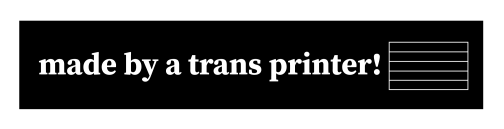
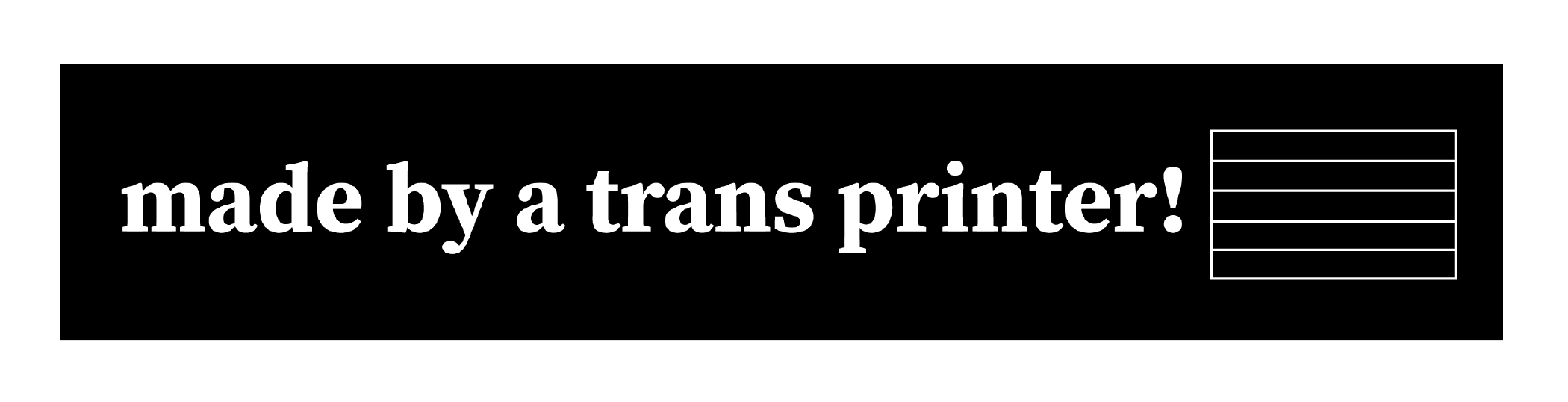
“made by a trans ally!” & “made by a trans printer!” with fill-in trans pride flag

Download as: SVG or PNG. (CC-BY-NC Amanda Wyatt Visconti.)

Adobe Illustrator design intended for creating letterpress printing blocks by cutting via lasercutter onto wood, to use to print the image to paper with ink; to achieve this, the black & white colors are inverted. The image will also need to be horizontally flipped, so that when the block is pressed to paper the inked image is legible; but for social media viewing I have left it unflipped. The design is “made by a trans ally!” text next to the outline of a trans flag, which can be filled in later with color

Download as: SVG or PNG. (CC-BY-NC Amanda Wyatt Visconti.)

Adobe Illustrator design intended for creating letterpress printing blocks by cutting via lasercutter onto wood, to use to print the image to paper with ink; to achieve this, the black & white colors are inverted. The image will also need to be horizontally flipped, so that when the block is pressed to paper the inked image is legible; but for social media viewing I have left it unflipped. The design is “made by a trans printer!” text next to the outline of a trans flag, which can be filled in later with color

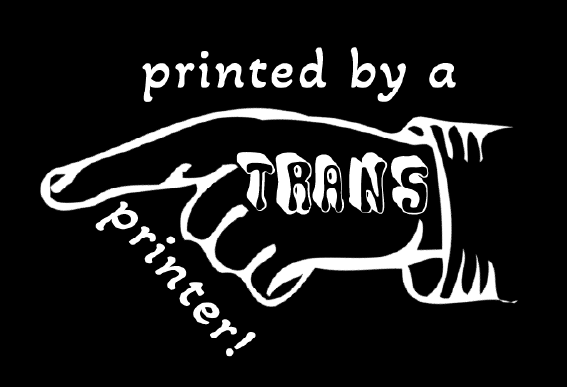
“made by a trans printer!” on manicule with Erin Moore’s Vision font on “trans”

Download as: SVG or PNG. (CC-BY-NC Amanda Wyatt Visconti.)

Adobe Illustrator design intended for creating letterpress printing blocks by cutting via lasercutter onto wood, to use to print the image to paper with ink; to achieve this, the black & white colors are inverted. The image will also need to be horizontally flipped, so that when the block is pressed to paper the inked image is legible; but for social media viewing I have left it unflipped. The design is a pointing hand that says "printed by a trans printer!" The word "trans" is on the back of the hand, in Erin Moore's groovy Vision font.

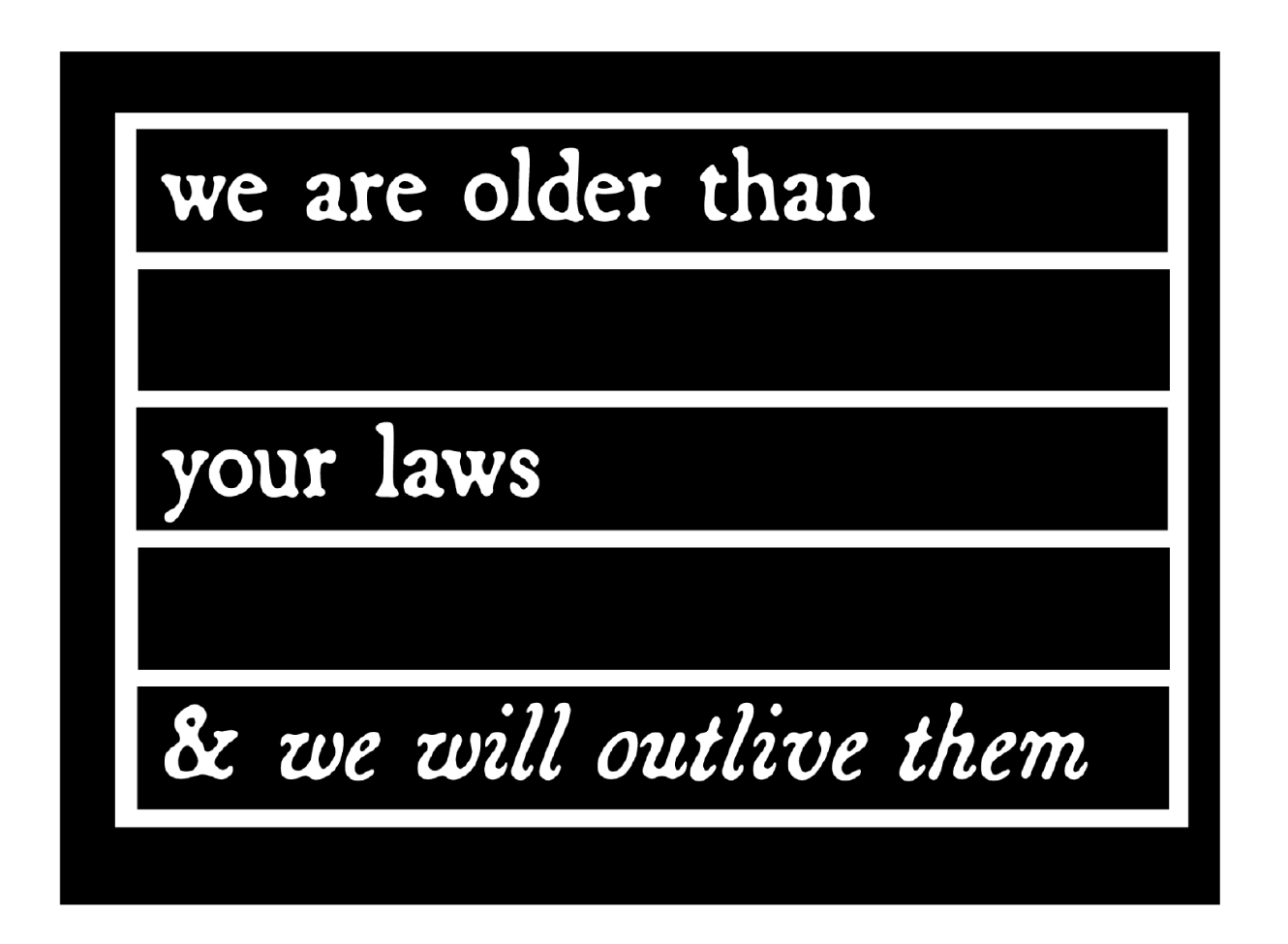
“we are older than your laws and we will outlive them”

The text in this design quotes the text from CoyoteSnout’s art, which quotes an old Yiddish lyric with a 20th-century history of resistance/defiance to Jewish persecution and murder (“we will outlive them”) put into the context of trans rights (there have always been trans people).

Download as: SVG or PNG. (CC-BY-NC Amanda Wyatt Visconti.)

Adobe Illustrator design intended for creating letterpress printing blocks by cutting via lasercutter onto wood, to use to print the image to paper with ink; to achieve this, the black & white colors are inverted. The image will also need to be horizontally flipped, so that when the block is pressed to paper the inked image is legible; but for social media viewing I have left it unflipped. The design is “CoyoteSnout’s text “we are older than your laws & we will survive them” in an antique broadside-style typeface, all over a flag-shaped rectangle divided by by bars into 5 equal sections so it can be later colored in with trans or other pride flag color schemes

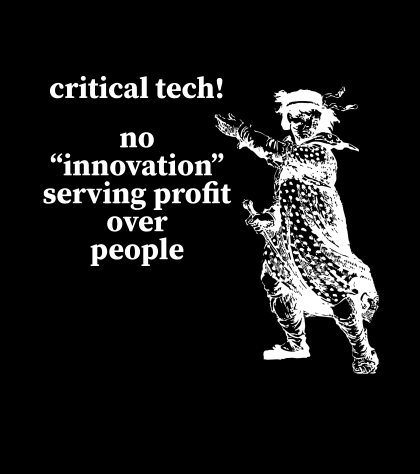
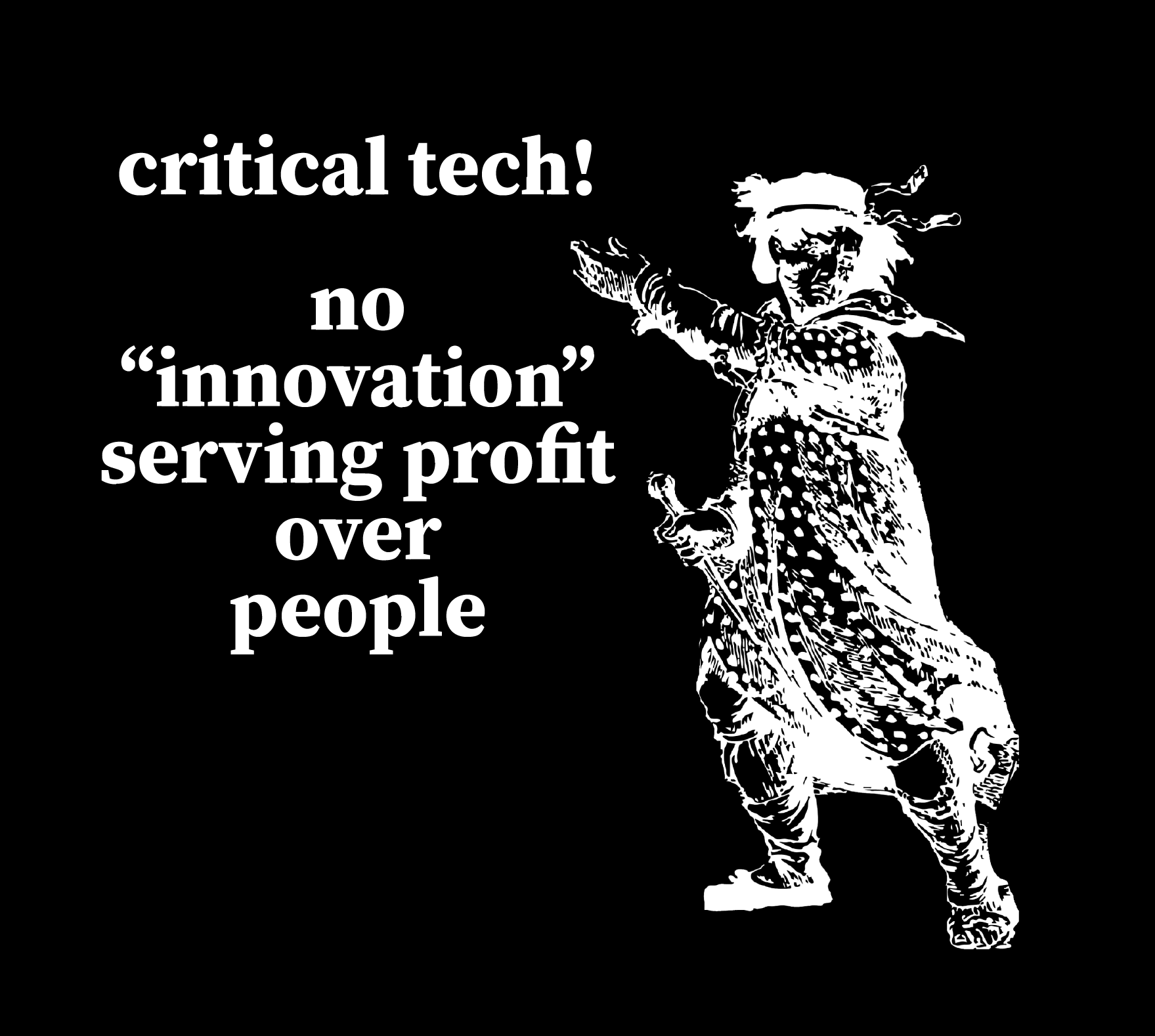
“Critical tech! No ‘innovation’ serving profits over people” + Luddite

This uses a personally digitally edited version of a public domain image from a historical illustration of a Luddite.

Download as: SVG or PNG. (CC-BY-NC Amanda Wyatt Visconti.)

SVG file of an Adobe Illustrator design intended for creating a letterpress printing block by cutting via lasercutter onto wood, to use to print the image to paper with ink; to achieve this, the black & white colors are inverted. The image will also need to be horizontally flipped, so that when the block is pressed to paper the inked image is legible; but for social media viewing I have left it unflipped. The design shows a historical drawing of “the general of the Luddites” edited to be easier to print from a letterpress block, next to the text “critical tech forever! / no 'innovations' serving profit over people.” in antique broadside-style font.

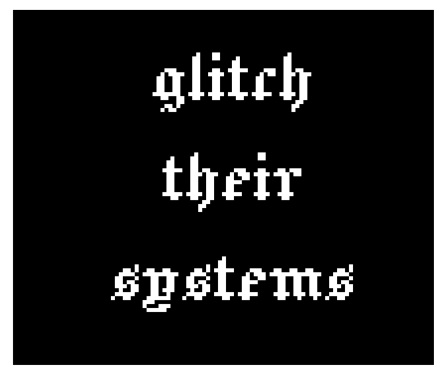
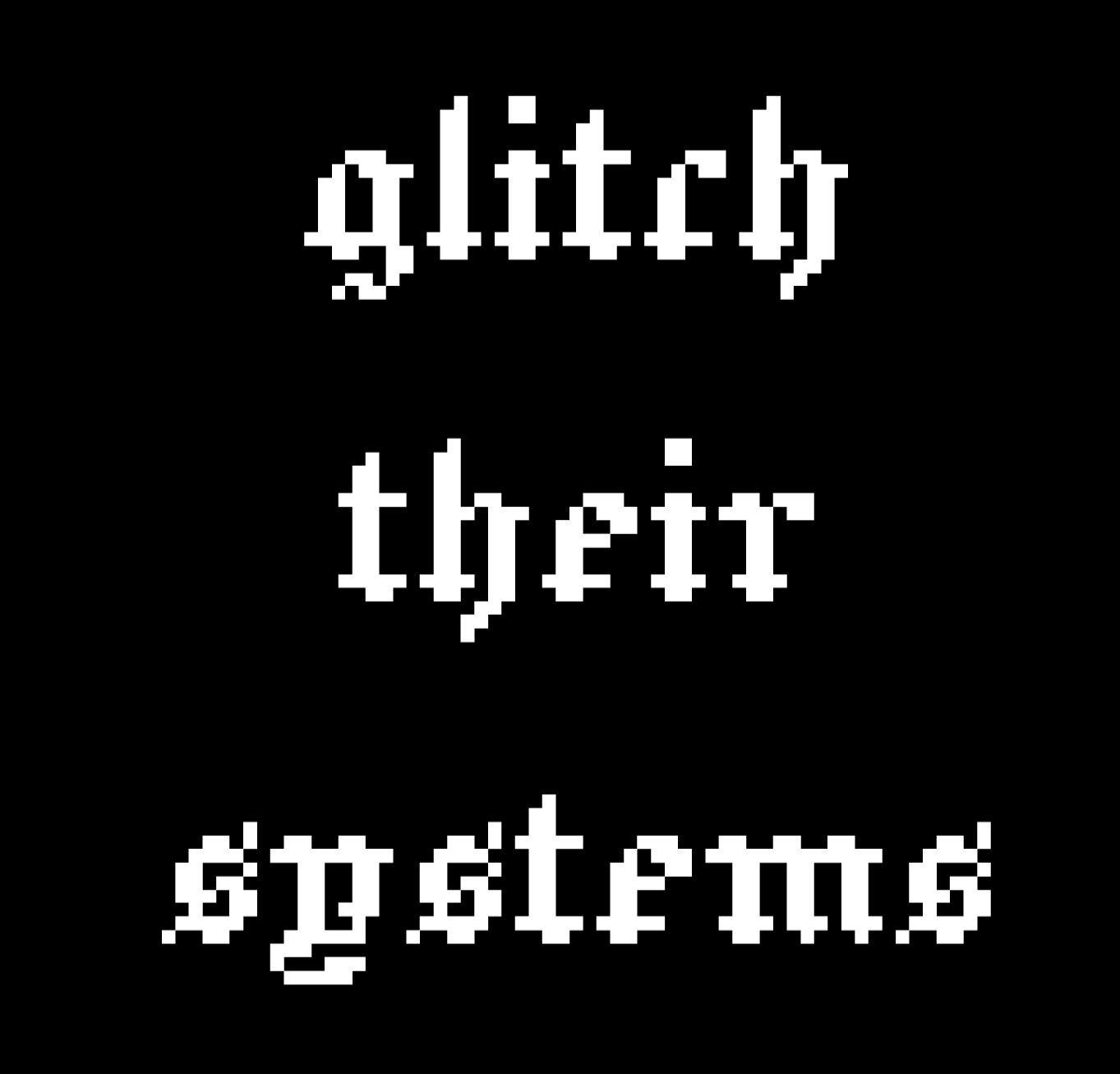
“glitch their systems”

Download as: SVG or PNG. (CC-BY-NC Amanda Wyatt Visconti.)

Adobe Illustrator design intended for creating letterpress printing blocks by cutting via lasercutter onto wood, to use to print the image to paper with ink; to achieve this, the black & white colors are inverted. The image will also need to be horizontally flipped, so that when the block is pressed to paper the inked image is legible; but for social media viewing I have left it unflipped. The design is “glitch their systems” in a pixelated old English font

Lasercutter Letterpress: making my own letterpress printing blocks—with lasers! and fire!

2025年3月1日 13:00

I’ve been experimenting with lasercutting type-high wood to make letterpress blocks for letterpress printing with, greatly helped by forum posts on the BriarPress.org letterpress community site about topics like type-high wood/shims and lasercutting viability (for example). I wrote up my work to share there in return, and wanted to blog it as well in case it can help others.

Here’s the best lasercut letterpress block I’ve made yet! I’ll update with a print once I next get to use the local Vandercook with it. Photo of a block of wood in a lasercutter, being cut to show a historical illustration of a Luddite, and the text "critical tech! no 'innovation' serving profit over people". Photo is from after 5 total lasercutter passes. Photo digitally flipped for readability.

Here’s the art I used to make it, digitally flipped for readability (for non-letterpress folks: the cut block needs to be reflected horizontally, so when pressed to paper with ink the image comes out correctly): Screenshot of a black and white SVG image file of a historical illustration of a Luddite, and the text "critical tech! no 'innovation' serving profit over people". Photo digitally flipped for readability.

Fun images first, followed by in-depth details of what/why/how below

Skip past them for detailed info on why/what/how, for folks who want that. Any cuts that look like I made them wrong (that are readable left to right, thus would print wrong) are actually digitally flipped to make your reading easier; I just got was lazy about including a note to that effect on each one.

Earliest tests, using only 1 lasercutter pass

These produced pretty shallow cuts; they could be printed okay on a Vandercook, with some of the chatter because I was lazy and wanted to print a bunch of slightly-different-heights cuts at the same time without packing under individual cuts to balance them all, and also didn’t sand/seal these at all before printing (some of the chatter was from the height being shallow, though). I also deliberately kept some of the prints with more chatter, as I thought the wood-grain effect was neat, and wanted to remember to explore deliberately including it on some cuts in the future (as well as cutting deeper to avoid it on most cuts). Photo of a letterpress wood block inked in navy ink, with an image on it of a pointing hand that says "printed by a trans printer!" The word "trans" is on the back of the gand, in Erin Moore's groovy Vision font. The photo has been digitally flipped for readability. Photo of a letterpress print made on white paper with navy ink of a pointing hand that says "printed by a trans printer!" The word "trans" is on the back of the gand, in Erin Moore's groovy Vision font. A corona of woodgrain pattern surrounds it.

Photo of a box of 5 letterpress blocks cut from maple wood with a lasercutter Photo of a letterpress print made on white paper with navy ink of a pointing hand. A corona of woodgrain pattern surrounds it.

Photo of letterpress print blocks made from wood and inked in navy ink. One says "Zine Bakery" in a pixelated font next to an icon of a zine, and the other says "made by a trans printer!" in a serif font. The photo has been digitally flipped for readability. Photo of a letterpress print made on white paper from navy ink. The bottom line says "Zine Bakery" in a pixelated font next to an icon of a zine, and the top line says "made by a trans printer!" in a serif font.

This one is especially fun, as it started as a shape cut from craft foam using safety scissors and printed on a BookBeetle; I then scanned the print, cleaned that scan digitally, lasercut it into wood, and printed from that. Photo of a lasercut dog image with long legs, raised up on a block of wood

You can see the cut is fairly shallow: Photo of a lasercut dog image with ling legs, raised up on a block of wood, viewed from the side to show how the image sits higher than the rest of the wood Photo of a letterpress print block made from a wood blick on white paper inked in navy ink. It shows a very long-legged dog silhouette with a woodgrain texture. Photo of a letterpress print block made from wood and inked in navy ink. It shows a very long-legged dog silhouette.

Here’s the original BookBeetle/craft foam print the above cut came from: Photo of a cardboard sheet holding a craft foam cut-out of the silhouette of a very long-legged dog, covered messily in mottled fluorescent blue and pink ink from being used to print with a BookBeetle letterpress. Photo of a Bookbeetle letterpress-printed print of the silhouette of a very long-legged dog, printed in mottled fluorescent blue and pink ink on white paper. You can see some extra ink splots outside the silhouettes from where I didn't cut a frisket to protect the parts of the paper I didn't want printed on

Photo digitally flipped for readability. Sometimes there is flame; optimally, there is not any (power was too high and/or speed too slow): Photo of a rectangle of wood inside a lasercutter, blossoming with orange flame at one end; the words "zine" twice in arow are visible on the wood's surface (inage digitally flipped for legibility)

Testing different laser methods & settings

Next two photos are digitally flipped for readability, zoomed in to show text height from block surface. On the “zines zines zines” block, each word looks slightly different because a different lasercutter method was used on each, with raster cutting deepest (far right) but also burning most, cut (far left) cutting least, and etch in the middle. It probably didn’t help I used subpar random mystery Ebay wood… Photo of two rectangles of wood cut into visa lasercutter to say "dogs" and "zines zines zines"; on the latter, each word looks slightly different because a different lasercutter method was used, with raster cutting deepest but also burning most, cut cutting least, and etch in the middle Photo of two rectangles of wood cut into visa lasercutter to say "dogs" and "zines zines zines"; on the latter, each word looks slightly different because a different lasercutter method was used, with raster cutting deepest but also burning most, cut cutting least, and etch in the middle. The photo is tilted to show the letters are cut to varying depths in the wood; all letters would be feelable with fingers, but only some are deep enough to easily get a clean letterpress print from them

Best outcome yet

“Critical tech: no ‘innovation’ serving profit over people.” 5 lasercutter passes, passes 1, 2 or 3?, 5 shown below (final photo digitally flipped for readability): Photo of a block of wood in a lasercutter, being cut to show a historical illustration of a Luddite, and the text "critical tech! no 'innovation' serving profit over people". Photo is from during the 1st of 5 eventual lasercutter passes. Photo of a block of wood in a lasercutter, being cut to show a historical illustration of a Luddite, and the text "critical tech! no 'innovation' serving profit over people". Photo is from after 2 or 3 total lasercutter passes. Photo of a block of wood in a lasercutter, being cut to show a historical illustration of a Luddite, and the text "critical tech! no 'innovation' serving profit over people". Photo is from after 5 total lasercutter passes. Photo digitally flipped for readability.

Why do this at all?

Because experimenting is fun; because you can make longlasting cuts from your own or other favorite images, including things you can’t buy historical or new cuts of; to design your own type (very advanced to do well); to have type in hard- or impossible-to-find (at least in the U.S.) languages and scripts (ditto). If you have free access to a good-enough lasercutter (eg thorugh a local library or college makerspace), the total cost can be very cheap in general (just the cost of evenly-cut maple blocks and one of many options for materials to make a shim bringing it up to type-high).

What lasercutter & settings?

I’m using the VLS 6.75 lasercutter (aka “Vader”) in Scholars’ Lab’s makerspace, for which I wrote my first zine (a cheatsheet on cutting and etching on acrylic using this lasercutter). You need to be trained by us before using it, but it’s available to anyone who can visit us in-person (no UVA affiliation needed!) and we offer both periodic workshops and 1:1 training by appointment. Non-commercial use is free, but you do need to bring your own materials to cut/etch (unlike our 3D printers, where we provide the filament for free for most non-commercial projects). Luckily, materials can be fairly inexpensive, starting from scrap cardboard, and even nicer looking wood can be fairly reasonable (e.g. a nicely finished bamboo cutting board from Ikea is a great lasercutting block, and costs ~$10).

The final 2 passes I did on the Luddite/critical tech cut above were set to 90 power, 90 speed, and 500 PPI, using 5 total complete lasercutter passes. I’ll continue tweaking those, and ideally I would have done maybe 7-8 passes but I ran out of time. (I varied the settings over the course of the 5 passes, but each took around 13 minutes, which included time the laser was doing nothing cutting the empty space above where my material was because I didn’t know how to move the start point lower, lol).

The SVG file producing the cut was color inverted so that the parts I wanted cut away were black, and the parts I wanted to remain raised were white. I also horizontally flipped the image so it would come out correctly readable when printed.

Finding a lasercutter

If you haven’t used a lasercutter before but are curious, I encourage you to ask a local or college/university librarian if they have or know of any nearby that can be used—with cheaper and smaller versions becoming more available, at least in the U.S. these seem to be popping up in more makerspaces in the last couple years. I’m not sure, but think the standing rather than tabletop kind are the ones with enough power (and safe venting requirements) to cut deep enough into hard woods, though other materials are also possible.

Materials

Lots of good posts if you search the Briar Press forum. For wood, end-grain maple seems to hit the sweet spot for price, hardness, results, but I’ve seen folks mention other options including cherry hardwood.

  • So far I’ve used type-high, maple wood blanks from Virgin Wood Press, McKellier, and Ebay old letterpress blanks with the lead piece chipped off (don’t put lead in a lasercutter, the fumes are toxic)
  • Non-type-high wood: get wood from anywhere cheaper (eg McClains) then add a shim (of wood, 3D printed block, tape, ?) to bring it to type-high
  • Other materials: acrylic (I’ve used this in a lasercutter, lovely results, very quick <2min cuts, can get fun seethrough neon colors!); harder (grey, not “EZ Cut”) or other labeled-laser-safe linoleum (thanks for advice from Ryan Cordell*)

What’s involved: basic

Basic lasercutter use is not overly complicated to learn, if you have some comfort using computer programs, especially saving image files containing letters or shapes from any drawing program. You use a drawing program such as Adobe Illustrator to create the lines or shape you want to cut or etch—any program that can save as an SVG file—give the lasercutter some info (e.g. what kind of material you’re cutting, how thick the material is), and position the material or image so the cuts happen in the right places, then click a button and it does the rest.

A more even and precise press (e.g. Vandercook, rather than hand-pressing or craft press) may be able to print cleaner from shallower-lasercut blocks.

What’s involved: intermediate

I’ve found the non-basic part to be figuring out the best lasercutter settings (such as speed and power) for the material you’re using. Harder materials take more power to cut into and to cut deeper. With wood, speed and power impact whether you get from zero burning, to small flames, to burnt wood.

So far, I’ve had the most success playing with these using cheap sample wood (though preferably of same/similar wood type and height to what you’ll ultimately use, so the settings work the same) to find the highest power (deepest cutting) and highest speed (finishes fastest) that don’t overly burn the wood, then doing multiple passes of the lasercutter (not touching the material at all in between, so that it remains exactly perfectly registered with the cuts going in the exact same places each time).

What’s involved: advanced

I’m not at any advanced stage doing this yet :) but lots of folks are, including users on the Briar Press forum, and some of the folks producing new wood type available via online stores too. Cordell recommended starting cuts on a lasercutter, then using a CNC router to dig out most of the wood farther away from the left-as-type-high bits faster and deeper than a lasercutter can.

There are also a number of folks creating blocks and type completely via CNC router; I took a very fun and informative virtual workshop from Ryan Molloy on this topic via Partners in Print last fall.

* P.S. Thanks to Ryan Cordell (Skeumorph Press) for generously sharing insights on his lasercutting letterpress experience. And unrelatedly, to the extremely generous Briar Press forum users platenman and jnbirdhouse, who’ve helped Scholars’ Lab be able to get closer to starting to teach full-size letterpress to the public!

Limited Letterpress Synonym Finder

2024年12月15日 13:00

I coded a quick web app for a particular book arts need: Limited Letterpress Synonym Finder. If you too also only have 1xA-Z letterpress type on hand (ie just the 26 characters of the alphabet, 1 sort per letter) and what to figure out what you can print without needing to carefully position (register) your paper and do multiple pressings between moving the letters around, you can enter words here to see only those synonyms you’re able to print (i.e. only synonyms using no more than 1 of each A-Z letter).

Screenshot of the Limited Letterpress Synonym Finder webpage linked in the post, which says "Limited Letterpress Synonym Finder. For when you only have 1 x A-Z type on hand. Finds synonyms for the word you input, removes any that use any letter more than once, then displays the rest. (Only works with single-word inputs, not phrases.)" There is a field to enter words, with the word "glow" entered in this example screenshot, followed by a "Find that subset of synonyms" button. There is a list of matching non-multiple-same-letter synonyms for "glow" shown, containing the words burn, beam, shine, gleam, and lambency. Below is a retro internet logo image:  on a black background, the text "Limited Letterpress: Synonym Finder" is in a glowing green neon Old English font.

Zine Bakery: borderless DH research, methods training, and scholarly communication via zines

2024年12月2日 13:00

My presentation on “Zine Bakery: borderless DH research, methods training, and scholarly communication via zines” was accepted to the Spring Global DH 2025 conference. My talk abstract is below:

People often picture zines thinking of their 20th-century origin as collaged, xeroxed, free paper booklets about subcultures, social justice, marginalized experiences. Today, though, creators make “zines” that vary widely in format and topic, including 100+ page tiny books, feminist tech tutorials, creative websites. Most zines stay true to the form’s original vision of radically low-barrier authoring, publication, and reading, though.

Using data visualization, an ethics charter, database and metadata creation, and exemplar Global DHy zines, this “Zine Bakery” presentation demonstrates zines as welcoming, accessible, effective formats for borderless do-it-yourself scholarly communication, friendly digital method teaching, public humanities outreach, just-in-time crisis response. ZineBakery.com is a portal to zine-inspired DH scholarship, including:

  • Public, relational-database-driven zine catalogue
  • Data visualizations
  • Zine-related DH theory and practice research blog (e.g. dataset-building, catalogue interface design, coding documentation)

ZineBakery.com’s zine catalogue contains 375+ DHy zines, with 60+ descriptive metadata fields/zine. The catalogue’s focus on zines at the intersections of tech, culture, and justice means it strongly overlaps conference themes: socially just, accessible, global DH; public, citizen humanities; tech and academic equity, diversity, inclusion; DH pedagogy. 45+ of its zines are by non-U.S. authors and/or about non-U.S. experiences; 40+ of its zines are explicitly DH-focused, with another 110+ zines in adjacent DHy areas (e.g. feminist tech, coding tutorials, data science). This presentation will share a list of links to free Global DHy zines (e.g. Bangalore hardware craft, heritage podcasting across Africa, Puerto Rican digital crowdsourcing).

This scholarship will interest DH and library staff managing public spaces/events (for potential zine sharing, instruction); digital methods teachers seeking new ways to support learning; folks new to DH seeking friendly documentation around a current DH project’s in-progress successes and failures; and DH researchers desiring more ways to share their work with the public.

My recent making projects roundup: zines, letterpress, coding, fabrication

2024年11月6日 13:00

(link josef, alphabuzz, bookbeetle, blog bookbloosom) (link provisional press co) bookbinding (makerspace link, Leah Phan shoutout) apprenticeship vandcook: (link books arts memberships)

Zines

“Speedweve for mending” zine

A 16-page standard-size, full-color zine, “Speedweve for Mending” introduces you to speedweve-style mending looms for fixing small holes in socks and other fabric: What are they? What’s cool about them? Why might you want to try one? How would you get started using one? It’s a zine-ification by me, of a 10/15/2024 #DHMakes Methodz Talk and slides by Sam Blickhan. (#DHMakes Methodz Talks is a public maker talk series I organize.)

In-progress zine writing

I’m currently drafting a zine about making zines, based on Claudia Berger’s 10/31 (#DHMakes Methodz Talk on the topic, in Canva. I’ve got a new paper draft of a mini-zine on researching and procuring your first set of letterpress wood or metal type. I’ve also got a full paper draft of a mini-zine introduction to letterpress typesetting and Vandercook press printing, started back in August.

Bluesky follower/following/list management tool using coding

I coded a Bluesky follower/following/list management app for myself, since I couldn’t find one. You can achieve a surprising amount with just HTML and a little JavaScript: I made a webpage with a sortable table of Bluesky accounts, linked to their profile pages, with columns for various metadata like last-posted date—without needing an API access token.

Letterpress/book arts x lots of project work!

Building a Provisional Press tabletop letterpress printing press from a kit

I used the Provisional Press kit to build a wooden tabletop letterpress printing press:

Photo of a kitchen table covered with neatly arranged pieces of a to-be-assembled tabletop letterpress roller printing press. The pieces are mostly wood slats, plus a large PVC-pipe tube, clamps, glue, small metal hardware, and a long thick metal bolt

Photo of a Provisional Press tabletop showcard letterpress, made of light-colored wood, PVC pipe, and metal, roughly the size of 3 shoeboxes

Photo of Provisional Press letterpress calibration block, a .918” nearly-a-cube of light-colored maple wood with that information laser burnt into its side, sitting on a table. In the background, a white dog with long legs lounges on a full-moon-shaped rug and looks on expectantly.

A Hobonichi-Techno-style notebook using bookbinding methods

I took student Makerspace Tech Leah Phan’s Scholars’ Lab Makerspace workshop (recommended!) on using bookbinding methods to create a a Hobonichi-Techno-style notebook:

Closeup photo of an orange construction-paper-bound journal, showing how the spine is sewn with charcoal thread in a chain stitch that loops back on itself

Closeup photo of the inside of a handmade paper-bound journal, showing how the spine is sewn with charcoal thread in a chain stitch that loops back on itself

Closeup photo of an orange construction-paper-bound journal, showing how the spine is being sewn with charcoal thread in a chain stitch that loops back on itself, using a curved needle and waxed linen thread

A work table spread with supplies for handmaking a journal, including folded inner paper, an orange construction paper cover, a half-circle needle, cardboard for stabbing the awl into, and a white bone folder to help crease pages at the spine

A year-long letterpress printing apprenticeship

I’m just starting a year-long letterpress printing apprenticeship with the Virginia Center for the Book Book Arts, focused on typesetting in metal and wood, showcard press practice, and especially projects and practice toward certification to run their Vandercook proofing press on my own (and hopefully help teach it to others, too). Shane is also doing this—let us know if you’re interested in learning or collaborating on letterpress, book arts, and adjacent digital work.

This follows up on the August 4-day letterpress printing intensive we took, as well as my other recent letterpress and book arts work.

BookBeetle screw press & letterpress printing pedagogy

Last Saturday was the 1st session of Josef Beery’s Alphabuzz at the the Virginia Center for the Book Book Arts: a cohort of letterpress folks learning how to teach public & K-12 letterpress printing with the BookBeetle, a reproduction historical screw letterpress designed to be ultra-accessible for public and teaching use. We did 6 letterpress printing exercises aimed at public teaching various age groups from kindergarten up, including letterpress printing with legos, Josef’s new BookBlossom wood type, a Declaration of Independence photopolymer plate, & my fave: cutting craft foam to make a bestiary book!

The remaining three sessions will involve: our teaching K-12 teachers how to teach with the press, our teaching those teachers and their students, and a daylong intensive on letterpress history and practice (including printing on a Franklin Common Press!).

Photo of the BookBeetle tabletop screw letterpress, a letterpress printer made of light-colored wood with a big handle on top for turning the screw that presses the ink into the paper. In the printer bed is visible the type that was printed onto the previous photo, a pangram (sentence using all letters in the alphabet at least once) that says: “Bodoni Devoured My Ersatz Quinoa Whilst Perusing The Xray For Jack”.

Photo closeup of the BookBeetle tabletop screw letterpress’s print bed, showing the type that was printed onto 1st previous photo: rounded, all-caps uppercase forming a pangram (sentence using all letters in the alphabet at least once) that says: “Bodoni Devoured My Ersatz Quinoa Whilst Perusing The Xray For Jack”.

Photo of a tshirt cardboard with a piece of craft foam affixed to it; the craft foam has been cut into the shape of a dog with very very long legs, and inked with fluorescent blue and pink ink.

Photo of a white piece of paper printed with the shape of a dog with very very long legs, and inked with fluorescent blue and pink ink.

Fabrication

I made progress on my neon ghost books project, an attempt to emulate Aidan Kang’s Luminous Books described in my “Book-adjacent data” journal article.

I learned:

  • hot glue gun doesn’t work well for these glass & acrylic joints (too thick, dries too fast; had to peel off and re-glue with clear Loctite superglue)
  • leaving paper wrapping on the on glass & acrylic to protect it from the glue meant that it is now annoying to remove; and I discovered that excess glue actually cleans off it easily without leaving a cloud
  • the jigsaw-edge box design calculator I used, and/or the glass cutting measurement tolerances are off (resulting in gaps between the joints)

Photo of a kitchen table covered with supplies for gluing acrylic and glass boxes together. Supplies include a hot glue gun, cutting boards, a clear thick acrylic material made into a shape intended to eventually be a box with two sides glued together; a book-shaped rectangular box made of glass, missing the top and bottom sides, where the edges are cut into jigsaw crenellations, with glue drying between the joints; a cup of Q-tips; a bowl of trash; a cardboard box.

❌