普通视图

Received before yesterday

On the edge: printing zine margins

2025年5月2日 12:00

Q. Do you know of zine templates that let you import your zine content and then print it properly?

A. I’ve run into this a lot, partly bc some printers have various hidden amounts of white space they’ll require to allow for where they grip the paper, even if you set printer settings to zero margins. Very frustrating, especially for printing minizines, where this can through off what’s visible per page when you fold the pages.

A few printers have true borderless printing, but I haven’t happened to run into one at home/work yet. Sometimes I use a paper cutter or scissors to remove that unprinted edge after printing, to make the zine look printed all the way to the edge when it doesn’t have a white background.

Researching what those secret extra whitespace settings are for my particular printer brand and model has helped, as well as printing a test template with text running off all the zine page edges. This lets me then measure on the printout what of the text gets cut off, then design so my text/images don’t go there. In Canva, I’ve drawn those measured cutoff points as colored boxes, then duplicate that page to fill it with zine content and remove the boxes once I’m ready to print, like so:

Screenshot of a Canva page where I've marked with green, yellow, and red rectangles where the various margins are on a page (margin, bleed, actual printer cutoff where it won't print beyond) if I mke a zine on it and print it with my particular printer.

Canva (free plan) lets you set margin and bleed guides (file > settings) that helps with designing for printing correctly. While these don’t override that secret won’t-print-there grip area of paper many printers have, ustom print margin settings can sometimes help too:

Screenshot of where to go in Adobe Acrobat to set custom printing margin settings: "page setup" button, then "paper size" to "Manage custom sizes..."

Screenshot of where to go in Adobe Acrobat to set custom printing margin settings: + icon, then set "Margins" as "User Defined" and enter 0 in. under the fields for each of the 4 sides of the paper

I’ve tried various zine arranger (plus additional cool features!) tools, such as:

These all do useful things, but ultimately can’t address different printers adding that secret extra space—so the hacks above have worked best for me.

From text originally posted by me via the Scholars’ Lab Bluesky account in response to a question there.

Global Digital Humanities Conference: Zine Bakery: borderless DH research, methods training, and scholarly communication via zines

2025年4月7日 12:00

I presented about the Zine Bakery today at the Global Digital Humanities conference last week. Below are some links that had to fly by on my screen, so folks have more time to peruse them.

I’m on Bluesky at LiteratureGeek.bsky.social if you want to chat there!

Key parts of Zine Bakery

Where to find zines:

Citations & further reading

Fox, Violet B. et al. “The zine librarians code of ethics” web resource, zine. November 2015. zinelibraries.info/code-of-ethics-1115-web-version.

Freedman, Jenna, et al. Zine Union Catalogue web resource. zinecat.org.

Nemergut, Nicole Acosta. Teaching with Zines zine. 2018. github.com/zinecat/zinecat.org/blob/master/Documents/Teaching%20with%20Zines%20-%20Acosta.pdf.

Sahagian, Jacqui. “Zine-making as Critical DH Pedagogy”. Scholars’ Lab blog post, January 14, 2022. scholarslab.org/blog/workshop-zine-translation.

Stevens, Amanda, et al. Zine Subject Thesaurus web resource. anchorarchive.org/subject-thesaurus.

Visconti, Amanda Wyatt. “Book Adjacent: Database & Makerspace Prototypes Repairing Book-Centric Citation Bias in DH Working Libraries”. DH+Lib special issue, Spring 2024. dhandlib.org/?p=154321.

—. Zine Bakery. ZineBakery.com. Project’s research blogging includes:

—; Quinn Dombrowski; Claudia Berger. “#DHmakes: Baking Craft into DH Discourse”. Korean Journal of Digital Humanities, 1(1), 73-108, 2024. accesson.kr/kjdh/v.1/1/73/43507.

Walters, Jess. “Zines” (Walters’ zines & work, including zines for disability jistice community, learning, advocacy). jesswaltersart.com/zines

Pixels, paper, politics: a digital humanist booklab with an intersectional transfeminist frame

2025年3月25日 12:00

The following is an accepted proposal I submitted to the international Feminist Media Histories journal special issue on “Craftwork within the Digital”, guest-edited by Christina Corfield and Whitney Trettien. In addition to giving a preview of my piece, I thought this might be helpful to folks looking to propose journal articles for the first time.

I propose creating a one-page website consisting of a written scholarly artist statement and 3 digital, printable zines.

The written introduction will consist of 2-4 pages of text exploring the intersections of craft/method-expansive makerspaces and the digital humanities (DH) for feminist practice, including through recounting my zine and #DHmakes community work. I’ll particularly focus on the affordances of one book arts methods and especially letterpress printing craft, offering a list of intersectional, transfeminist values including justice, care, and abundance and how this method offers opportunities to practice these values. I’ll also provide a short, hyperlinked bibliography of free online scholarly readings related to these topics.

Finally, I’ll present a model of one feminist + digital craft case through an overview of how I’m developing my DH-center-based booklab based on intersectional, transfeminist values, to fill local gaps in book arts accessibility, including through:

  • Low-barrier, friendly, safe/hard-to-break printing experimentation available for no cost
  • Building support for inclusive and multilingual printing, especially for non-Latin scripts, Braille, and other typefaces uncommon or difficult to procure in the U.S., with one goal being all lab visitors always have the type available to correctly print their names
  • Experimental & digital humanities explorations, applying our makerspace and prototyping expertise to develop custom, cheaper, and/or otherwise unavailable typefaces and printing apparatus (e.g. to address the dearth of multilingual options), and explore other connections between hands-on book arts practice and our DH skillset
  • Maintaining a free, public zine rack stocking social justice-related titles
  • Growing a collection of historical LGBTQIA+ letterpress blocks, and publishing these in an online gallery; lasercutting wood to create new LGBTQIA+ letterpress blocks to expand what’s available, and sharing the design files and instructions so others may replicate these

The 3 zines associated with this piece will be readable online, as well as by printing and folding. Each will use a feminist-tech tutorial approach (à la Julia Evans) to make introductory letterpress practice more accessible in both a tacit knowledge and a monetary expense sense, covering three topics:

  1. finding your first press
  2. finding your first letterpress type
  3. doing your first typesetting and printing
    I plan these zines to be similar in depth of content to my recent co-authored “DIY Web Archiving” zine, and the zines’ design/polish level to be similar to my co-authored “Speedweve for Mending” zine. I have existing experience with the required methods (web design and zinemaking) for this proposal, and do not need support in achieving them. I have a draft outline and notes toward writing all three zines completed already, so the remaining work is doable during this CFP’s timeframe.

Bio:
Dr. Amanda Wyatt Visconti (they/them) is Director of the Scholars’ Lab, an internationally recognized digital humanities research center; and both a researcher and practitioner of book arts and making (e.g. letterpress, zines, resin, data embodiment). An active contributor to the #DHmakes community, in just the last year they’ve organized a 7-session public zoom series teaching craft methods to digital humanists (#DHMakes Methodz Talks), written and published two zines on craft methods (mending with Sam Blickhan; lasercutting) in addition to four other zines, and published two peer-reviewed journal articles on scholarly making (book-adjacent, data-powered making; #DHmakes community history, with Quinn Dombrowski and Claudia Berger). Their scholarship includes intersectional, transfeminist bibliography and digital humanities research coding, and they hold a Literature Ph.D. and Information M.S. both focused on digital humanities human-computer interaction.

Lasercutter Letterpress: reusable designs for letterpress printing blocks, stickers, & more

2025年3月2日 13:00

I’ve been experimenting with lasercutting type-high wood to make letterpress blocks for letterpress printing (read more & pretty pictures here). Since someone asked on Bluesky, I’m now sharing some of the recent files I’ve lasercut, which are free to use with a CC-BY-NC license, which means you need to credit me when sharing them (Amanda Wyatt Visconti / AmandaVisconti.com) and cannot sell them nor include them in a sold thing.

You can use these for stickers or other purposes; to lasercut them for printing on wood, lino, or other materials, reflect (flip) the images horizontally before carving, so they read correctly when pressed against paper with ink. Here’s an example of one of the images I flipped and lasercut into wood for letterpress printing use:

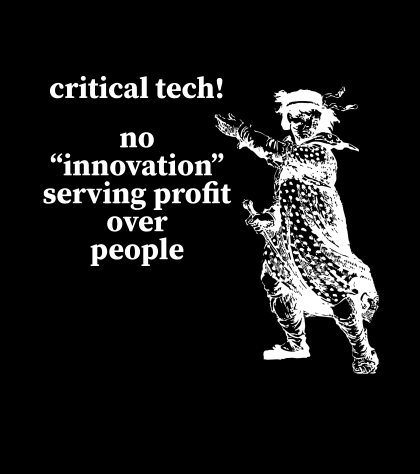
Photo of a block of wood in a lasercutter, being cut to show a historical illustration of a Luddite, and the text "critical tech! no 'innovation' serving profit over people". Photo is from after 5 total lasercutter passes. Photo digitally flipped for readability.

“made with <3 by” with checkboxes for trans ally or trans printer; & fill-in trans pride flag

Download as: SVG or PNG. (CC-BY-NC Amanda Wyatt Visconti.)

Adobe Illustrator design intended for creating letterpress printing blocks by cutting via lasercutter onto wood, to use to print the image to paper with ink; to achieve this, the black & white colors are inverted. The image will also need to be horizontally flipped, so that when the block is pressed to paper the inked image is legible; but for social media viewing I have left it unflipped. The design is the text "made with love by" followed by checkboxes next to the options "trans ally!" and "trans printer!", followed by the outline for a trans flag you can color in after letterpress printing

“made by a trans ally!” & “made by a trans printer!” with fill-in trans pride flag

Download as: SVG or PNG. (CC-BY-NC Amanda Wyatt Visconti.)

Adobe Illustrator design intended for creating letterpress printing blocks by cutting via lasercutter onto wood, to use to print the image to paper with ink; to achieve this, the black & white colors are inverted. The image will also need to be horizontally flipped, so that when the block is pressed to paper the inked image is legible; but for social media viewing I have left it unflipped. The design is “made by a trans ally!” text next to the outline of a trans flag, which can be filled in later with color

Download as: SVG or PNG. (CC-BY-NC Amanda Wyatt Visconti.)

Adobe Illustrator design intended for creating letterpress printing blocks by cutting via lasercutter onto wood, to use to print the image to paper with ink; to achieve this, the black & white colors are inverted. The image will also need to be horizontally flipped, so that when the block is pressed to paper the inked image is legible; but for social media viewing I have left it unflipped. The design is “made by a trans printer!” text next to the outline of a trans flag, which can be filled in later with color

“made by a trans printer!” on manicule with Erin Moore’s Vision font on “trans”

Download as: SVG or PNG. (CC-BY-NC Amanda Wyatt Visconti.)

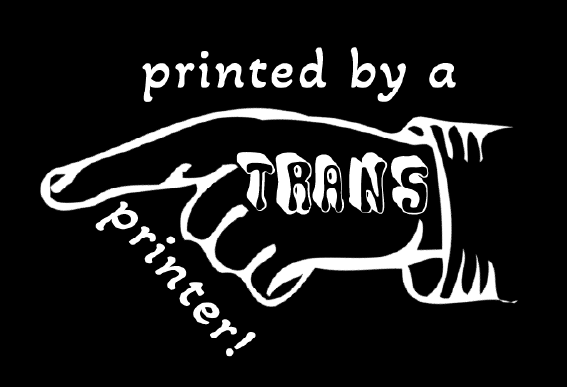
Adobe Illustrator design intended for creating letterpress printing blocks by cutting via lasercutter onto wood, to use to print the image to paper with ink; to achieve this, the black & white colors are inverted. The image will also need to be horizontally flipped, so that when the block is pressed to paper the inked image is legible; but for social media viewing I have left it unflipped. The design is a pointing hand that says "printed by a trans printer!" The word "trans" is on the back of the hand, in Erin Moore's groovy Vision font.

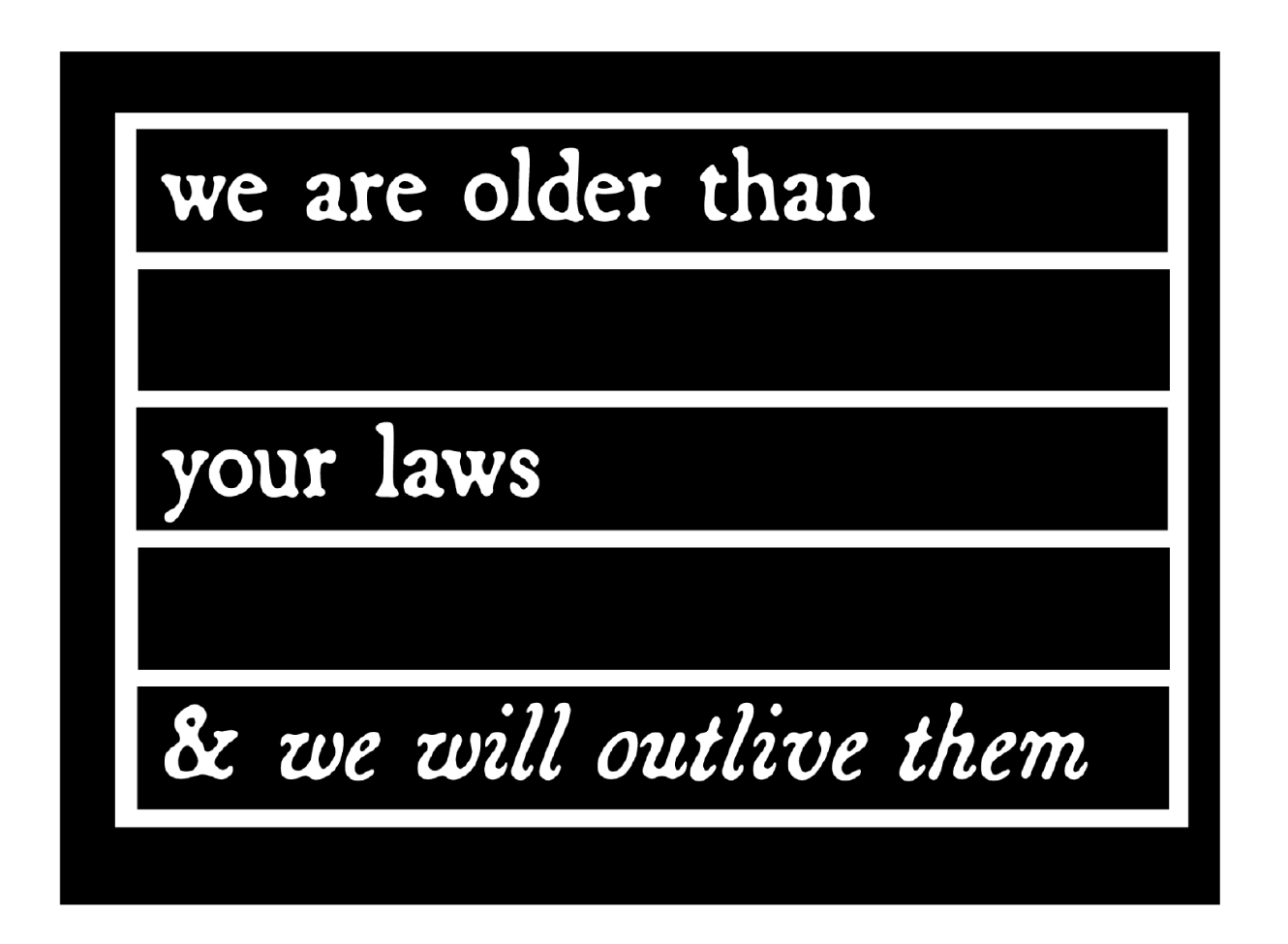
“we are older than your laws and we will outlive them”

The text in this design quotes the text from CoyoteSnout’s art, which quotes an old Yiddish lyric with a 20th-century history of resistance/defiance to Jewish persecution and murder (“we will outlive them”) put into the context of trans rights (there have always been trans people).

Download as: SVG or PNG. (CC-BY-NC Amanda Wyatt Visconti.)

Adobe Illustrator design intended for creating letterpress printing blocks by cutting via lasercutter onto wood, to use to print the image to paper with ink; to achieve this, the black & white colors are inverted. The image will also need to be horizontally flipped, so that when the block is pressed to paper the inked image is legible; but for social media viewing I have left it unflipped. The design is “CoyoteSnout’s text “we are older than your laws & we will survive them” in an antique broadside-style typeface, all over a flag-shaped rectangle divided by by bars into 5 equal sections so it can be later colored in with trans or other pride flag color schemes

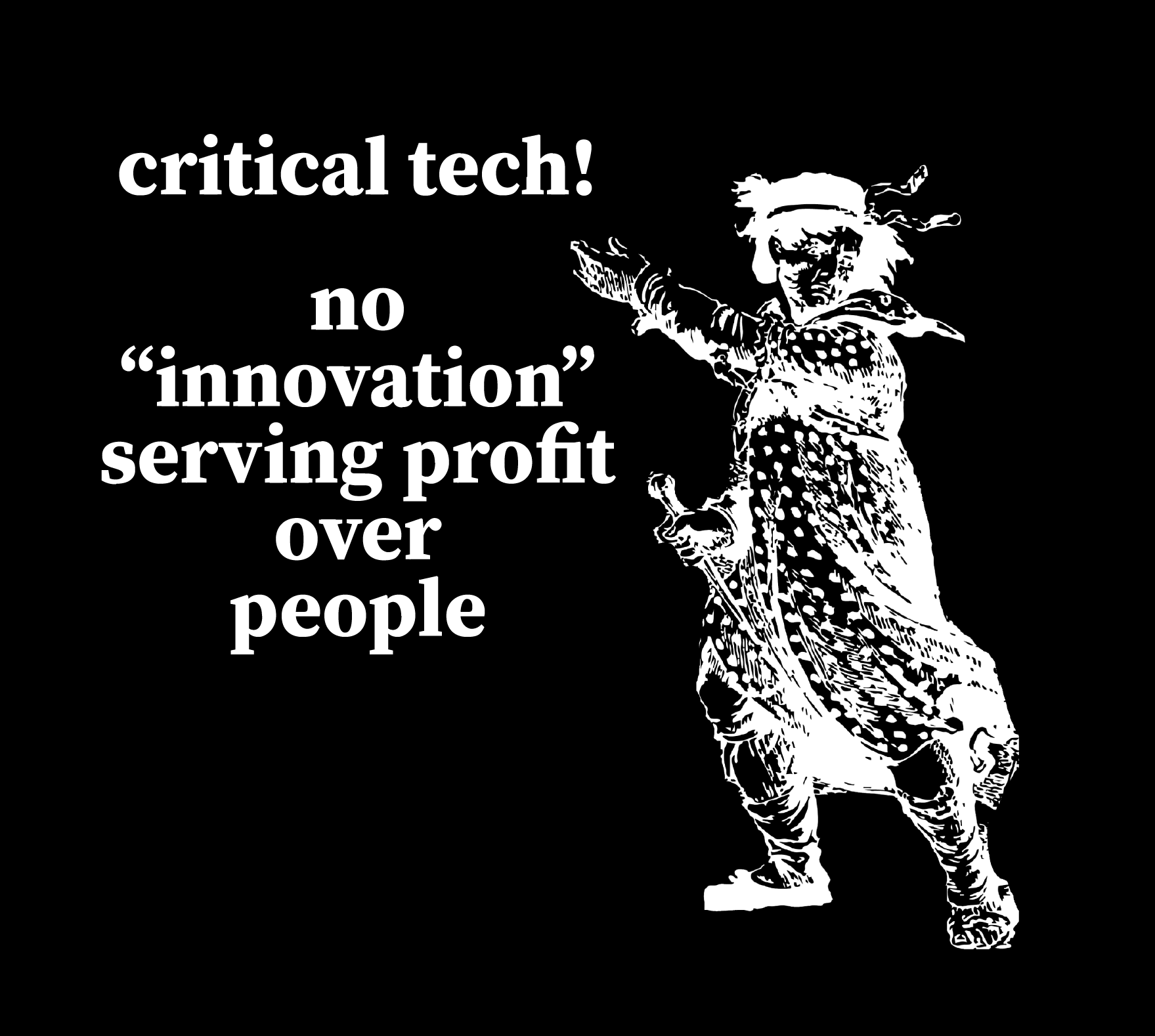
“Critical tech! No ‘innovation’ serving profits over people” + Luddite

This uses a personally digitally edited version of a public domain image from a historical illustration of a Luddite.

Download as: SVG or PNG. (CC-BY-NC Amanda Wyatt Visconti.)

SVG file of an Adobe Illustrator design intended for creating a letterpress printing block by cutting via lasercutter onto wood, to use to print the image to paper with ink; to achieve this, the black & white colors are inverted. The image will also need to be horizontally flipped, so that when the block is pressed to paper the inked image is legible; but for social media viewing I have left it unflipped. The design shows a historical drawing of “the general of the Luddites” edited to be easier to print from a letterpress block, next to the text “critical tech forever! / no 'innovations' serving profit over people.” in antique broadside-style font.

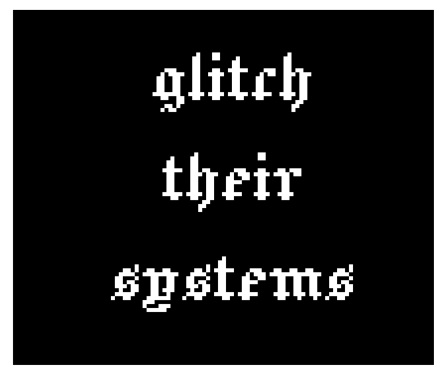
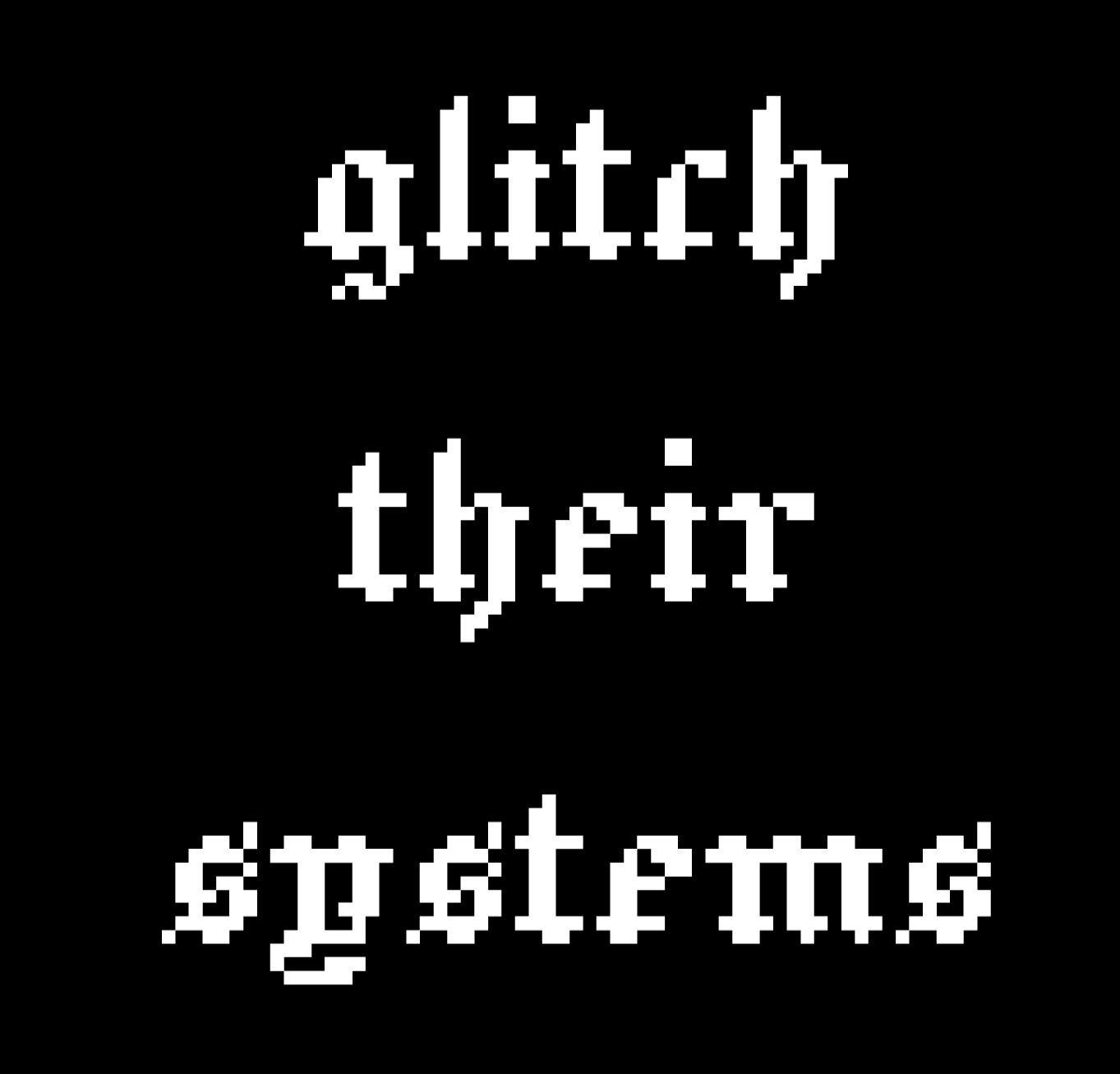
“glitch their systems”

Download as: SVG or PNG. (CC-BY-NC Amanda Wyatt Visconti.)

Adobe Illustrator design intended for creating letterpress printing blocks by cutting via lasercutter onto wood, to use to print the image to paper with ink; to achieve this, the black & white colors are inverted. The image will also need to be horizontally flipped, so that when the block is pressed to paper the inked image is legible; but for social media viewing I have left it unflipped. The design is “glitch their systems” in a pixelated old English font

Lasercutter Letterpress: making my own letterpress printing blocks—with lasers! and fire!

2025年3月1日 13:00

I’ve been experimenting with lasercutting type-high wood to make letterpress blocks for letterpress printing with, greatly helped by forum posts on the BriarPress.org letterpress community site about topics like type-high wood/shims and lasercutting viability (for example). I wrote up my work to share there in return, and wanted to blog it as well in case it can help others.

Here’s the best lasercut letterpress block I’ve made yet! I’ll update with a print once I next get to use the local Vandercook with it. Photo of a block of wood in a lasercutter, being cut to show a historical illustration of a Luddite, and the text "critical tech! no 'innovation' serving profit over people". Photo is from after 5 total lasercutter passes. Photo digitally flipped for readability.

Here’s the art I used to make it, digitally flipped for readability (for non-letterpress folks: the cut block needs to be reflected horizontally, so when pressed to paper with ink the image comes out correctly): Screenshot of a black and white SVG image file of a historical illustration of a Luddite, and the text "critical tech! no 'innovation' serving profit over people". Photo digitally flipped for readability.

Fun images first, followed by in-depth details of what/why/how below

Skip past them for detailed info on why/what/how, for folks who want that. Any cuts that look like I made them wrong (that are readable left to right, thus would print wrong) are actually digitally flipped to make your reading easier; I just got was lazy about including a note to that effect on each one.

Earliest tests, using only 1 lasercutter pass

These produced pretty shallow cuts; they could be printed okay on a Vandercook, with some of the chatter because I was lazy and wanted to print a bunch of slightly-different-heights cuts at the same time without packing under individual cuts to balance them all, and also didn’t sand/seal these at all before printing (some of the chatter was from the height being shallow, though). I also deliberately kept some of the prints with more chatter, as I thought the wood-grain effect was neat, and wanted to remember to explore deliberately including it on some cuts in the future (as well as cutting deeper to avoid it on most cuts). Photo of a letterpress wood block inked in navy ink, with an image on it of a pointing hand that says "printed by a trans printer!" The word "trans" is on the back of the gand, in Erin Moore's groovy Vision font. The photo has been digitally flipped for readability. Photo of a letterpress print made on white paper with navy ink of a pointing hand that says "printed by a trans printer!" The word "trans" is on the back of the gand, in Erin Moore's groovy Vision font. A corona of woodgrain pattern surrounds it.

Photo of a box of 5 letterpress blocks cut from maple wood with a lasercutter Photo of a letterpress print made on white paper with navy ink of a pointing hand. A corona of woodgrain pattern surrounds it.

Photo of letterpress print blocks made from wood and inked in navy ink. One says "Zine Bakery" in a pixelated font next to an icon of a zine, and the other says "made by a trans printer!" in a serif font. The photo has been digitally flipped for readability. Photo of a letterpress print made on white paper from navy ink. The bottom line says "Zine Bakery" in a pixelated font next to an icon of a zine, and the top line says "made by a trans printer!" in a serif font.

This one is especially fun, as it started as a shape cut from craft foam using safety scissors and printed on a BookBeetle; I then scanned the print, cleaned that scan digitally, lasercut it into wood, and printed from that. Photo of a lasercut dog image with long legs, raised up on a block of wood

You can see the cut is fairly shallow: Photo of a lasercut dog image with ling legs, raised up on a block of wood, viewed from the side to show how the image sits higher than the rest of the wood Photo of a letterpress print block made from a wood blick on white paper inked in navy ink. It shows a very long-legged dog silhouette with a woodgrain texture. Photo of a letterpress print block made from wood and inked in navy ink. It shows a very long-legged dog silhouette.

Here’s the original BookBeetle/craft foam print the above cut came from: Photo of a cardboard sheet holding a craft foam cut-out of the silhouette of a very long-legged dog, covered messily in mottled fluorescent blue and pink ink from being used to print with a BookBeetle letterpress. Photo of a Bookbeetle letterpress-printed print of the silhouette of a very long-legged dog, printed in mottled fluorescent blue and pink ink on white paper. You can see some extra ink splots outside the silhouettes from where I didn't cut a frisket to protect the parts of the paper I didn't want printed on

Photo digitally flipped for readability. Sometimes there is flame; optimally, there is not any (power was too high and/or speed too slow): Photo of a rectangle of wood inside a lasercutter, blossoming with orange flame at one end; the words "zine" twice in arow are visible on the wood's surface (inage digitally flipped for legibility)

Testing different laser methods & settings

Next two photos are digitally flipped for readability, zoomed in to show text height from block surface. On the “zines zines zines” block, each word looks slightly different because a different lasercutter method was used on each, with raster cutting deepest (far right) but also burning most, cut (far left) cutting least, and etch in the middle. It probably didn’t help I used subpar random mystery Ebay wood… Photo of two rectangles of wood cut into visa lasercutter to say "dogs" and "zines zines zines"; on the latter, each word looks slightly different because a different lasercutter method was used, with raster cutting deepest but also burning most, cut cutting least, and etch in the middle Photo of two rectangles of wood cut into visa lasercutter to say "dogs" and "zines zines zines"; on the latter, each word looks slightly different because a different lasercutter method was used, with raster cutting deepest but also burning most, cut cutting least, and etch in the middle. The photo is tilted to show the letters are cut to varying depths in the wood; all letters would be feelable with fingers, but only some are deep enough to easily get a clean letterpress print from them

Best outcome yet

“Critical tech: no ‘innovation’ serving profit over people.” 5 lasercutter passes, passes 1, 2 or 3?, 5 shown below (final photo digitally flipped for readability): Photo of a block of wood in a lasercutter, being cut to show a historical illustration of a Luddite, and the text "critical tech! no 'innovation' serving profit over people". Photo is from during the 1st of 5 eventual lasercutter passes. Photo of a block of wood in a lasercutter, being cut to show a historical illustration of a Luddite, and the text "critical tech! no 'innovation' serving profit over people". Photo is from after 2 or 3 total lasercutter passes. Photo of a block of wood in a lasercutter, being cut to show a historical illustration of a Luddite, and the text "critical tech! no 'innovation' serving profit over people". Photo is from after 5 total lasercutter passes. Photo digitally flipped for readability.

Why do this at all?

Because experimenting is fun; because you can make longlasting cuts from your own or other favorite images, including things you can’t buy historical or new cuts of; to design your own type (very advanced to do well); to have type in hard- or impossible-to-find (at least in the U.S.) languages and scripts (ditto). If you have free access to a good-enough lasercutter (eg thorugh a local library or college makerspace), the total cost can be very cheap in general (just the cost of evenly-cut maple blocks and one of many options for materials to make a shim bringing it up to type-high).

What lasercutter & settings?

I’m using the VLS 6.75 lasercutter (aka “Vader”) in Scholars’ Lab’s makerspace, for which I wrote my first zine (a cheatsheet on cutting and etching on acrylic using this lasercutter). You need to be trained by us before using it, but it’s available to anyone who can visit us in-person (no UVA affiliation needed!) and we offer both periodic workshops and 1:1 training by appointment. Non-commercial use is free, but you do need to bring your own materials to cut/etch (unlike our 3D printers, where we provide the filament for free for most non-commercial projects). Luckily, materials can be fairly inexpensive, starting from scrap cardboard, and even nicer looking wood can be fairly reasonable (e.g. a nicely finished bamboo cutting board from Ikea is a great lasercutting block, and costs ~$10).

The final 2 passes I did on the Luddite/critical tech cut above were set to 90 power, 90 speed, and 500 PPI, using 5 total complete lasercutter passes. I’ll continue tweaking those, and ideally I would have done maybe 7-8 passes but I ran out of time. (I varied the settings over the course of the 5 passes, but each took around 13 minutes, which included time the laser was doing nothing cutting the empty space above where my material was because I didn’t know how to move the start point lower, lol).

The SVG file producing the cut was color inverted so that the parts I wanted cut away were black, and the parts I wanted to remain raised were white. I also horizontally flipped the image so it would come out correctly readable when printed.

Finding a lasercutter

If you haven’t used a lasercutter before but are curious, I encourage you to ask a local or college/university librarian if they have or know of any nearby that can be used—with cheaper and smaller versions becoming more available, at least in the U.S. these seem to be popping up in more makerspaces in the last couple years. I’m not sure, but think the standing rather than tabletop kind are the ones with enough power (and safe venting requirements) to cut deep enough into hard woods, though other materials are also possible.

Materials

Lots of good posts if you search the Briar Press forum. For wood, end-grain maple seems to hit the sweet spot for price, hardness, results, but I’ve seen folks mention other options including cherry hardwood.

  • So far I’ve used type-high, maple wood blanks from Virgin Wood Press, McKellier, and Ebay old letterpress blanks with the lead piece chipped off (don’t put lead in a lasercutter, the fumes are toxic)
  • Non-type-high wood: get wood from anywhere cheaper (eg McClains) then add a shim (of wood, 3D printed block, tape, ?) to bring it to type-high
  • Other materials: acrylic (I’ve used this in a lasercutter, lovely results, very quick <2min cuts, can get fun seethrough neon colors!); harder (grey, not “EZ Cut”) or other labeled-laser-safe linoleum (thanks for advice from Ryan Cordell*)

What’s involved: basic

Basic lasercutter use is not overly complicated to learn, if you have some comfort using computer programs, especially saving image files containing letters or shapes from any drawing program. You use a drawing program such as Adobe Illustrator to create the lines or shape you want to cut or etch—any program that can save as an SVG file—give the lasercutter some info (e.g. what kind of material you’re cutting, how thick the material is), and position the material or image so the cuts happen in the right places, then click a button and it does the rest.

A more even and precise press (e.g. Vandercook, rather than hand-pressing or craft press) may be able to print cleaner from shallower-lasercut blocks.

What’s involved: intermediate

I’ve found the non-basic part to be figuring out the best lasercutter settings (such as speed and power) for the material you’re using. Harder materials take more power to cut into and to cut deeper. With wood, speed and power impact whether you get from zero burning, to small flames, to burnt wood.

So far, I’ve had the most success playing with these using cheap sample wood (though preferably of same/similar wood type and height to what you’ll ultimately use, so the settings work the same) to find the highest power (deepest cutting) and highest speed (finishes fastest) that don’t overly burn the wood, then doing multiple passes of the lasercutter (not touching the material at all in between, so that it remains exactly perfectly registered with the cuts going in the exact same places each time).

What’s involved: advanced

I’m not at any advanced stage doing this yet :) but lots of folks are, including users on the Briar Press forum, and some of the folks producing new wood type available via online stores too. Cordell recommended starting cuts on a lasercutter, then using a CNC router to dig out most of the wood farther away from the left-as-type-high bits faster and deeper than a lasercutter can.

There are also a number of folks creating blocks and type completely via CNC router; I took a very fun and informative virtual workshop from Ryan Molloy on this topic via Partners in Print last fall.

* P.S. Thanks to Ryan Cordell (Skeumorph Press) for generously sharing insights on his lasercutting letterpress experience. And unrelatedly, to the extremely generous Briar Press forum users platenman and jnbirdhouse, who’ve helped Scholars’ Lab be able to get closer to starting to teach full-size letterpress to the public!

A #mincomp method for data display: CSV to pretty webpage

2025年1月15日 13:00

(Note: Brandon is going to blog about related work! Will link here once that’s live.)

This is a post to tell yall about a neat little web development thing that’s allowed me to easily make (and keep updated!) nifty things displaying kinds of data related to both professional development (easy CV webpage and printable format generation!) and bibliography/book arts (an online type speciment book, based on an easily-updatable Gsheet backend!). If you aren’t interested in the code, do just skim to see the photos showing the neat webpage things this can make.

Screenshot of a type specimen webpage created with Jekyll and a CSV of data
Figure 1: Screenshot of a type specimen webpage created with Jekyll and a CSV of data.

Screenshot of a CV webpage created with Jekyll and a CSV of data
Figure 2: Screenshot of a CV webpage created with Jekyll and a CSV of data.

Jekyll (skip this section if you know what Jekyll is)

Jekyll is a tool for making websites that sit in a middle ground between using a complex tool like WordPress or Drupal (a content management system, aka CMS) or completely coding each page of your website in HTML by hand, and I think easier to create and manage than either extreme. It’s set up to follow principles of “minimal computing” (aka #mincomp), which is a movement toward making technical things more manageably scoped with an emphasis on accessibility for various meanings of that. For example, using website development tools that keep the size of your website files small lets folks with slow internet still access your site.

If you want to know more about Jekyll, I’ve written peer-reviewed pieces on the what, why, and how to learn to make your own Jekyll-generated DH websites—suitable for folks with no previous web development experience!—as well as (with co-author Brandon Walsh) how to turn that into a collaborative research blog with a review workflow (like how ScholarsLab.org manages its blog posts). Basically, Jekyll requires some webpage handcoding, but:

  • takes care of automating bits that you want to use across your website so you don’t have to paste/code them on every page (e.g. you header menu)
  • lets you reuse and display pieces of text (e.g. blog posts, events info, projects) easily across the website (like how ScholarsLab.org has interlinked blog posts, author info, people bio pages, and project pages linking out to people and blog posts involved with that project)

DATA PLOP TIME

The cool Jekyll thing I’ve been enjoying recently is that you can easily make webpages doing things with info from a spreadsheet. I am vaguely aware that may not sound riveting to some people, so let me give you examples of specific uses:

  • I manage my CV info in a spreadsheet (a Gsheet, so I have browser access anywhere), with a row per CV item (e.g. invited talk, published article)
  • I also keep a record of the letterpress type and cuts (letterpress illustrations) owned by SLab and by me in a Gsheet

I periodically export these Gsheets as a CSV file, and plop the CSV file into a /_data folder in a Jekyll site I’ve created. Then, I’ve coded webpages to pull from those spreadsheets and display that info.

Screenshot of my letterpress specimen Gsheet
Figure 3: Screenshot of my letterpress specimen Gsheet

Data Plop Op #1: Online Letterpress Type Specimen Book

You don’t need to understand the code in the screenshot below; just skim it, and then I’ll explain:

Screenshot of some of the code pulling my letterpress Gsheet data into my Jekyll webpage
Figure 4: Screenshot of some of the code pulling my letterpress Gsheet data into my Jekyll webpage

I include this screenshot to show what’s involved to code a webpage that displays data from a CSV. What this shows is how I’m able to call a particular spreadsheet column’s data by just typing “”, rather than pasting in the actual contents of the spreadsheet! LOTS of time saved, and when I edit the spreadsheet to add more rows of data, I just need to re-export the CSV and the website automatically updates to include those edits. For example, in the above screenshot, my CSV has a column that records whether a set of letterpress type is “type high” or not (type high = .918”, the standard height that lets you letterpress print more easily with different typefaces in one printing, or use presses that are set to a fixed height). In the code, I just place “” where I want it in the webpage; you can see I’ve styled it to be part of a bullet list (using the “<li>” tag that creates lists).

In the screenshot, I also use some basic logic to display different emoji, depending on what’s in one of the CSV columns. My “uppercase” column says whether a set of letterpress type includes uppercase letters or not. My code pulls that column (“”) and checks whether a given row (i.e. set of letterpress type or cut) says Uppercase = yes or no; then displays an emoji checkmark instead of “yes”, and emoji red X instead of “no”.

Here’s how one CSV line displayed by my specimen book webpage looks (I haven’t finished styling it, so it doesn’t look shiny and isn’t yet live on my very drafty book arts website):

Screenshot of a webpage displaying letterpress Gsheet data in a nicely designed grid of boxes

And I was also able to code a table version, pulling from the same data:

Screenshot of a webpage displaying letterpress Gsheet data in a nicely designed table format

If the code discussion is confusing, the main takeaway is that this method lets you

  1. manage data that’s easier to manage in a spreadsheet, in a spreadsheet instead of coded in a webpage file; and
  2. easily display stuff from that spreadsheet, without needing to make a copy of the data that could become disjoint from the spreadsheet if you forget to update both exactly the same.

Data Plop Op #2: Keeping your CV updated

I used to manage my CV/resume as Google Docs, but that quickly turned into a dozen GDocs all with different info from different ways I’d edited what I included for different CV-needing opportunities. When I had a new piece of scholarship to add, it wasn’t clear which GDoc to add it to, or how to make sure CV items I’d dropped from one CV (e.g. because it needed to focus on teaching experience, so I’d dropped some less-applicable coding experiences from it) didn’t get forgotten when I made a CV that should include them.

UGH.

A happy solution: I have 1 CV Gsheet, with each row representing a “CV line”/something I’ve done:

Screenshot of a Gsheet containing CV data

I periodically export that CSV and plop it into a Jekyll site folder. Now, I can do 2 cool things: the first is the same as the letterpress specimen book, just styling and displaying Gsheet data on the web. This lets me have both webpages showing a full version of my CV, and a short version of my CV, and theoretically other pages (e.g. code a page to display a CV that only includes xyz categories):

Screenshot of a webpage displaying a CV

And! I’ve also coded a printable CV. This uses a separate CSS stylesheet that fits how I want a printed CV to look different from a website, e.g. don’t break up a CV line item between two pages, don’t include the website menu/logo/footer. Same text as above, styled for printing:

Screenshot of a webpage displaying a CV, with styling that looks like it would print to make a nice-looking printed CV

When I need a whittled down CV that fits a page limit, or that just shows my experience in one area and not others I’m skilled in, I can just make a CSV deleting the unneeded lines—my spreadsheet ahs category and subcategory columns making it easy to sort these, and also to tag lines that could appear in different sections depending on CV use (e.g. sometimes a DH project goes under a peer-reviewed publication section, or sometimes it goes under a coding section as I want my publication section to only include longform writing). But I add new lines always to the same core Gsheet, so I don’t get confused about what I’ve remembered to record for future CV inclusion where.

I currently don’t have this CV website online—I just run it locally when I need to generate a printable CV. But I’ll be adding it to my professional site once I have a bit more time to finish polishing the styling!

In conclusion

Jekyll + CSV files =

Screenshot of a letterpress cut consisting of a repeating row of 5 images; the image that repeats is a hand giving a thumbs-up next to the text "way to go!"

(One of the letterpress cuts recorded by my specimen book Gsheet/webpage, as discussed above!)

Limited Letterpress Synonym Finder

2024年12月15日 13:00

I coded a quick web app for a particular book arts need: Limited Letterpress Synonym Finder. If you too also only have 1xA-Z letterpress type on hand (ie just the 26 characters of the alphabet, 1 sort per letter) and what to figure out what you can print without needing to carefully position (register) your paper and do multiple pressings between moving the letters around, you can enter words here to see only those synonyms you’re able to print (i.e. only synonyms using no more than 1 of each A-Z letter).

Screenshot of the Limited Letterpress Synonym Finder webpage linked in the post, which says "Limited Letterpress Synonym Finder. For when you only have 1 x A-Z type on hand. Finds synonyms for the word you input, removes any that use any letter more than once, then displays the rest. (Only works with single-word inputs, not phrases.)" There is a field to enter words, with the word "glow" entered in this example screenshot, followed by a "Find that subset of synonyms" button. There is a list of matching non-multiple-same-letter synonyms for "glow" shown, containing the words burn, beam, shine, gleam, and lambency. Below is a retro internet logo image:  on a black background, the text "Limited Letterpress: Synonym Finder" is in a glowing green neon Old English font.

Manuscript Studies: But like… what are you doing?

作者loren-lee
2024年11月18日 13:00

Probably like a lot of grad students, my mom will often ask me how my work is going. And normally, it’s not so much that she wants to know what I’m doing; she just wants to know that I’m happy doing whatever it is that I’m doing. But all last year, I was running around visiting about 40 medieval manuscripts located in more than a dozen special collections libraries across Europe and the UK, and she needed to be able to explain my behavior to others. She finally asked: But like… what are you doing? When you visit a manuscript, and you’re there all day, what do you do?

Fair question.

When we say “manuscript studies” what does that even mean? When you spend hours with a manuscript, what are you actually doing there besides marveling at centuries old pigments and that sweet sweet old-book smell?

When I’m in the room with, say, a thirteenth-century tome of saints’ Lives, the first thing I usually have to do is collect myself because how cool?? I often think about the hundreds of people who have flipped through these exact pages for hundreds of years. Unnamed scribes, rich patrons, naive children, greedy sellers, trusted librarians, and many of my own scholarly idols. Manuscripts are these sorts of nodes linking countless people together for countless reasons, and I get to touch them.

So, after I finish freaking out internally for a minute, I get to work documenting as many details as I can. This rich metadata informs my ongoing dissertation work and prompts new questions and new avenues for future research.

But to answer my mom’s question (what are you doing?) and for anyone else who’s curious, I thought I might provide a brief how-to-visit-a-medieval-manuscript guide based on my experiences:

  1. Plan Ahead
    • Figure out what you need to see: If digitized images of the manuscript you’re interested in are available online, study these thoroughly first. Not only will this save you time later when you’re on-site, but any evidence you can collect at this stage will also strengthen your case for why seeing the physical manuscript is necessary in the first place. If no digitization is available, all the more reason to see the real thing!
    • Who’s gonna pay for that?: Unless you’re uber-wealthy or something, funding applications will need to happen well in advance, so budget your time for this stage as well.
    • Get your papers in order: Most institutions will require a formal letter of support from your advisor and proof of your status as a student or researcher. Keep these documents handy both in digital and hard copy.
    • Make contact: Don’t be scared. Get a hold of the appropriate library staff, explain your research project, and request access. At this stage, you’ll of course schedule your visit, but you should also make sure that you and the librarians are on the same page about your research plans. Are photos permitted? What documents are required? etc. I once had a Welsh lady scold me because of a misunderstanding over email, and nobody wants that.
  2. Come Prepared
    • Register: When you arrive, you’ll typically need to register for a library card, so bring the necessary identification and any other documentation the library requires. This too can take some time, so budget for this step in your schedule. Soon, you’ll have a little collection of library cards :)
    • Pack your bag: Normally, you are not permitted to bring a bag into the room — because you might be a dirty little thief — so be prepared to pull your essential items out of your bag. I like to carry a clear plastic envelope folder with all the essentials:
      • extra pencils with a sharpener
      • a clear ruler and retractable tape measure
      • a pocket magnifying glass
      • and extra paper copies of all required documents
  3. Be Kind
    • Support the codex: Despite popular images of researchers wearing white gloves, handling parchment manuscripts with clean, dry, uncovered hands is actually the generally recommended method. Wearing gloves can make your movements clumsier, leaving you more likely to potentially damage the material. Always use the proper supports to minimize strain on the manuscript’s binding, and adjust these supports as needed while you work.
    • Support the staff: BE COOL. Librarians and library staff are the guardians of these precious objects. Do as they say, be patient, and be kind. Their first priority is to protect the manuscript, not to cater to the whims of over-eager researchers. I recommend not wearing headphones at all during your visit as these will make you less responsive to staff instructions.
  4. Document Everything
    • Use your time wisely: Give yourself a comfy window of time to do your work — ideally about 2 hours per manuscript. Establish a procedure for yourself to follow in advance, and be sure to prioritize focusing on the essentials first in case you’re short on time. You’ll kick yourself later if you run out of time to document the one dang thing you were there to see.
    • Record, record, record: Take detailed measurements, including the dimensions of the manuscript, the area of the writing space, the average height of the ruled lines, all in millimeters! Count the average number of lines per column and the number of columns per page. Note any unique features like characteristics of the scribe’s hand, any added glosses and marginalia, and other decorative elements.
    • Take pics: If permitted, take as many photos as possible to minimize your reliance on memory or hurried notes later. Be aware of the library’s restrictions beforehand, and always ask again in-person for further guidance. When taking photos, include in your frame a little slip of paper identifying what you’re photographing. This will save you headaches down the road when you’re up late at night trying to recall if that was folio 351 recto or folio 357 recto…
    • Turn every page: After you’ve collected all the essentials, if there’s time left, savor the moment. Turn every page. Take your time. Let yourself meditate on it. Let yourself notice what you didn’t expect to see. And take notes, lots and lots of notes.
  5. Follow Up
    • Tidy your notes: Read back over your data and make sure everything will be intelligible to you six months from now. If you took photos, name each of them with a consistent file naming convention (ex: CITY_LIBRARY_COLLECTION_MS#_FOLIO#_recto/verso), and back them up in one (or two) other places besides your phone.
    • Transcribe your photos: When doing your own transcriptions, finding a guiding text for comparison, even if it is not an exact match for your manuscript copy can be extremely helpful, particularly if you’re a beginner to medieval scribal hands. We’re on the cusp of having more reliable OCR for medieval manuscripts through platforms like Transkribus, but as I write this blog, we aren’t quite there yet. This stage takes a significant amount of time, but it also gives you the opportunity to really get close to the text, working letter by letter. You’ll really come to sympathize with medieval scribes. I totally get now why so many scribes left colophons complaining about how arduous the work of copying is and how maddening it can be to make a mistake despite all of your careful attention over many hours and many days.
    • Thank your librarians. Thank your advisors. Thank your funders. Thank everyone who made your research possible.

And by the way, you don’t have to travel to far flung libraries to encounter these beauties. Just last week, I put together a visit for UVA students to see some of Rare Book School’s medieval materials, and not only did the staff at RBS generously open their doors, but we even had the great Barbara Shailor (gasp) and Consuelo Dutschke (double gasp) there to lead the session. It was such a treat organizing this opportunity for students to get curious about manuscript studies and ask: but like… what are you doing?

The beauty of it

2024年10月7日 12:00

“I am not a woman,” says Megwind, “I am a spirit, although the form of the thing is misleading I will admit.[..] You are taken with my form which I admit is beautiful,” says the girl, “but know that this form you see is not necessary but contingent, sometimes I am a fine brown-speckled egg and sometimes I am an escape of steam from a hole in the ground and sometimes I am an armadillo.”

“That is amazing,” says my grandfather, “a shape-shifter are you.”

“That is a thing I could do,” says Megwind, “if I choose.”

“Tell me,” says my grandfather, “could you change yourself into one million board feet of one-by-ten of the very poorest quality neatly stacked in railroad cars on a siding outside of Fort Riley, Kansas?”

“That is a thing I could do,” says the girl, “but I do not see the beauty of it.”

“The beauty of it,” says my grandfather, “is two cents a board foot.”

- Donald Barthelme, “Departures” (emphasis added)

Jeremy Boggs’ Scholars’ Lab Praxis Program DesignLab class today had fellows sharing quotes that resonated with them, from Frank Chimero’s Shape of Design. Many of their choices focused on the importance of beauty, creativity, magic in design choices/work, sitting alongside function (or being a part of functionality). This conversation added to my thinking on how I divide scholarly values, from specific current instantiations of those values. For example: the point of a dissertation isn’t a proto-monograph; it’s practicing building and sharing knowledge as an active member of a specific community.

Or, another example: during my dissertation research, I tried to separate foundational textual scholarship field values (e.g. around authority, methodology, documentation), from how traditional Scholarly Editions usually look. It’s useful to have Scholarly Edition as term of art; and it’s useful to imagine additional ways we can realize those same scholarly field values, that look very different (like my participatory digital Ulysses edition).

I’ve shorthanded for myself this kind of parsing what we’re trying to do with scholarship from how we most often go about that, this values vs. the popular form of those values we’ve settled on, as “values vs. their instantiations”. That last word is an awkward choice! but it’s where my brain settled. (In a forthcoming-imminently journal article, I talk more about this kind of comparison of motivating scholarly values vs. how scholars including me—for good reasons, often!—default to time-tested specific forms and methods for pursuing those values.)

Scholarly values can be realized via many many methods, forms. What I’m getting from Jeremy’s session today, and my Praxis Fellow colleagues’ interpretations of Chimero’s design book, is: how I often pursue creative rereads of scholarly values—using different methods/forms than norms—isn’t just about the best way I can reach the “functional” values of my scholarly fields. (I’d thought it was!)

What I’m doing is also adding to those values (at least how I frame them to myself), trying to include joy, experimentation, justice, community (and Chimero’s “magic”?) as equivalent scholarly values, fully alongside the more widely agreed on Values of a Given Scholarly Field (e.g. clearly communicating the methodology of digital edition interface design choices, is one such Field Value).

(Thanks to my colleagues Jeremy Boggs, Oriane Guiziou-Lamour, Kristin Hauge, Gramond McPherson, Emmy Monaghan, Amna Tarar, and Brandon Walsh for teaching me via today’s conversation!

This post is an expanded version of some Bluesky tweets I posted 9/26/2024 during the session.)

Old Books, New Tricks: Introducing My Digital Edition with the SLab

作者loren-lee
2024年9月27日 12:00

On my very first day at UVA, I met Rennie Mapp at a bus stop. I asked this random woman for directions, we shared the short ride to Central Grounds, and she asked me about what my plans were here in Charlottesville. I was absolutely beaming with energy for all the plans I didn’t yet have, and after listening to my ecstatic ramblings, Rennie gave me an enthusiastic pitch about all the exciting opportunities available for digital humanities research at the university. She gave me her card, and I had to know more. I wasn’t a medievalist then, I didn’t have an advisor yet, I didn’t even really know where to find New Cabell, but first thing, I knew I ought to look into this DH business.1 Since then, I’ve been dipping my toes into all things DH at UVA. I have spent the past several years exploring DH methods through workshops, coursework, conferences, and collaborative projects — building a prototype of a digital edition (something I’ll touch on in another blog post) and working on XML-encoding projects like Lives of the Saints: The Medieval French Hagiography Project with the mentorship of my advisor Amy Ogden. My dissertation project is the culmination of all these experiences and a chance to push the boundaries of what a digital edition can offer.

So, salut, SLab enthusiasts! My name’s Loren Lee (from Tennessee) and I’m thrilled to continue integrating DH methods into my research and to contribute to the Scholars’ Lab as this year’s Digital Humanities Fellow. I’m in the last year of my PhD in the French Department, where I specialize in medieval literature, manuscript studies, and Old French translation. For years now, I’ve benefited from the relentless encouragement of my mentors in the French Department, and now, I have fuller access to the rich guidance available through the Scholars’ Lab community. The DH Fellowship gives me the opportunity to dedicate this year to completing my dissertation — a digital edition of the twelfth-century Anglo-Norman verse redaction of La Vie de sainte Marie l’Égyptienne known as Version T.

Version T, which has never before been published translated into a modern language, offers a compelling narrative of bodily and spiritual transformation as the penitent saint Mary chooses to abandon her former life as a prolific sex worker in favor of ascetic, solitary existence in the desert. For decades, she lives peacefully, grazing on grasses and drinking directly from streams, modeling for readers profound humility. But Version T complicates the basic narrative of good-girl-gone-bad-gone-good-again, suggesting that the act of offering one’s body for the comfort of others is not just redeemable, it is downright Christ-like. Despite the rich manuscript tradition surrounding this text, it has been somewhat neglected in scholarship, which is another one of the reasons why I’m so eager to work on it. Although saints’ Lives as a genre was hugely popular in the middle ages, modern scholarship on the literature of the period has been largely fixated on more ‘secular’ texts like romances. By examining challenging texts like La vie de sainte Marie l’Égyptienne, we can gain a greater appreciation of medieval popular culture and we can build a more nuanced understanding of female representation in the middle ages.

My dissertation will offer new insights into this puzzling text while also experimenting with innovative digital editorial methods. Readers of my edition will be able to more intuitively visualize common medieval manuscript features like textual variations among the extant copies, excised elements like cut out miniatures and ripped folios, and scribal errors and abbreviations. All of these common aspects of medieval manuscripts are typically lost as they are tidied up in print editions, but they are integral to the manuscript reading experience. Flexibility is something that digital editions can offer in a way print cannot, and I’m eager to explore how dynamic publishing systems like Quarto can shape the way a modern audience reads a medieval text. My project seeks to make a commentary on the profound digital turn in manuscript studies, which has forever changed how we access and interact with premodern sources and how we conceptualize preservation and accessibility.

This year at the Scholars’ Lab, I’ll be working on transforming my XML-encoded manuscript data into a functional, interactive digital edition. While I’ve laid much of the groundwork already — completing XML encoding for the eight manuscript copies I’m working with and making progress on key translations (more on this in another blog post) — I still have a lot of work ahead. My hope is to create an edition that not only presents the text but also fosters a deeper understanding of the editorial choices that go into creating such a work.

The Scholars’ Lab is the perfect place for this next phase of my research. With mentorship from the SLab’s experts like Jeremy Boggs and the chance to collaborate with my fellow DH scholars in Praxis, I am confident that I’ll be able to produce something truly innovative. I’m also looking forward to engaging with the wider digital medievalist community, learning from their insights, and hopefully establishing for myself a foothold in the field as both an early career medievalist and DH scholar.

Throughout the year, my blog posts will share updates about my own progress, challenges, and discoveries, and I’ll point interested readers in the direction of other cool developments in the intersection between digital humanities and medieval manuscript studies.2 I’m eager to see how the year unfolds with the support of the Scholars’ Lab team and how we can do some new tricks with some very old books.

  1. There was one other major discovery I made that same day in 2019 that would change me forever: I went into what was then the Alderman Library to order a coffee. The coolest looking chick ever was in line ahead of me, and she ordered a nitro cold brew with oat milk. Oat milk?? I ordered the same thing, and I’ve never looked back. #oatmilk4life 

  2. For starters, check out Lisa Fagin Davis’s recent blog post “Multispectral Imaging and the Voynich Manuscript”

Zine Bakery: catalog as dataset research

2024年9月16日 12:00

A catalog is also a dataset, which means because of my Zine Bakery project’s zine catalog, I’ve got a hand built, richly described, tidily organized dataset I know well. Seeing my zine catalog as a dataset opens it to my data science and digital humanities skillset, including data viz, coding, and data-based making. Below, I share some of the data-driven scholarship I’ve pursued as part of my Zine Bakery project.

Photo of Amanda Wyatt Visconti presenting virtually at the DH 2024 conferenceGiving a talk on data-driven making for the DH 2024 conference

A peek under the hood

Screenshot of just a small portion of my thematic tagging. I’ve got 134 different tags used on catalog zines (as of 9/16/2024): Screenshot of a portion of the Zine Bakery catalog, showing a variety of thematic tags including AI, anti-racism, and coding

Below, a zoomed-out screenshot of my tagging table, which does not capture the whole thing (which is about twice as wide and twice as a tall as what’s shown); and a zoomed-in view: Screenshot of a portion of the Zine Bakery catalog, showing a way-zoomed-out screenshot of a portion of the zine catalogue's underlying thematic tags to zine titles tableScreenshot of a portion of the Zine Bakery catalog, showing a zoomed-in screenshot of a portion of the zine catalogue's underlying thematic tags to zine titles table

The tags are just one of many fields (78 total fields per zine, as of 9/16/2024) in my database: Screenshot of a portion of the Zine Bakery catalog, showing several titles of zines

I’m able to easily pull out stats from the catalog, such as the average zine length in my collection being 27 pages (and shortest, longest zine lengths):

Screenshot of a portion of the Zine Bakery catalog, showing average zine length is 27 pages long, longest zine is 164 pages long, and shortest zine length is 4 pages long

Data-driven making research

My Spring 2024 peer-reviewed article “Book Adjacent: Database & Makerspace Prototypes Repairing Book-Centric Citation Bias in DH Working Libraries” discusses the relational database I built underlying the Zine Bakery project, as well as 3 makerspace prototypes I’ve built or am building based on this data.

One of those projects was a card deck and case of themed zine reads, with each card displaying a zine title, creators, and QR code linking to free reading of the zine online: Example themed reading card deck, prepared for the ACH 2023 conference's #DHmakes (digital humanities making) session. An open plastic playing card case holds a playing-card-style card with information about the "#DHMakes at #ACH2023" project governing the readings chosen for inclusion in the deck; next to the case is a fanned-out pile of playing-card-style cards showing tech, GLAM, and social justice zine titles such as "Kult of the Cyber Witch #1" and "Handbook for the Activist Archivist"; on the top of the fanned pile you can see a whole card. The whole card is white with black text; the title "Design Justice for Action" is in large print at the top of the card, followed by a list of the zine's creators (Design Justice Network, Sasha Costanza-Chock, Una Lee, Victoria Barnett, Taylor Stewart), the hashtags "#DHMakes #ACH2023, and a black square QR code (which links to an online version of that zine).

Photo of a fake, adult-size skeleton (Dr. Cheese Bones) wearing the ACH 2023 #DHMakes crew's collaborative DH making vest, which boasts a variety of neat small making projects such as a data visualization quilt patch and felted conference name letters. One of my themed reading card decks is visible half-tucked into its vest pocket. Photo and Dr. Bones appearance by Quinn Dombrowski.

My online zine quilt dataviz will eventually be an offline actual quilt, printed on fabric with additional sewn features that visualize some of the collection’s data: Screenshot of a digital grid of photos of zine front covers; it's very colorful, and around 200 zine covers are shown

The dataset is also fueling design plans for a public interactive exhibit, with a reading preferences quiz that results in a receipt-style printout zine reading list: My sketches and notes planning the layout of the Mini Book List Printer's acrylic case. A photo of a spiral-bound sketchbook, white paper with black ink. The page is full of notes and drawings, including sketches of a simplified Mac Classic-style computer case, as well as the various pieces of acrylic that would need to be cut to assemble the case and their dimensions. The notes contain ideas about how to assemble the case (e.g. does it need air holes?), supplies I needed to procure for the project, and note working out how to cut and adhere various case piece edges to achieve the desired final case dimensions.

Author's sketch of what the final Mini Book List printer should look like. A rough drawing in black ink on white paper, of a computer shaped like a simplified retro Mac (very cubic/boxy); the computer screen reads "We think you'll enjoy these reads:" followed by squiggles to suggest a list of suggested reads; from the computer's floppy drive hole comes paper receipt tape with squiggles listed on it to suggest a reading recommendation list printout on receipt-width paper. There are sparkly lines drawn around the receipt paper, with an annotation stating these denote "magic" rather than light, as there are no LEDs in this project.

I’m also experimenting with ways to put digital-only zines visibly on physical shelves: Photo of materials for the Ghost Books project artfully arranged on a floor, including a swirl of blue LEDs with silicone diffusion making them look like neon lights, superglue, acrylic and glass cut to size to be assembled into a rectangular-prism/book shape with smoothe or crenellated edges, and one of the books I'm basing the initial prototype on (10 PRINT) because of it's interesting blue and white patterned cover.

Zine Bakery: research roadmap

2024年8月18日 12:00

Some future work I’m planning for my Zine Bakery project researching, collecting, and amplifying zines at the intersections of tech, social justice, and culture.

Critical collecting

  • Ethical practices charter: how do I collect and research?
    • Finish drafting my post on ethics-related choices in my project, such as
      • not re-hosting zines without creator informed, explicit consent, so that catalogue users use zine creator’s versions and see their website; and
      • taking extra care around whether zines created for classes gave consent outside of any implicit pressures related to grades or the teacher serving as a future job reference
    • Read the Zine Librarians Code of Ethics in full, and modify my charter wit citations to their excellent project.
  • Collecting rationale: why do I collect, and what do I/don’t I collect?

  • ID areas I need to collect more actively, for Zine Bakery @ Scholars’ Lab goals of a welcoming, diverse collection reflecting SLab’s values and our audience

  • Contact zine creators: I already don’t display, link, etc. zines creators don’t positively indicate they want people to. But I could also contact creators to see if they want something added/edited in the catalogue, or if their preferences on replication have changed since they published the zine; and just to let them know about the project as an example of something citing their work.

  • Accessibility:
    • Improve zine cover image alt text, so rather than title and creators, it also includes a description of important visual aspects of the cover such as color, typography, illustration, general effect. Retry Google Vision AI, write manually, or look at existing efforts to markup (e.g. comics TEI) and/or extrapolate image descriptions.
    • Look into screen-reading experience of catalogue. Can I make a version (even if it requires scheduled manual exports that I can format and display on my website) that is more browsable?
    • Run website checks for visual, navigational, etc. accessibility

Data, website, coding

  • Better reader view:
    • Create a more catalogue-page-like interface for items
    • Make them directly linkable so when I post or tweet about a zine, I can link people directly to its metadata page
  • Self-hosted data and interface: explore getting off AirTable, or keeping it as a backend and doing regular exports to reader and personal collecting interfaces I host myself, using data formats + Jekyll

  • Make metadata more wieldly for my editing:
    • I wish there were a way to collapse or style multiple fields/columns into sections/sets.
    • I might be able to hackily do this (all-caps for umbrella field for a section? emojis?); or
    • Using an extension allowing styling view (unsure if these are friendly for bulk-editing);
    • the self-hosted options mentioned above might let me better handle this (use or make my own, better viewing interface)
  • Crosswalk my metadata to xZINECOREx metadata?: so is interoperable with the Zine Union Catalogue and other metadata schema users

  • File renaming:
    • I started with a filename scheme using the first two words of a zine title, followed by a hyphen, then the first creator’s name (and “EtAl” if other creators exist)
      • I quickly switched to full titles, as this lets me convert them into alt text for my zine quilt
      • I need to go back and regularize this for PDFs, full-size cover images, and quilt-sized cover images.
  • Link cover images to zine metadata (or free e-reading link, if any?) from zine quilt vis

Metadata & cataloguing

  • Create personal blurbs for all zines that don’t have one written by me yet

  • Further research collected zines so I can fill in blank fields, such as publication date and location for all zines

Community

  • Explore setting up for better availability to the Zine Union Catalogue, if my project fits their goals

  • Further refine logo/graphics:
    • finish design work
    • create stickers to hand out, make myself some tshirts :D
  • Learn more about and/or get involved with some of the
    • cool zine librarian (Code of Ethics, ZLUC, visit zine library collections & archives) and
    • zine fest (e.g. Charlottesville Zine Fest, WTJU zine library) efforts

Research & publication

  • Publication:
  • More visualization or analysis of metadata fields, e.g.
    • timeline of publication
    • heatmap of publication locations
    • comparison of fonts or serif vs. sans serif fonts in zines
  • Digital zine quilt: play with look of the zine quilt further:
    • Add way to filter/sort covers?
    • Add CSS to make it look more quilt-like, e.g. color stiching between covers?

Making

  • Thermal mini-receipt printer:
    • Complete reads/zines recommendation digital quiz and mini-receipt recommendation printout kiosk.
    • Possibly make a version where the paper spools out of the bread holes of a vintage toaster, to go with the Zine Bakery theme?
    • Thanks to Shane Lin for suggesting a followup: possibly create version that allows printing subset of zines (those allowing it, and with print and post-print settings that are congenial to some kind of push-button, zine-gets-printed setup.
  • Real-quilt zine quilt: Print a SLab-friendly subset of zine covers as a physical quilt (on posterboard; then on actual fabric, adding quilt backing and stitching between covers?)

  • More zine card decks: create a few more themed subsets of the collection, and print more card decks like my initial zine card deck
❌