阅读视图

Event Series: DH@rts Drop-in Sessions (Fall 2026)

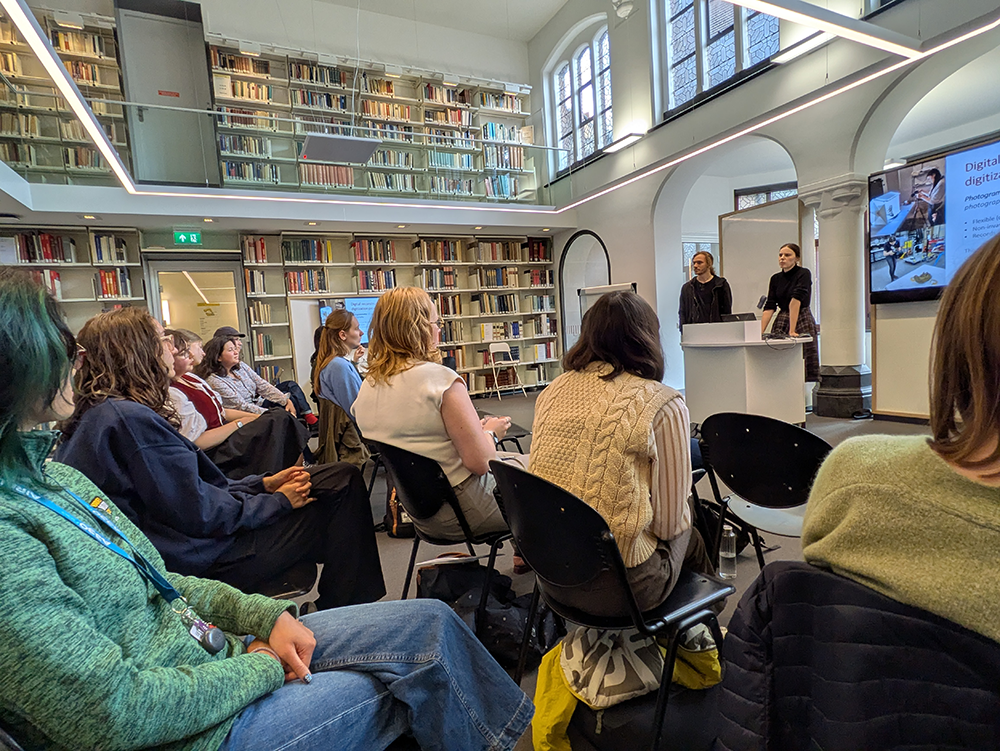
Have you been meaning to set up an appointment to ask about research data management for your project, an aspect of your research workflow, or a specific DH tool or method? Visit one of our drop-in sessions and we will help you on the spot! No need to make an appointment!

The sessions are designed to support researchers, students, and staff members in all areas of digital scholarship. The initiative is a collaboration between Artes Research, DH-support staff and researchers at the Faculty of Arts, and ICTS at the Faculty of Arts.

Some areas we can help you with:

  • Providing resources for various DH and RDM tools
  • Advice on DMPs and Research Data Management in general
  • Suggesting DH tools or methods for your specific research questions
    • Relational databases in FileMaker
    • Social Network Analysis and network visualizations
    • Computational tools for working with texts
  • Getting started with Zotero or optimizing Zotero use with an existing Zotero library
  • Advice on scholarly communication
  • Advice on Lirias
  • … and much more!

Don’t have a question about any of the above but want to learn more about DH? No problem! Come and use our space for co-working! It’s a great moment to develop digital skills by starting a Programming Historian tutorial, for instance!

Everyone is welcome to attend, you do not need to register!

Stop by on one of the following dates and we will be glad to help you:

  • 24/09/2026: 13:30h -15:30h, Het Salon LETT 00.24, Erasmushuis
  • 22/10/2026: 13:30h -15:30h, Het Salon LETT 00.24, Erasmushuis
  • 10/11/2026: 13:30h -15:30h, Het Salon LETT 00.24, Erasmushuis
  • 10/12/2026: 13:30h -15:30h, Het Salon LETT 00.24, Erasmushuis

  •  

Open Access journals published in Belgium without author fees

This blog post was written by Demmy Verbeke and Laura Mesotten.

A first version of the dataset dedicated to the landscape of Belgian Open Access (OA) journals which do not charge author fees has been published with DOI 10.5281/zenodo.20760254.

This overview, compiled by Laura Mesotten and Demmy Verbeke, provides a comprehensive list of Belgian Diamond OA journals – defined as journals that are published in OA without charging author fees and that are governed by the academic community. The dataset includes a range of bibliographical, editorial, and technical details, such as ISSNs, publishing software used, funding sources, and peer review status. In addition, the dataset documents the operational Diamond OA criteria for journals as developed in the context of the DIAMAS and CRAFT-OA projects. As such, it serves as a practical tool for identifying journals that are eligible for inclusion in the Diamond Discovery Hub maintained by the European Diamond Capacity Hub.

The “About” section of the dataset outlines the methodological choices and scope. For instance, it specifies the criteria used to determine whether a journal qualifies as Belgian. For the purposes of this dataset, a journal is considered Belgian if its publisher or publishing entity (i.e., the institution or society responsible for the journal) is legally based in Belgium. In cases of co-publishing, a journal is also considered Belgian if at least one co-publisher or publishing entity is legally based in Belgium, even if the registered publisher is located elsewhere. By contrast, indicators such as the nationality or institutional affiliations of editors, funding from Belgian institutions, or distribution via Belgian platforms are not considered as sufficient grounds for classifying a journal as Belgian.

The dataset further includes a “Belgian delayed OA journals” tab, which provides information on journals whose content is made openly available after an embargo period. Inclusion in this category is restricted to journals where OA applies to the issue as a whole (rather than to individual articles) and where such access is unconditional – that is, authors can be assured that their publication will become openly accessible after a defined embargo period. No restrictions are imposed on the length of the embargo, and, where identifiable, the duration of embargo period is explicitly recorded in the dataset. Journals are excluded from this category if it is not clearly stated that they provide delayed OA, or if it remains uncertain whether the availability of open content reflects an established embargo policy or merely the opening up of the journal’s archive, without reassurance that newly published material will become openly accessible over time. This section should be viewed as an initial exploratory effort to map delayed OA journals in the Belgian context. While distinct from Diamond OA, delayed OA regularly shares certain features with it, notably the absence of author-facing fees. Further research will be required to validate and refine the identification of such journals. Including them at this stage enables their separate documentation and supports the monitoring of changes in access conditions over time.

As a first release, the dataset should be regarded as a living resource rather than a definitive inventory. It is intended to support research and analysis on scholarly communication and Diamond Open Access publishing in Belgium, while also facilitating the visibility and monitoring of community-led journals. The dataset will be periodically updated to reflect changes in journal policies, platforms, and indexing statuses. Users are encouraged to consult the most recent version and to share additions, corrections, or comments with the authors.

  •  

Effortless Digital Humanities

When I first read Kenny Werner’s book Effortless Mastery: Liberating the Master Musician Within, I was in college studying jazz improvisation and musical performance. At the time, the book was powerful and transformative for its approach to thinking through performance anxiety and imposter syndrome— things I still struggle with in relation to musical performance. Recent conversations about GenAI and digital humanities left me wanting to revisit Werner’s approach to thinking through craft and difficulty.

The central conceit for Effortless Mastery is this: the degree to which we care about an activity can get in the way of our ability to do it. When we care deeply about doing something well, about performing at a high level, this sincere anxiety and the tension that follows interfere with our ability to prepare for the excellence we want to achieve. Approaching our craft with this heightened sense of the stakes reinforces a fraught relationship to our craft that comes out in practice, play, and performance. Effortless Mastery is about choosing a different path, centering mindfulness in our craft in a way that can be practiced. In the prototypical Effortless Mastery exercise, one sits at the piano and only practices a single note for 5-10 minutes a day. The goal is to approach this isolated note with such intention and care that it becomes effortless. Let your finger, in a childlike way, press down on a key with as little tension as possible. Only add new notes when the first one has become the most perfect and effortless thing that it could possibly be. According to Werner, performers will likely find this approach to practice excruciating. We feel like we have too much material to learn. Too much to do—not enough time. But Werner argues that, if approached diligently, his form of practice will actually pay dividends and elevate all parts of our performance. Our relationship to our instrument and to music will improve, and we will find it easier to enter a heightened state of flow and bliss as we perform. There are also affirmations that focus on changing the way you relate to the instrument.

I’m interested in how we can apply the same kind of approach to the work that we do in the academy. In some ways, the concept of effortless practice cuts against the way I tend to teach and write about DH. I’ve argued in the past that frustration is a feature for DH students. Learning is hard in a way that we can’t avoid, and we have to teach students how to live with these challenging emotions. But lately I’ve been thinking about how perception of difficulty can get in the way of our pedagogies, particularly as we all try to reckon with the impact of GenAI on our teaching. When a humanist sits down to learn something new, it can be easy to reach for GenAI as soon as they start to feel frustrated. Is it useful for them to sidestep challenging emotions? Would we rather they sit with the difficulty longer? How do we help students shift their own understanding of what is difficult and what is not? Finally, to talk back to myself, how might it change the possibilities students see for themselves if we framed DH instead as a space of effortlessness rather than one of frustration and difficulty?

The domains are different—how many of us would describe our DH work as a space of artistic bliss? But I still think there can be utility in thinking through the shape of an effortless digital humanities. What is the DH equivalent of putting your finger to a single note? What are the building blocks for all other digital humanities work? And how might we practice these techniques daily in 10 minutes to promote an effortless approach to doing so? To begin answering these questions for myself, I sat down at my laptop and mapped out how this sequence might work in my classroom. In what follows, I map out a way you might extrapolate this kind of approach over the course of a sixteen-week semester, slowly building up a daily practice in the spirit of developing an effortless digital humanities. Try it with your students and let me know how it goes.

Terminal

One of the first things I do when sitting down for DH work is open my terminal, so this is where my daily practice begins. The terminal is an essential tool for so many other DH activities, but it adds a layer of abstraction to learning that can take a while for students to overcome. Here are some ideas for playing one note on the terminal each day. Under each week I describe a sequence of activities meant to be performed daily, early each morning, in about 10 minutes. Each new week adds one or two new elements to the repeated sequence. Only advance to a new week when you feel you can perform the previous week with complete effortlessness. Feel free to repeat weeks. Better to go slow. And be sure to include (or adapt!) the light affirmations that I include. Our primary statement will be one directly from Werner’s text: “It is not hard, it is just unfamiliar.” A few caveats: in what follows, unless otherwise specified, code blocks represent lines that should be entered into the terminal. Throughout this post I am sharing MacOS terminal commands. Programming Historian has some useful lessons for those looking to adapt these for Windows. And, finally, things will, by design, become very repetitive. It is quite possible I will leave out a step while copying things over. Let me know if you find such a thing and I will edit accordingly.

  • Week 1:
    • Open the terminal. Say, “I have opened my terminal. It is not hard, it is just unfamiliar.”
  • Week 2:
    • Open the terminal. Say, “I have opened my terminal.”
    • Print out your current directory with pwd. Say “I am currently in my user folder. It is not hard, it is just unfamiliar.”
  • Week 3:
    • Open the terminal. Say, “I have opened my terminal.”
    • Print out your current directory with pwd. Say, “I am currently in my user folder.”
    • Change to your Desktop with cd Desktop. Confirm you are in your desktop with pwd. Say, “I have changed to my Desktop. It is not hard, it is just unfamiliar.”
  • Week 4:
    • Open the terminal. Say, “I have opened my terminal.”
    • Print out your current directory with pwd. Say, “I am currently in my user folder.”
    • Change to your Desktop with cd Desktop. Confirm you are in your desktop with pwd. Say, “I have changed to my Desktop.”
    • List out the contents of your desktop with ls. Say, “I am looking at the contents of my desktop. It is not hard, it is just unfamiliar.”
  • Week 5:
    • Open the terminal. Say, “I have opened my terminal.”
    • Print out your current directory with pwd. Say, “I am currently in my user folder.”
    • Change to your Desktop with cd Desktop. Confirm you are in your desktop with pwd. Say, “I have changed to my Desktop.”
    • List out the contents of your desktop with ls. Say, “I am looking at the contents of my desktop.”
    • Make a new folder with mkdir test_folder. Say, “I have made a new folder.”
    • Clean up your workspace by deleting the folder with rm -rf test_folder. Say, “I have deleted the new folder. It is not hard, it is just unfamiliar.”
  • Week 6:
    • Open the terminal. Say, “I have opened my terminal.”
    • Print out your current directory with pwd. Say, “I am currently in my user folder.”
    • Change to your Desktop with cd Desktop. Confirm you are in your desktop with pwd. Say, “I have changed to my Desktop.”
    • List out the contents of your desktop with ls. Say, “I am looking at the contents of my desktop.”
    • Make a new folder with mkdir test_folder. Say, “I have made a new folder.”
    • Change into the new folder with cd test_folder. Say, “I have changed into my new folder called test_folder.”
    • Return to your desktop with cd ... Say, “I have returned to my desktop.”
    • Clean up your workspace by deleting the folder with rm -rf test_folder. Say, “I have deleted the new folder. It is not hard, it is just unfamiliar.”

For many experienced DH practitioners, these steps would take maybe 10 seconds. But if you’re new to the terminal entirely each of these things could take quite a bit longer and cause a great deal of anxiety. Encourage students to move slowly, repeating each week’s steps regularly moving on to the next step. After several weeks, hopefully, they will feel a greater sense of comfort with the idea of what the terminal is, where to find it, and how to use it. Working incrementally in this way can take something from challenging to rote practice.

Git

Version control systems seem especially good for this kind of regular work. Git and GitHub are tools that students often find very difficult to conceptualize and master, but 90% of what you need to do can be handled by the same set of steps. Perhaps by making Git practice an everyday routine we can make more room for understanding the concepts. The next several weeks will build on the previous terminal sequence.

  • Week 7:
    • Open the terminal. Say, “I have opened my terminal.”
    • Print out your current directory with pwd. Say, “I am currently in my user folder.”
    • Change to your Desktop with cd Desktop. Confirm you are in your desktop with pwd. Say, “I have changed to my Desktop.”
    • List out the contents of your desktop with ls. Say, “I am looking at the contents of my desktop.”
    • Make a new folder with mkdir test_folder. Say, “I have made a new folder.”
    • Change into the new folder with cd test_folder. Say, “I have changed into my new folder called test_folder.”
    • Make this folder a git repository with git init. Say, “I have made this folder into a git repository.”
    • Return to your desktop with cd ... Say, “I have returned to my desktop.”
    • Clean up your workspace by deleting the folder with rm -rf test_folder. Say, “I have deleted the new folder. It is not hard, it is just unfamiliar.”
  • Week 8:
    • Open the terminal. Say, “I have opened my terminal.”
    • Print out your current directory with pwd. Say, “I am currently in my user folder.”
    • Change to your Desktop with cd Desktop. Confirm you are in your desktop with pwd. Say, “I have changed to my Desktop.”
    • List out the contents of your desktop with ls. Say, “I am looking at the contents of my desktop.”
    • Make a new folder with mkdir test_folder. Say, “I have made a new folder.”
    • Change into the new folder with cd test_folder. Say, “I have changed into my new folder called test_folder.”
    • Make this folder a git repository with git init. Say, “I have made this folder into a git repository.”
    • Make a few file in your folder with touch index.html. Say, “I have made a new html file.”
    • Confirm you have a new file to add in git with git status. Say, “I have shown that git acknowledges the new file.”
    • Return to your desktop with cd ... Say, “I have returned to my desktop.”
    • Clean up your workspace by deleting the folder with rm -rf test_folder. Say, “I have deleted the new folder. It is not hard, it is just unfamiliar.”
  • Week 9:
    • Open the terminal. Say, “I have opened my terminal.”
    • Print out your current directory with pwd. Say, “I am currently in my user folder.”
    • Change to your Desktop with cd Desktop. Confirm you are in your desktop with pwd. Say, “I have changed to my Desktop.”
    • List out the contents of your desktop with ls. Say, “I am looking at the contents of my desktop.”
    • Make a new folder with mkdir test_folder. Say, “I have made a new folder.”
    • Change into the new folder with cd test_folder. Say, “I have changed into my new folder called test_folder.”
    • Make this folder a git repository with git init. Say, “I have made this folder into a git repository.”
    • Make a few file in your folder with touch index.html. Say, “I have made a new html file.”
    • Confirm you have a new file to add in git with git status. Say, “I have shown that git acknowledges the new file.”
    • Add your new file to your git staging area with git add index.html. Say, “I have added my file to staging.”
    • Confirm you added the file successfully with git status. Say, “Git status shows that I did this successfully.”
    • Return to your desktop with cd ... Say, “I have returned to my desktop.”
    • Clean up your workspace by deleting the folder with rm -rf test_folder. Say, “I have deleted the new folder. It is not hard, it is just unfamiliar.”
  • Week 10:
    • Open the terminal. Say, “I have opened my terminal.”
    • Print out your current directory with pwd. Say, “I am currently in my user folder.”
    • Change to your Desktop with cd Desktop. Confirm you are in your desktop with pwd. Say, “I have changed to my Desktop.”
    • List out the contents of your desktop with ls. Say, “I am looking at the contents of my desktop.”
    • Make a new folder with mkdir test_folder. Say, “I have made a new folder.”
    • Change into the new folder with cd test_folder. Say, “I have changed into my new folder called test_folder.”
    • Make this folder a git repository with git init. Say, “I have made this folder into a git repository.”
    • Make a few file in your folder with touch index.html. Say, “I have made a new html file.”
    • Confirm you have a new file to add in git with git status. Say, “I have shown that git acknowledges the new file.”
    • Add your new file to your git staging area with git add index.html. Say, “I have added my file to staging.”
    • Confirm you added the file successfully with git status. Say, “Git status shows that I did this successfully.”
    • Commit your new file with git commit -m 'My first commit. Say, “I am committing my new file to git.”
    • Confirm you added the file successfully with git status. Say, “Git status shows that I did this successfully.”
    • Return to your desktop with cd ... Say, “I have returned to my desktop.”
    • Clean up your workspace by deleting the folder with rm -rf test_folder. Say, “I have deleted the new folder. It is not hard, it is just unfamiliar.”

At this point, I might have students continue to repeat these steps for several weeks. Again, an experienced practitioner could do this in no time at all. Newcomers will find this to be quite a lot. At some point, after enough days have gone by, things might start to get annoying. Good! You’re experiencing effortlessness. Only add new steps when you feel like what you have done so far is effortless. Remember: it is not hard, it is just unfamiliar.

Building a basic website

At this point, my bulleted list is getting overly complicated, so I’ll simplify things going forward by using shorthand and sandwiching the new steps inside of a “set up” and “clean up” phase. Refer above for the associated commands. It is probably clear where I am going at this stage: I think designing a basic website and understanding how to view it on your computer is another foundational DH skill. And we can make this sequence a very light daily activity.

  • Week 11:
    • Set up:
      • Open your terminal, change to your desktop, and make a new folder called “test_folder.” Change into it. Initialize a new git repository. Make a new file called index.html. Add and commit this change. Describe what you have done. Say, “It is not hard, it is just unfamiliar.”
    • New:
      • Add a new line inside your index.html file that says, “This is a basic webpage.” Describe what you have done.
      • Open that file in the web browser of your choice. Say, “I am viewing my html file in a web browser.”
    • Clean up:
      • Change back to your Desktop and delete the folder. Describe what you have done. Say, “It is not hard, it is just unfamiliar.”
  • Week 11:
    • Set up:
      • Open your terminal, change to your desktop, and make a new folder called “test_folder.” Change into it. Initialize a new git repository. Make a new file called index.html. Add and commit this change. Add a new line inside your index.html page and open it in a browser. Describe what you have done. Say, “It is not hard, it is just unfamiliar.”
    • New:
      • Stage your change with git add . Describe what you have done.
      • Commit your change with git commit -m 'Made a change'. Describe what you have done.
    • Clean up:
      • Change back to your Desktop and delete the folder. Describe what you have done. Say, “It is not hard, it is just unfamiliar.”
  • Week 12:
    • Set up:
      • Open your terminal, change to your desktop, and make a new folder called “test_folder.” Change into it. Initialize a new git repository. Make a new file called index.html. Add and commit this change. Add a new line inside your index.html page and open it in a browser. Describe what you have done. Say, “It is not hard, it is just unfamiliar.”
    • New:
    • Clean up:
      • Add and commit all changes.
      • Change back to your Desktop and delete the folder. Describe what you have done. Say, “It is not hard, it is just unfamiliar.”
  • Week 13:
    • Set up:
      • Open your terminal, change to your desktop, and make a new folder called “test_folder.” Change into it. Initialize a new git repository. Make a new file called index.html. Add and commit this change. Add a new line inside your index.html page and open it in a browser. Paste the basic skeleton of an HTML page into your index.html. Describe what you have done. Say, “It is not hard, it is just unfamiliar.”
    • New:
      • It’s a review week. Each day, write down comments, in your index.html file, explaining what one of the lines in the HTML file does.
    • Clean up:
      • Add and commit all changes.
      • Change back to your Desktop and delete the folder. Describe what you have done. Say, “It is not hard, it is just unfamiliar.”
  • Week 14:
    • Set up:
      • Open your terminal, change to your desktop, and make a new folder called “test_folder.” Change into it. Initialize a new git repository. Make a new file called index.html. Add and commit this change. Add a new line inside your index.html page and open it in a browser. Paste the basic skeleton of an HTML page into your index.html. Describe what you have done. Say, “It is not hard, it is just unfamiliar.”
    • New:
      • Each day, write down comments, in your index.html file, explaining what one of the lines in the HTML file does.
    • Clean up:
      • Add and commit all changes.
      • Change back to your Desktop and delete the folder. Describe what you have done. Say, “It is not hard, it is just unfamiliar.”
  • Week 15:
    • Set up:
      • Open your terminal, change to your desktop, and make a new folder called “test_folder.” Change into it. Initialize a new git repository. Make a new file called index.html. Add and commit this change. Add a new line inside your index.html page and open it in a browser. Paste the basic skeleton of an HTML page into your index.html. Describe what you have done. Say, “It is not hard, it is just unfamiliar.”
    • New:
      • Make a CSS file with “touch style.css”. Describe what you have done.
      • Link it to your index.html file by adding the following line within your <head> tag: <link rel="stylesheet" href="style.css">
    • Clean up:
      • Add and commit all changes.
      • Change back to your Desktop and delete the folder. Describe what you have done. Say, “It is not hard, it is just unfamiliar.”
  • Week 16:
    • Set up:
      • Open your terminal, change to your desktop, and make a new folder called “test_folder.” Change into it. Initialize a new git repository. Make a new file called index.html. Add and commit this change. Add a new line inside your index.html page and open it in a browser. Paste the basic skeleton of an HTML page into your index.html. Make a new CSS file and link it to your index file. Describe what you have done. Say, “It is not hard, it is just unfamiliar.”
    • New:
      • Change the background color of your <body> tag to be:
        body{
        background-color: red;
        }
        
      • Save your file. Refresh your browser to see the new page. Describe what you have done.
    • Clean up:
      • Add and commit all changes.
      • Change back to your Desktop and delete the folder. Describe what you have done. Say, “It is not hard, it is just unfamiliar.”

Again, step away from things if at any point the exercise starts to feel like they are causing effort or friction. Reduce what you’re asking yourself to do for the next session. I think you will find if you proceed like this for a week or two you will very quickly develop proficiency with a range of DH building blocks. A webpage with red background (my go-to example for teaching CSS because it is very obvious something has happened) might not feel very exciting to an advanced practitioner, but I would be immensely pleased with a student able to go from nothing to this level over the course of a semester.

These kinds of exercises might feel trite and meaningless, but you can’t put a price on confidence. Effortless fluency and literacy with the basics provide a strong foundation for more advanced study. Spend 5 to 10 minutes on them every day. As Werner would say, “What do you have to lose?” We can all find 5 or 10 minutes, and that unit of time is a small sacrifice that ultimately will not take that much away from other work. Wouldn’t it be great for students to approach their work with a sense of confidence that they can inhabit a DH space that works for them? Exercises like these can help our students make DH a daily part of their lives. Daily work building a personal, effortless digital humanities will prepare our students to face the bigger and more advanced problems they will inevitably face. They will do so with confidence that they can find the answers within themselves and their own process. The next time they reach for a GenAI prompt when faced with a problem, they just might pause and look inwards first.

  •  

How To Make an Academic Zine for a Public Audience

Download the Zine

If you’re at all familiar with the fiercely independent, anti-institutional history of the zine, you might reject the supposition that they can be used within academic circles. Yet zines have potential as a creative, cohesive outlet for public history.

Zines originated around the 1930s in science fiction circles but are most often associated with the latter half of the twentieth century. Used as an alternative art form outside of mainstream media, zine authors from the 1960s through the 1990s used self-publishing to broadcast bold ideas through small, often collaborative, pamphlets. Zine topics could range from birth control to bus routes, but almost always were intended to communicate something significant from the creator to the outside world. For a brief history of zines, visit the Rare Book Collection at UNC Libraries.

  •  

South Asia Collections at The Met: A Preliminary Computational Look

Originally published at https://www.deepthimurali.com/art-history-and-data/south-asia-at-the-met


Museum metadata is messy metadata (and sometimes, also, just messy in non-computational ways.) But museum metadata is also historical archive that scholars and the public alike ignore.

Every object in a museum collection arrives with a story attached — a donor’s name, a date, a department assignment, a classification. Individually, these are administrative details: the bureaucratic residue of how an object got from somewhere else to a vitrine, a storage shelf, or a database entry. But at scale, across thousands of objects and more than a century of acquisitions, these details become historical data. They become a record of how an institution decided what South Asia was, who got to decide that, and when those decisions were made.

  •  

Mills Kelly Named Executive Director of RRCHNM

The Roy Rosenzweig Center for History and New Media and the Department of History and Art History at George Mason University are pleased to announce that Mills Kelly has been named the new executive director of RRCHNM. This year RRCHNM is celebrating its twenty-fifth year, and Kelly has been a part of the Center for eighteen of those years. He joined the department and CHNM in 2001 to work with Roy Rosenzweig, the founder of CHNM.

  •  

KI-gestützte Übersetzung altfranzösischer Texte: Unsere Kooperation mit ALMA

AI-Assisted Translation of Old French Texts: Our Cooperation with ALMA The ALMA project—an inter-institutional collaboration between the Academies of Sciences in Heidelberg, Munich, and Mainz—investigates the emergence of vernacular knowledge networks in the Romance...
  •  

Drift 10 welcomes Data School, Data Management & Privacy, ILS Labs, and ArtLab

作者masch001

This year, Data School, the Data Management & Privacy team, ILS Labs, and several members of ArtLab are moving to Drift 10 in Utrecht, joining the Centre for Digital Humanities (CDH), of which they are part.

The process of bringing more CDH teams together at Drift 10 is steadily taking shape. In recent weeks, Data School and the Data Management & Privacy team have begun settling into their new offices. Data School is moving to room 2.01 at Drift 10, while the Data Management & Privacy team will be based in room 3.10. Several members of ArtLab will also have workspaces at Drift 10.

They join the Research Software Lab, Humanities IT, and most of the CDH core team, who are already located at Drift 10.

The ILS Labs are also in the process of relocating to Drift 10. Once their move from Janskerkhof 13 is completed, the basement, ground floor, and first floor of Drift 10 will house two biolabs, two eye-tracking labs, three phonetics/general-purpose labs, an interaction lab, and a head-turn-preference lab.

The CDH is delighted that this development will bring more of its units together under one roof. While collaboration between the teams is already well established, sharing the same location will create even more opportunities for informal exchange and knowledge sharing.

With these moves, a long-held dream of the CDH is becoming a reality: bringing together most of its teams in a single location.

The post Drift 10 welcomes Data School, Data Management & Privacy, ILS Labs, and ArtLab appeared first on Centre for Digital Humanities.

  •  

Last Walk-in Hour on 25 June – Resuming on 17 September

作者masch001

Do you have a question related to digital humanities? The final Digital Humanities (DH) Walk-in Hour of Spring 2026 will take place on Thursday, 25 June, 2026. These weekly consultation sessions will resume on 17 September.

During the walk-in hour, our digital humanities specialist can advise you on topics such as data analysis using R or Python, creating datasets, the technical component of your research (funding) proposal, finding suitable existing research software, and optimising your self-written code, among others.

All teachers, researchers, staff and students at the Faculty of Humanities of Utrecht University are welcome to drop by. No appointment is needed.

When?

Every Thursday, 14:00 – 15:00.
Final Spring session: 25 June
First Autumn session:17 September

Location

Room 0.32, University Library City Centre, Drift 27, Utrecht.

We look forward to assisting you with your DH needs!

The post Last Walk-in Hour on 25 June – Resuming on 17 September appeared first on Centre for Digital Humanities.

  •  

Evania Fasya joins CDH

作者masch001

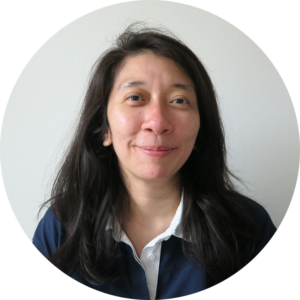
The Research Software Lab and the Portal Development team welcome developer Evania Fasya to their team. With her background in psychology and human-computer interaction, she brings fresh perspectives to the CDH.

Fasya holds a Bachelor’s and Master’s degree in Information Systems and Human-Media Interaction at the University of Indonesia and University of Twente. Through these studies, she gained experience in creating computer systems that support organisations, as well as designing technology that improves interaction between people and digital systems.

Recently, she defended her PhD thesis at the University of Twente, in collaboration with Leiden University. Her research focused on the social effects of behaviors conveyed in social interaction between humans and virtual humans. This research provided experience in experimental research, including data analysis and journal publications.

What Fasya brings to the team

At the Centre for Digital Humanities, Fasya will work in both the Portal Development team and the Research Software Lab.

She can support you with:

  • software development
  • programming for information retrieval, virtual reality, software/web applications using Python or C#

Together with statistical advisor Kirsten Schutter, she can also assist with:

  • data preprocessing
  • data analysis
  • reports using Python or R

If you have any questions about any of the topics above that Evania can assist with, please contact cdh@uu.nl.

The post Evania Fasya joins CDH appeared first on Centre for Digital Humanities.

  •  

Digital Humanities-stage bij de Kiesraad

作者masch001

Gaat jouw hart sneller kloppen van de combinatie van historisch onderzoek en digitalisering? En wil je bijdragen aan transparante verkiezingen? De Kiesraad (Ministerie van Binnenlandse Zaken en Koningsrelaties) zoekt een WO-student die wil meewerken aan de verdere ontwikkeling van de Databank verkiezingsuitslagen.

De Kiesraad ontwikkelt en beheert de Databank Verkiezingsuitslagen, waarmee verkiezingsuitslagen voor iedereen toegankelijk worden gemaakt. Tijdens deze stage ga je ontbrekende uitslagen uit het verleden verzamelen, digitaliseren en toevoegen aan de databank. Daarnaast onderzoek je hoe de databank gebruiksvriendelijker kan worden gemaakt en geef je hierover advies aan de Kiesraad.

De Kiesraad zoekt een WO-student in de laatste fase van de master, bij voorkeur met een achtergrond in Digital Humanities of Data Science. Het betreft een onderzoeksstage van 32 tot 40 uur per week in de tweede helft van 2026. De stagevergoeding bedraagt 800 euro per maand op basis van een 40-urige werkweek. Reageren kan tot en met 30 juni 2026.

The post Digital Humanities-stage bij de Kiesraad appeared first on Centre for Digital Humanities.

  •  

Training Programme Autumn 2026 – New workshops and lectures

作者masch001

The Centre for Digital Humanities (CDH) is pleased to present its Autumn 2026 Training Programme. Join us this semester for a series of free workshops and lectures on digital methods, tools, and critical perspectives in the humanities.

We will kick off the Autumn semester on 17 September with a special online lecture by Julian Posada (Yale University) on Platform Extractivism – Data work and the people powering AI. Curated and hosted by Fabian Ferrari.

For anyone looking to create a good-looking thesis, article, or dissertation without spending hours on formatting, Xander Vertegaal returns with his Introduction to LaTeX workshop on 6 October.

We are also delighted to welcome back Hugo Schnack with Machine learning – principles and practices on 14 October. This workshop is now divided into two sessions that can be attended together or separately: an introductory session in the morning and a more in-depth session in the afternoon.

On 22 October, Lotje Siffels (Radboud University) will deliver an online lecture on the timely topic How the presence of Big Tech reshapes values in healthcare. This talk offers an excellent follow-up to this spring’s lecture on digital autonomy at Dutch universities.

Of course, our evergreen workshop Entry-level Python in four days is back on the menu. Hosted by the CDH Research Software Lab and starting on 18 November, it continues to be one of our most popular offerings.

We will conclude the programme on 20 November with a special workshop presented by the UU ArtLab: Capturing objects in 3D – Photogrammetry in heritage research. During this hands-on session, Sjors Nab and Sanne Frequin will guide participants through the process of transforming ordinary images into high-quality digital 3D representations of objects.

For whom?

All staff members and students of the Faculty of Humanities at Utrecht University (UU) are warmly invited to register for all our events. UU staff from other faculties are also welcome to participate in most activities. Parts of our programme – particularly the lecture series – are open to all who are interested. Please check the event-specific details in the training calendar to see what applies to each activity.

We look forward to welcoming you to one or more of our events!

The post Training Programme Autumn 2026 – New workshops and lectures appeared first on Centre for Digital Humanities.

  •